Configuring the DVR
700-0042 R004 3–13
3.2.5. Using the Alarms Menu
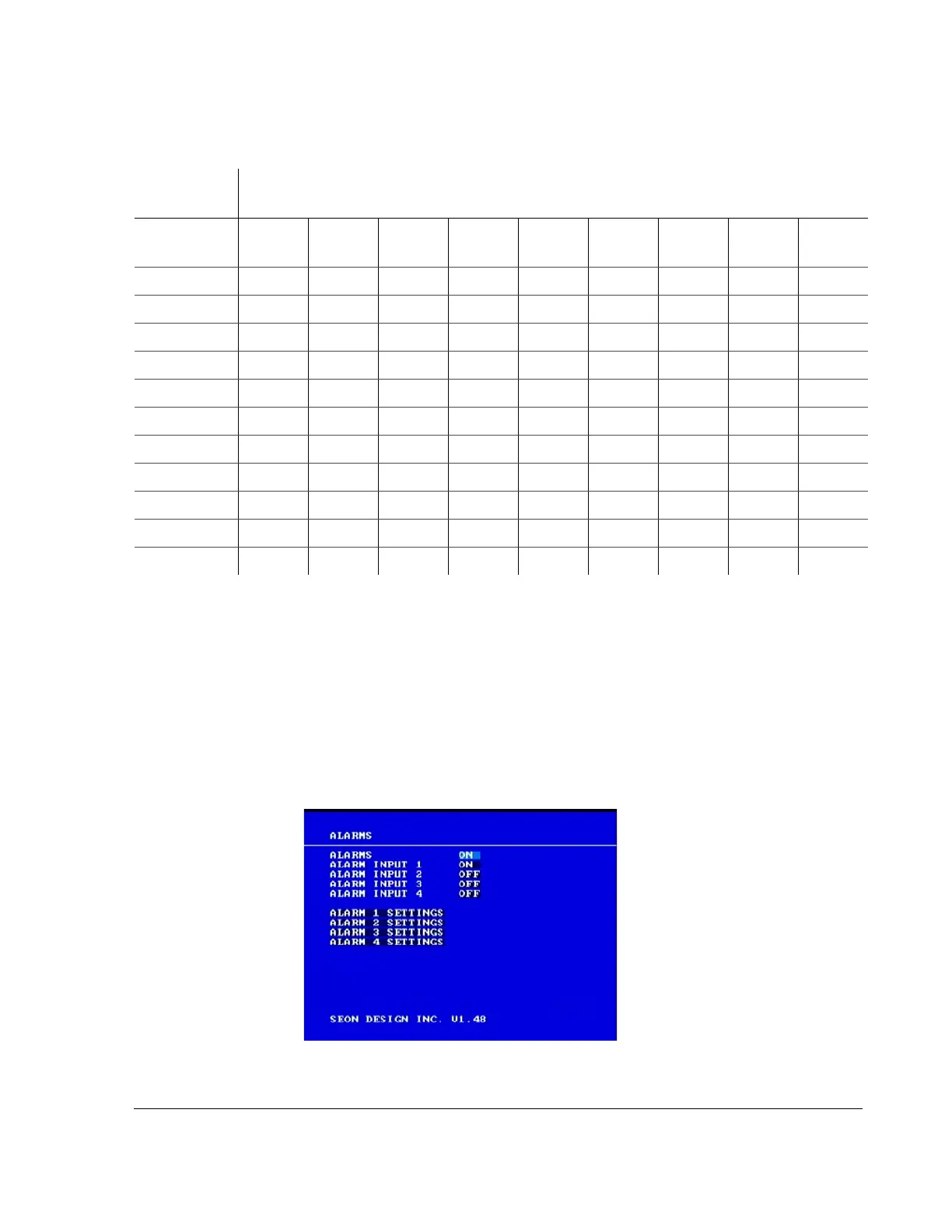
Use the Alarms menu to set the options and events that occur when an external
alarm is received by the DVR. Usually, a driver-activated switch or other external
device causes the alarm.
To view the Alarms menu:
1. On the main menu, turn the
JOG wheel to highlight ALARMS.
2. Press the
ENTER button.
The Alarms menu appears as shown in Figure 3-6.
Table 3-9
Estimated recording time in hours with 160 GB hard drive
Frames per
second (FPS)
Picture Quality and
Resolution
2
360×240
4
360×240
6
360×240
2
720×240
4
720×240
6
720×240
2
720×480
4
720×480
6
720×480
30 352 270 168 220 168 104 140 98 44
20 438 318 220 270 206 134 140 98 44
15 510 448 276 358 276 180 210 156 76
10 586 502 320 390 320 208 294 220 104
7.5 634 476 346 424 318 254 318 224 120
6 698 582 390 438 388 268 318 270 126
5 786 656 492 562 492 358 438 328 180
4 950 760 634 760 542 422 476 380 200
3 1366 1026 820 1024 820 586 686 514 276
2 1984 1494 1120 1494 1120 900 1122 748 450
1 3396 2560 1696 2554 1710 1372 1710 1272 850
Figure 3-6
Alarms menu



 To Next Page