5 – Installation and set-up MultiExact Gas Analyser
5.4.7 Changing regional settings
You can configure the following analyser regional settings so that the information
shown on the various screens is better suited to your local conventions:
Various languages are supported
Day/Month/Year * or Month/Day/Year
Use of "." * (full stop) or "," (comma) as the decimal point
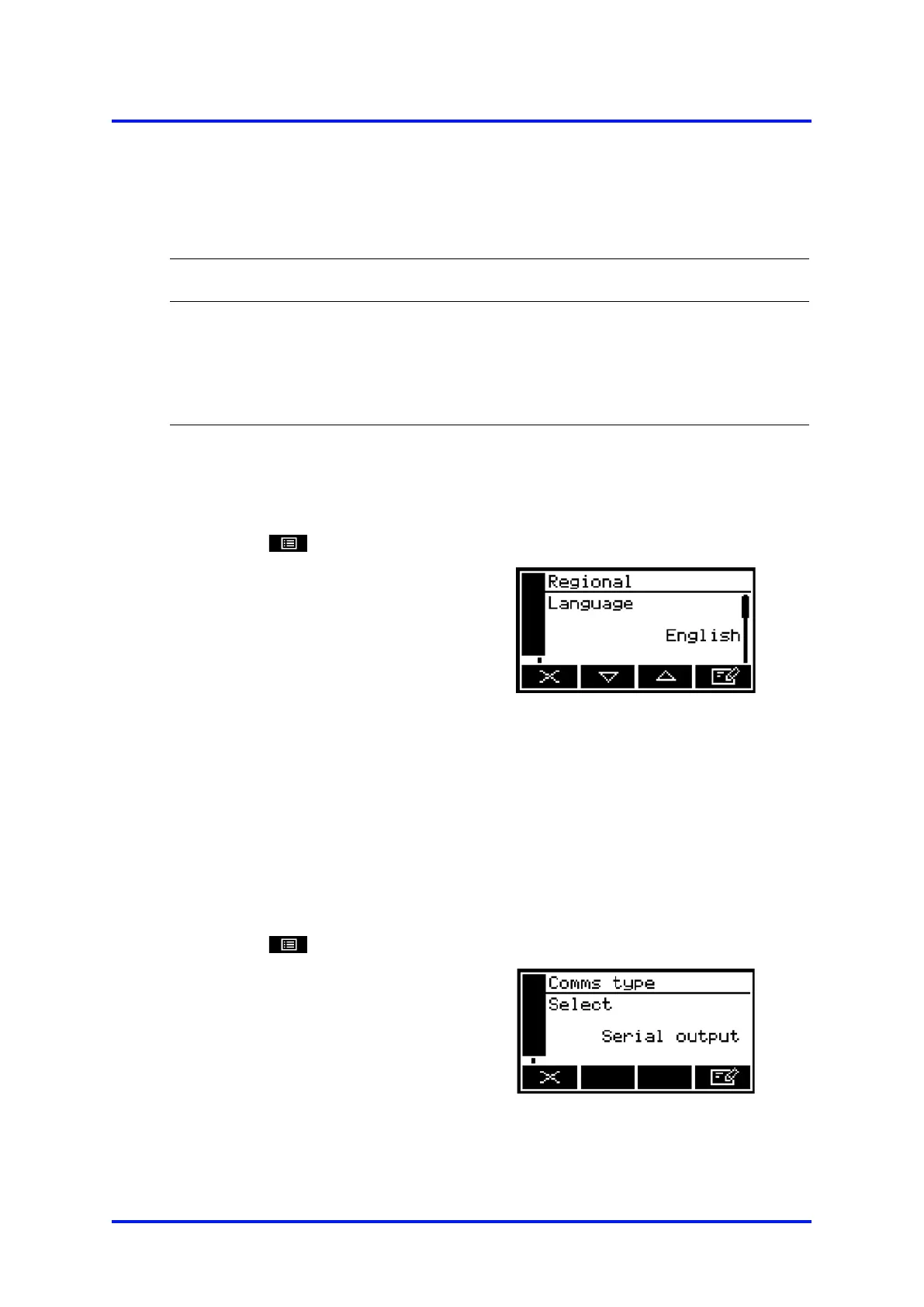
To change the regional settings:
1. Select
Settings
Regional.
2. This screen shows the first
regional option (Language).
Figure 26 – The regional settings
(language) option screen
5.4.8 Selecting communications type
If your analyser supports digital communication e.g. Modbus
ethernet, RS485
etc. the communications type will default to this. You can however, choose to
select Serial Output (RS232). If serial output is selected then digital
communication over Modbus is disabled. See Appendix A4.
1. Select
Set up
Comms Type.
2. This screen shows the first
communications type.
Figure 27 – The Communications
type screen
40 05410001A / Revision 6













 To Next Page