MultiExact Gas Analyser 7 – General operation
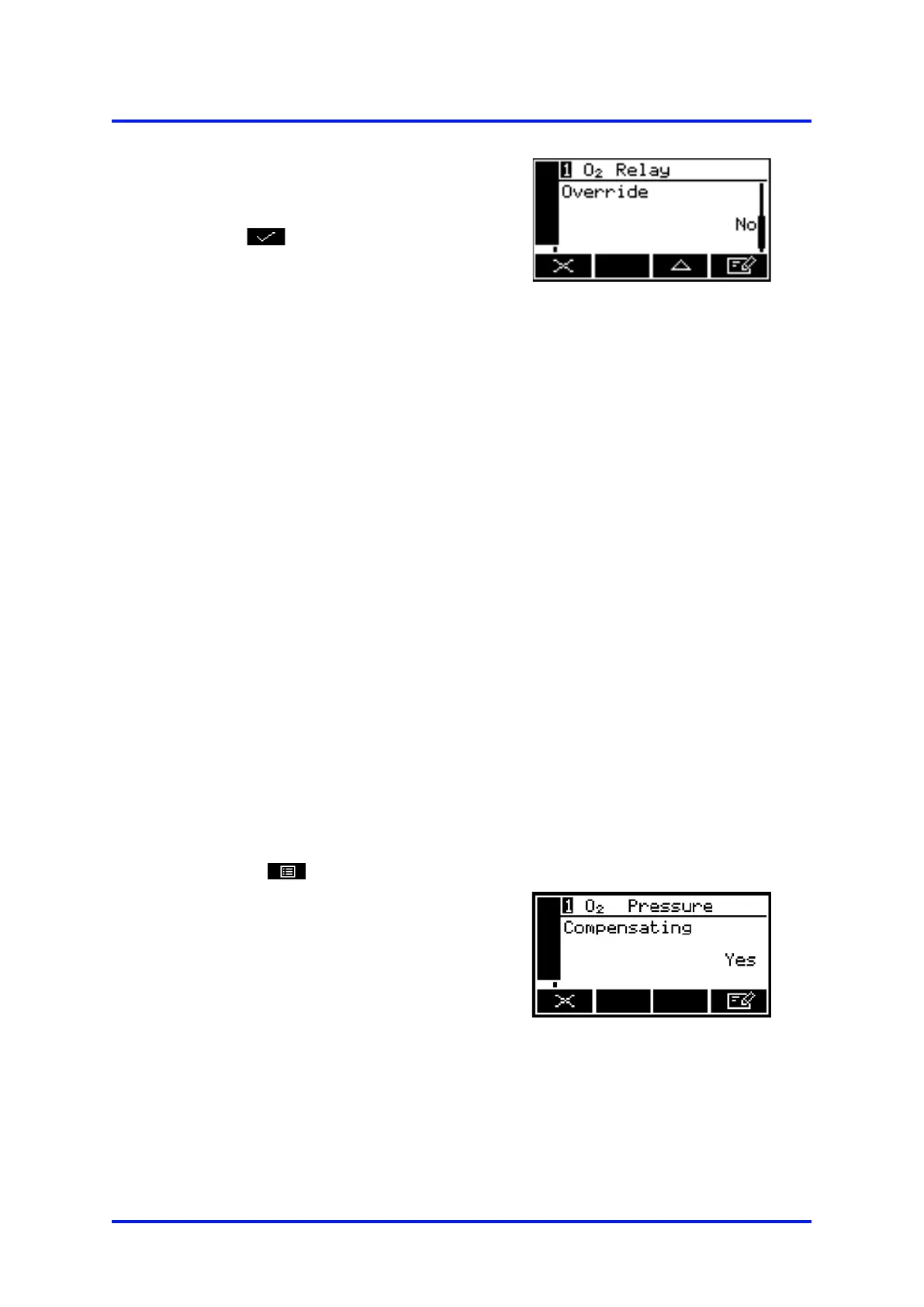
3. Scroll to the relay override screen
(Figure 90).
4.
Select the 'Yes' option, then press
the soft key. The relay outputs
will now be set to the selected
override state, and you can use your
control/monitoring equipment
(connected to the ana
monitor the relay signal outputs.
Figure 90 – The relay override
action screen
The relay signal outputs freeze at the selected override signal state as long as
the 'Override action' screen is displayed. As soon as another screen is
displayed, the
relay signal outputs will be updated to reflect the corresponding
alarm, fault and range states.
7.2 Pressure Compensation (O
2
purity and control only)
7.2.1 Introduction
When pressure compensation is on:
• A pressure compensation indicator is displayed on the measurement screen
(see Figure 3).
• The sample measurements shown on the measurement screen (and provided as
outputs) are pressure compensated measurements.
• If required, you can view the pressure compensated and uncompensated sample
measurements at any time: refer to Section 7.2.3.
7.2.2 Switching pressure compensation on/off
To switch pressure compensation on/off, use the following procedure:
1. Select
Set up
Pressure.
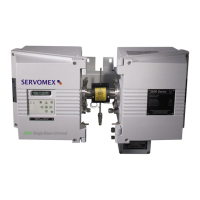
2. The pressure compensation select
screen shows the current selection
state:
•
'Yes' indicates that pressure
compensation is on.
•
'No' indicates that pressure
compensation is off.
Figure 91 – The pressure
compensation select screen
05410001A / Revision 6 75













 To Next Page