MultiExact Gas Analyser 5 – Installation and set-up
For example:
• If a 'low' alarm has an alarm level of 98% and a hysteresis level of 1%, the alarm will
be activated when a sample measurement is < 98%, and the alarm will not be
deactivated until a sample measurement is > 99%.
• If a 'high' alarm has an alarm level of 3 ppm and a hysteresis level of 1 ppm, the
alarm will be activated when a sample measurement is 3 ppm, and the alarm will
not be deactivated until a sample measurement is 2 ppm.
5.11.4 Viewing the measurement alarm status
1. Select
View.
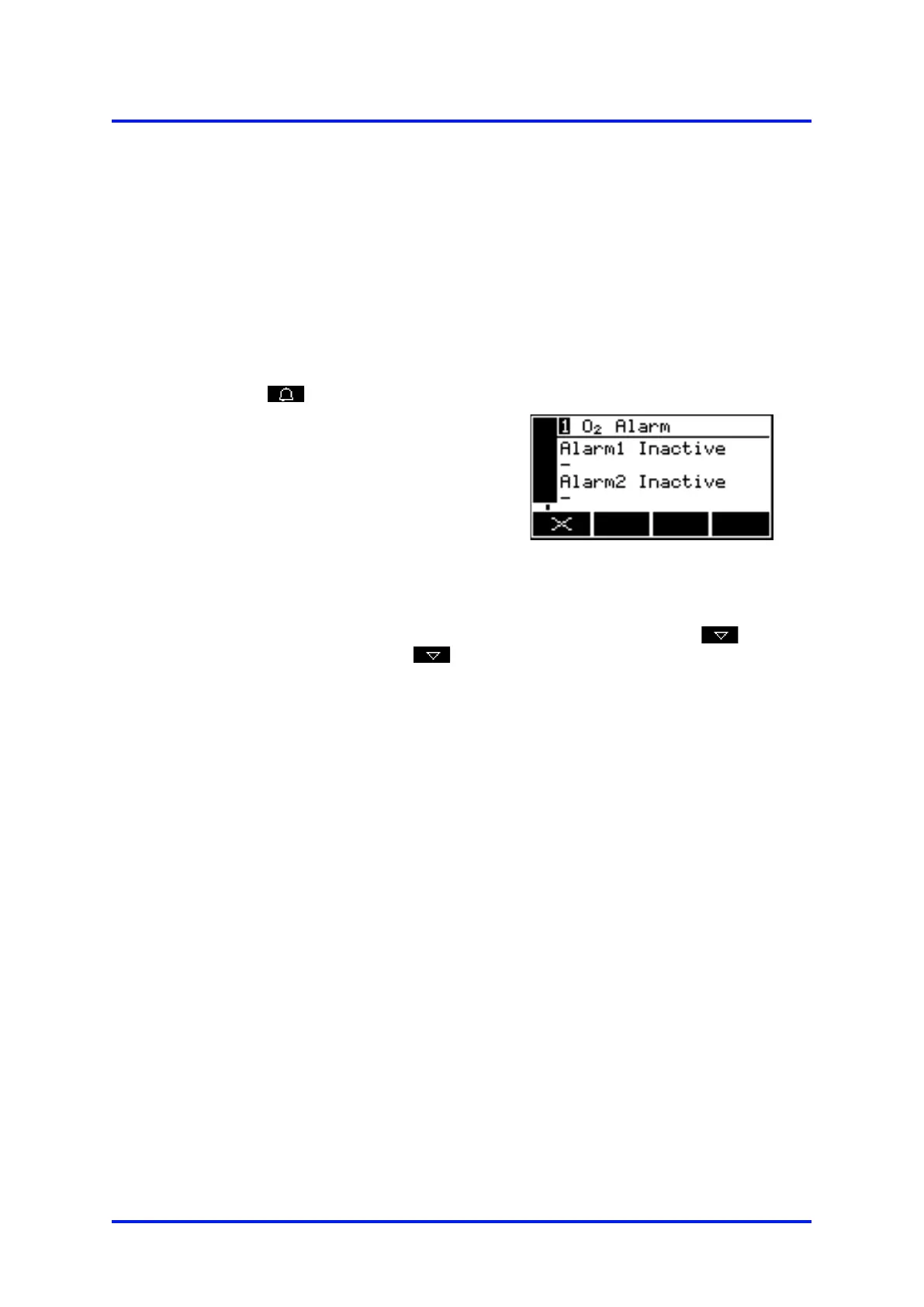
2. In the alarm status screen shown in
Figure 67, both measurement alarms
are shown as 'Inactive'; that is, either
the mode of each alarm is set to
'none', or no alarm condition currently
exists.
Figure 67 – The alarm status screen
If your analyser is configured to provide 2
sample gas measurements, a
vertical scroll bar will be shown at the right of the screen, and a
will be shown. Press the
soft key to view the measurement alarm status
for the second sample measurement.
If a measurement alarm condition exists when you view this screen, the screen will
show:
• The alarm number ('1' or '2').
• The sample reading which triggered the alarm condition.
• The alarm mode (where '<' indicates a low alarm and '>' indicates a high alarm).
• The alarm level.
05410001A / Revision 6 63













 To Next Page