Operating Instructions 7-29 M90 Fusion Splicer
Issue 02/97 Troubleshooting and Care/Maintenance
Exchanging /
cleaning the
electrodes
The electrodes become dirty through the fusion process. If too much dirt accumulates,
they are therefore unable to function properly. Your electrodes will work properly if:
- The arc is burning evenly.
- No hissing sounds can be heard during the fusion process.
Try to burn the electrodes clear before cleaning them mechanically.
Burning the elec-
trodes clear
- Ensure no optical fiber is inserted.
- Switch the splicer off and on again.
The splicer will burn the electrodes claer automaticcally.
Note
The electrode tips are made of a hard, resistive material.
Avoid the tips becoming soiled.
Be careful not to bend or break off the tips.
The electrodes are identical.
Exchanging the
electrodes
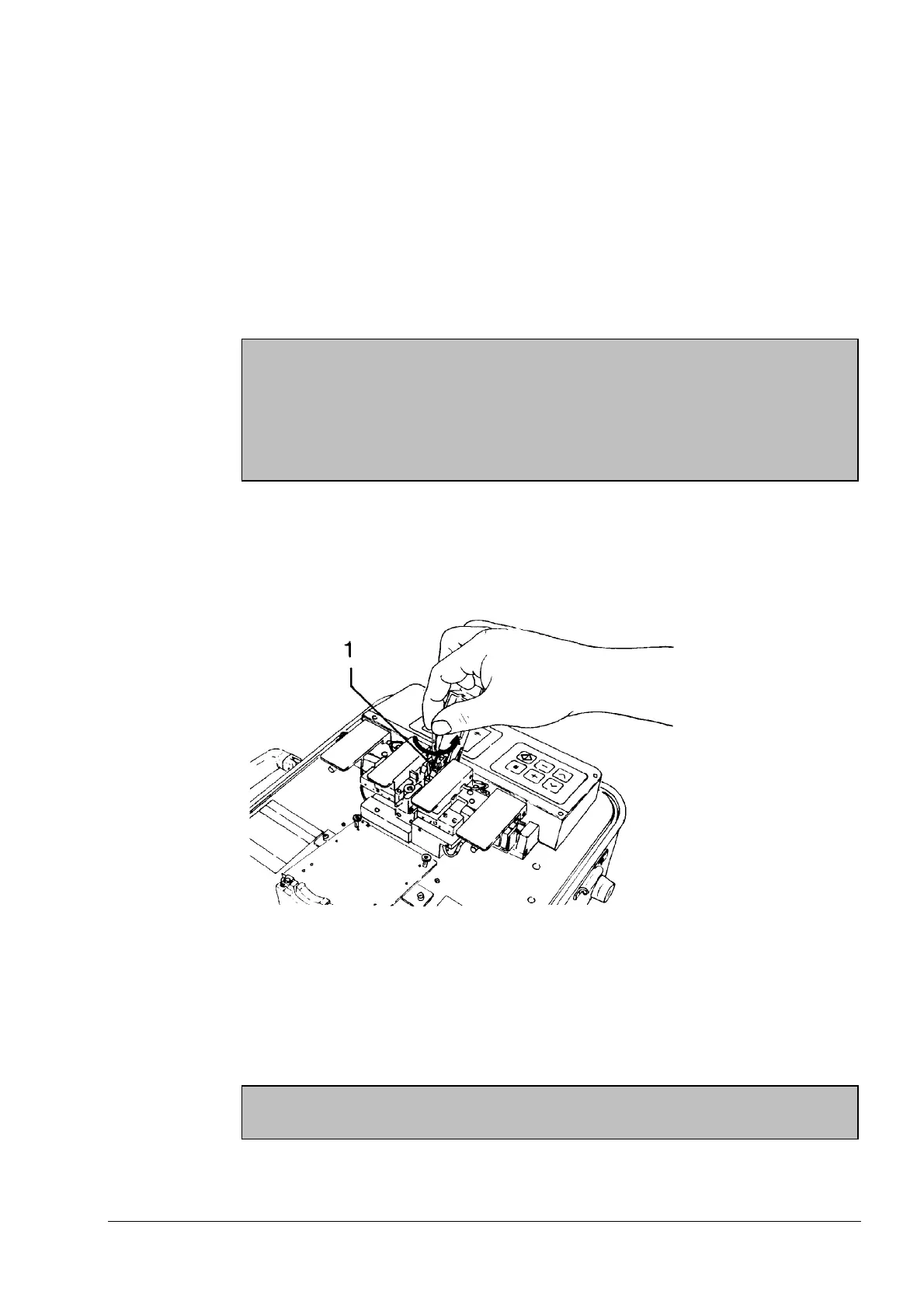
- Open the electrode flap.
- Loosen the bolt (1) with the hexagon socket head wrench, size 2.5 (approx. one half
turn).
Removing the Electrodes
- Pull out the electrode.
- Push the new electrode into the holder as far as it will go.
- Clamp the electrode using the socket head screw.
- Change the second electrode in the same way.
Caution
Only use the special wrench supplied in the tool bag.
Artisan Technology Group - Quality Instrumentation ... Guaranteed | (888) 88-SOURCE | www.artisantg.com



 To Next Page