Operating Instructions 4-23 M90 Fusion Splicer
Issue 02/97 Splicing
Splice Memory
Activating the
splice memory
The splice memory can be activated under "Options" in the Parameter menu (see page
3-9). Up to 1023 results can be stored. They can be printed out via the RS 232c serial
interface or transferred to a computer with a standard terminal program for further proc-
essing.
Note
If the splice is removed before the tensile test, the result cannot be stored in spite of the
splice memory being activated.
Displaying the
splice memory
on the monitor
If you "page" right through the splicing sequence by repeatedly depressing the button;
the contents of the splice memory will be displayed on the monitor.
No. Program No. dB
#### sm LID 1 ###
#### sm LID 1 ###
#### sm LID 1 ###
#### sm LID 1 ###
#### sm LID 1 ###
#### sm LID 1 ###
[+] Page forwards
[-] Page back
If the attenuation value flashes, this means that the
splice has been made despite an end face error.
This tells you that the deviation from the actual at-
tenuation value can exceed 0.05 dB.
Updating the
splice memory
by hand
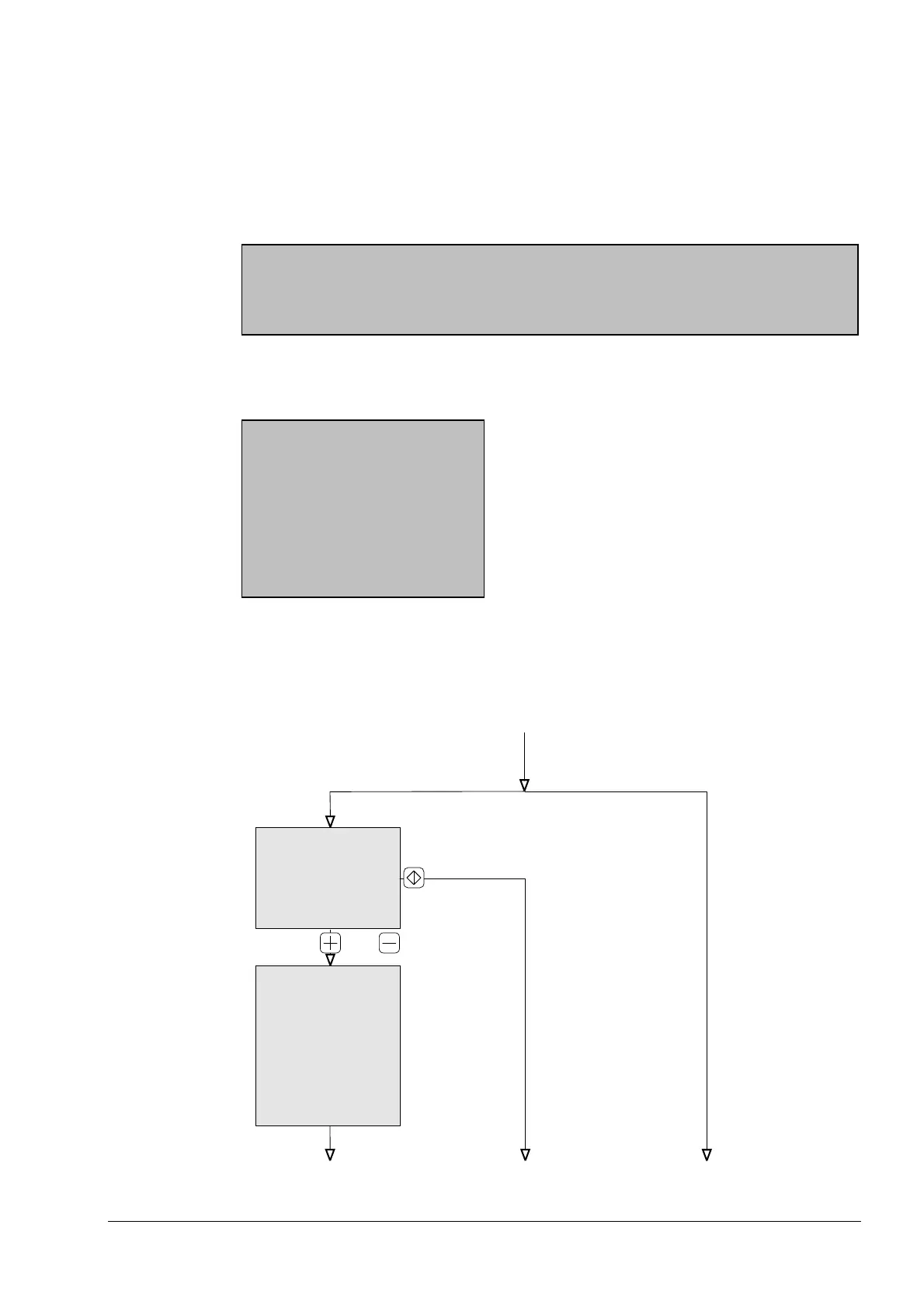
If you have set "Manual save" in the parameter menu, you can decide yourself after
splicing whether and where the given splice is stored.
If you subsequently repeat a poor splice, you thus have the opportunity to store the new
attenuation value either instead of or in addition to the old value.
Splice test / Tension tets
Splice memory "Manual" Splice memory "Automatic"
and "Off"
End End End
Splice No. ####
Attenuation #### dB
Change splice No. with
+ / - button
Store with Enter
or
Splice No. ####
New attenuation #### dB
Change splice No. with
+ / - button
Last value #### dB
Overwrite value with < >
Insert splice with [^]
|
Artisan Technology Group - Quality Instrumentation ... Guaranteed | (888) 88-SOURCE | www.artisantg.com



 To Next Page