M90 Fusion Splicer 6-2 Operating Instructions
Taking Out of Service Issue 02/97
Switching Off the Splicer
The splicer can be switched off from either the control panel or the mains switch.
The splicer should be switched off at the control panel so that the fiber slides travel to
the transport position. Do this by pressing buttons
and simultaneously.
Caution
For transport purposes, the splicer must be switched off by pressing buttons and
simultaneously.
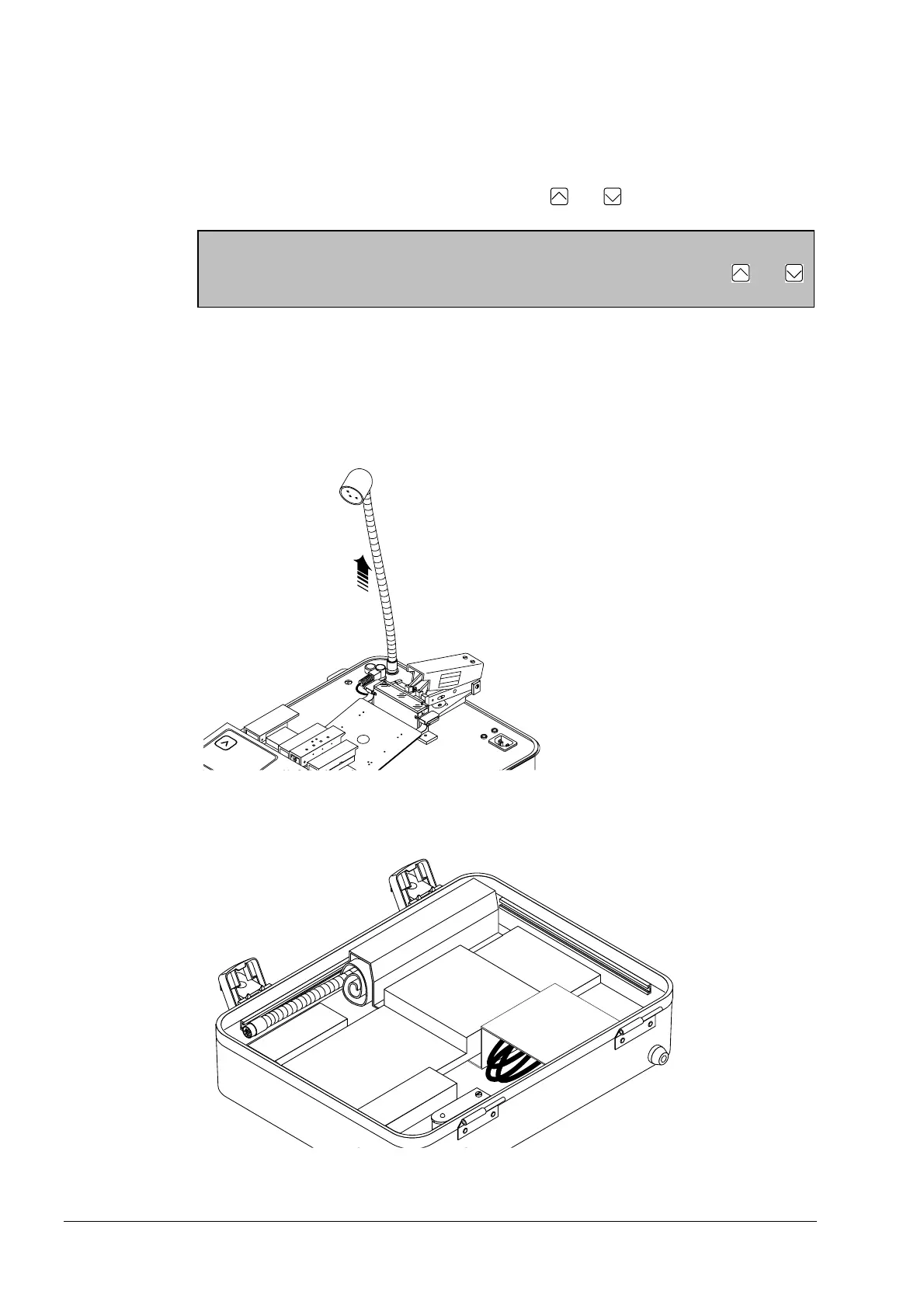
Working Light
Switch off the working light and pull it out of the socket.
Stow away the light in the case lid.
Pull the Working Light out of the Socket.
Stow the Working Light, AC Power Cord and Tool Set in the Case Lid
Artisan Technology Group - Quality Instrumentation ... Guaranteed | (888) 88-SOURCE | www.artisantg.com



 To Next Page