M90 Fusion Splicer 8-10 Operating Instructions
Accessories Issue 02/97
Cleaver
Installing the
cleaver
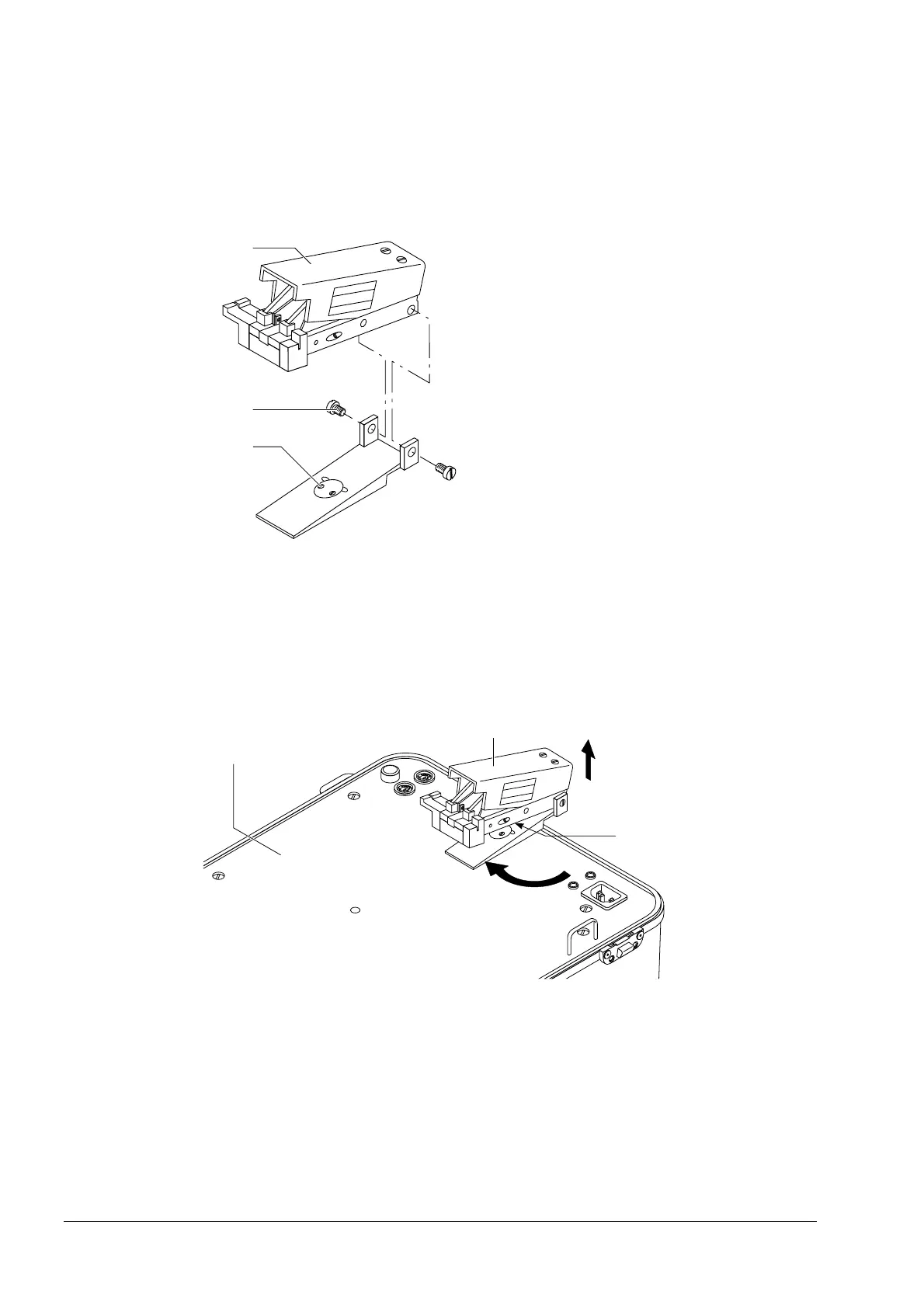
- Screw the turntable to the top panel (4) using the two bolts (1).
- Then secure the cleaver (3) to the turntable using the two bolts (2).
Installing the Cleaver
Operating position Move the cleaver from the transport position to the operating position:
- Do this by turning the cleaver (5) clockwise through 90°, lifting it slightly at the same
time. A sprung flap springs out and functions as a support.
Installing the Cleaver
Transport position - Turn the cleaver (5) counter-clockwise through 90°.
- Press the sprung flap (6) inwards, letting the cleaver fold down at the same time.
Artisan Technology Group - Quality Instrumentation ... Guaranteed | (888) 88-SOURCE | www.artisantg.com



 To Next Page