M90 Fusion Splicer
Supplement / Modifications
Operating Instructions
Issue 01/98
9-1
Wind Protection
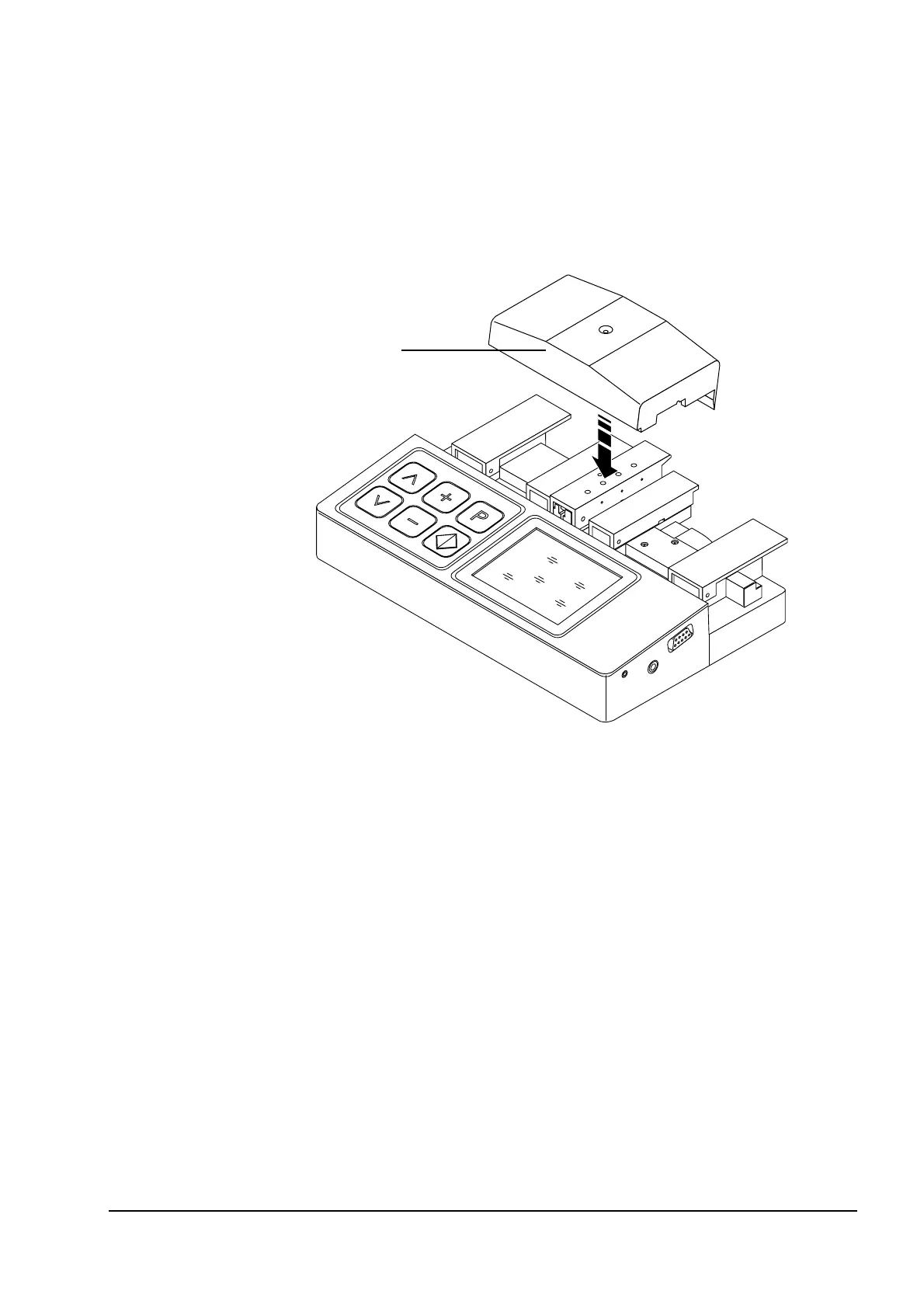
The M90 can be equipped with wind protection which assures the usual high quality splic-
ing results even when strong winds prevail. The wind protection device is stored in the
cover of the splicer case.
Installing Wind
Protection
- Insert the fiber into the splicer and close all flaps.
- Remove the wind protection device from its storage clips in the splicer case cover.
- Push the wind protection device (1) over the splicer flaps (see diagram).
- Remove the wind protection device after the splice has been completed. The flaps can
now be opened and the splice removed.
Wind Protection
Storage
- Remove the wind protection device from the M90 splicer and press the wind protection
device into the storage clips in the splicer case cover.
M=23%
1
9 Supplement / Modifications
Artisan Technology Group - Quality Instrumentation ... Guaranteed | (888) 88-SOURCE | www.artisantg.com



 To Next Page