Password Request
The splicer must be opened in order to activate or deactivate the password request.
Danger
The fusion splicer or electrically operated accessories must not be opened except by
suitably qualified personal. Switch off fusion splicer. Pull power supply plug and 12-V
lead.
Open the front
panel
see section
7.
Activating the
password re-
quest
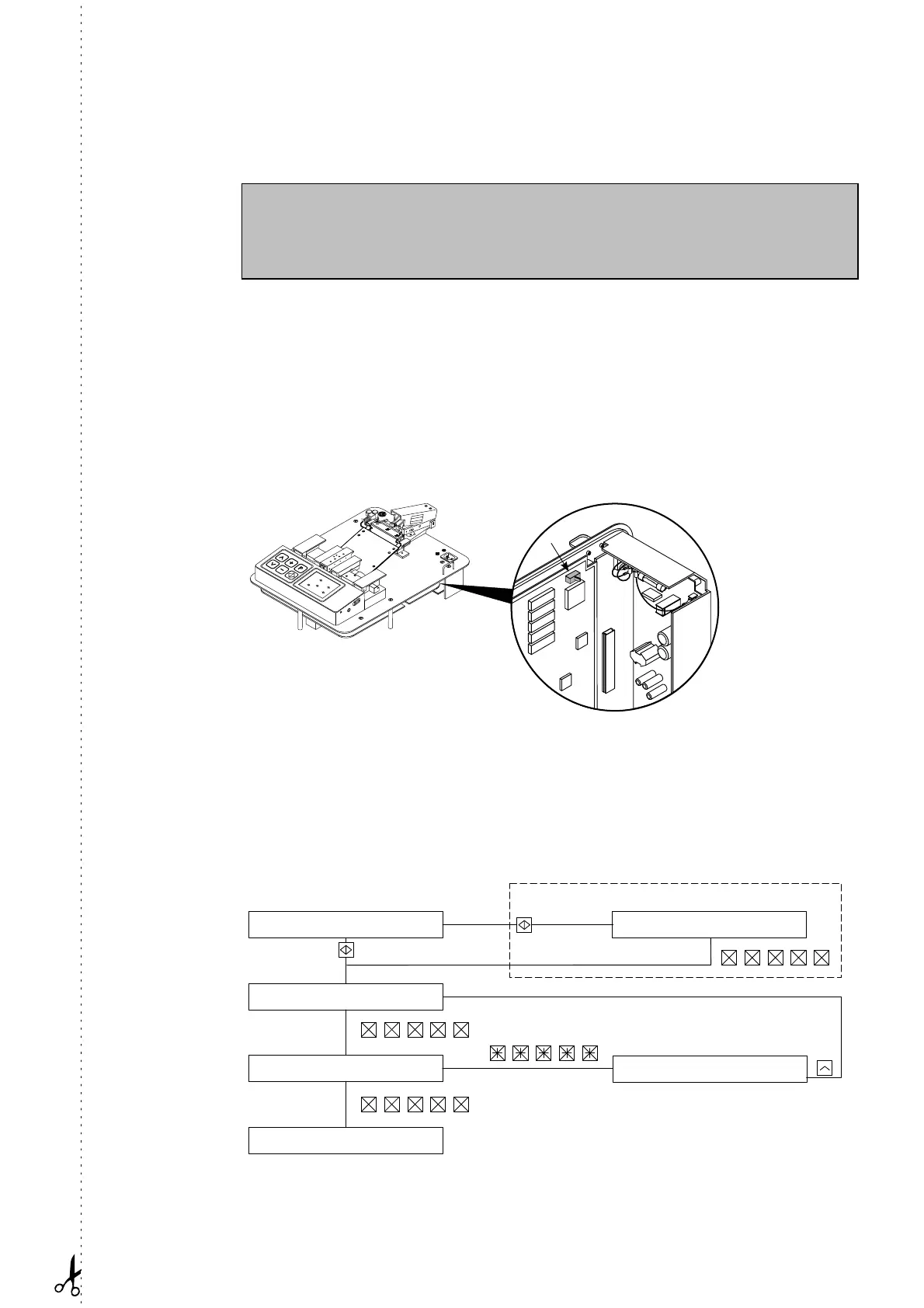
The PC board which is now visible (see figure) contains a switch for activation or deac-
tivation of the password. If the password request is deactivated, the stored password is
deleted when the equipment is switched on again. However, the old password is re-
tained if you reactivate the password request
before
the equipment is switched on and
off. On renewed activation of the request there is no password stored. It is therefore
necessary to define a new password first (Parameter “Password”, see below).
Switch
“off”:
request acti-
vated.
Entering the
password
A password consists of an arbitrary sequence of five input keys. If you try to change a
parameter while the password request is activated, the message “Enter password” ap-
pears. If an incorrect password is entered, the change of parameter is rejected. This
applies also to a change of password, i.e. a new password cannot be defined unless the
current password is known. To redefine the password, activate the parameter menu,
select the parameter “Password” and proceed according to the following flow chart:
Change password?
Enter password?
Only if password already exists
Enter new password
Confirm password
Password wrong
Operator menu
Artisan Technology Group - Quality Instrumentation ... Guaranteed | (888) 88-SOURCE | www.artisantg.com



 To Next Page