10
Maintenance & Troubleshooting
SIMPRO-100
132 PRIM-2400C
7. Make a copy of the firmware currently in the
relay. This is recommended in case the new
firmware download is unsuccessful. To make
a backup of the firmware, you will need
approximately 2.3 MB of free disk space. The
procedure takes approximately 10 minutes at
19200 baud.
Issue the SEN <ENTER> command to initiate
the firmware transfer. Select the binary
XMODEM transfer and filename in your
communications software. Give the file a
unique name to clearly identify the firmware
version (i.e. 100R100.S19). After the transfer,
the relay will respond
Download completed
successfully!
8. Begin the transfer of new firmware to the
relay by issuing the REC <ENTER>
command to instruct the relay to receive new
firmware.
9. Type Y to erase the existing firmware or just
<ENTER> to abort.
10. The relay then prompts you to press a key
and begin the transfer. Press a key
(i.e. <ENTER>).
11. Start the file transfer by selecting the send file
option in your communication software. Use
the XMODEM protocol and send the file that
contains the new firmware
(i.e. 100R101.S19).
The file transfer takes approximately
10 minutes at 19200 baud. After the transfer
is complete, the relay will reboot and return to
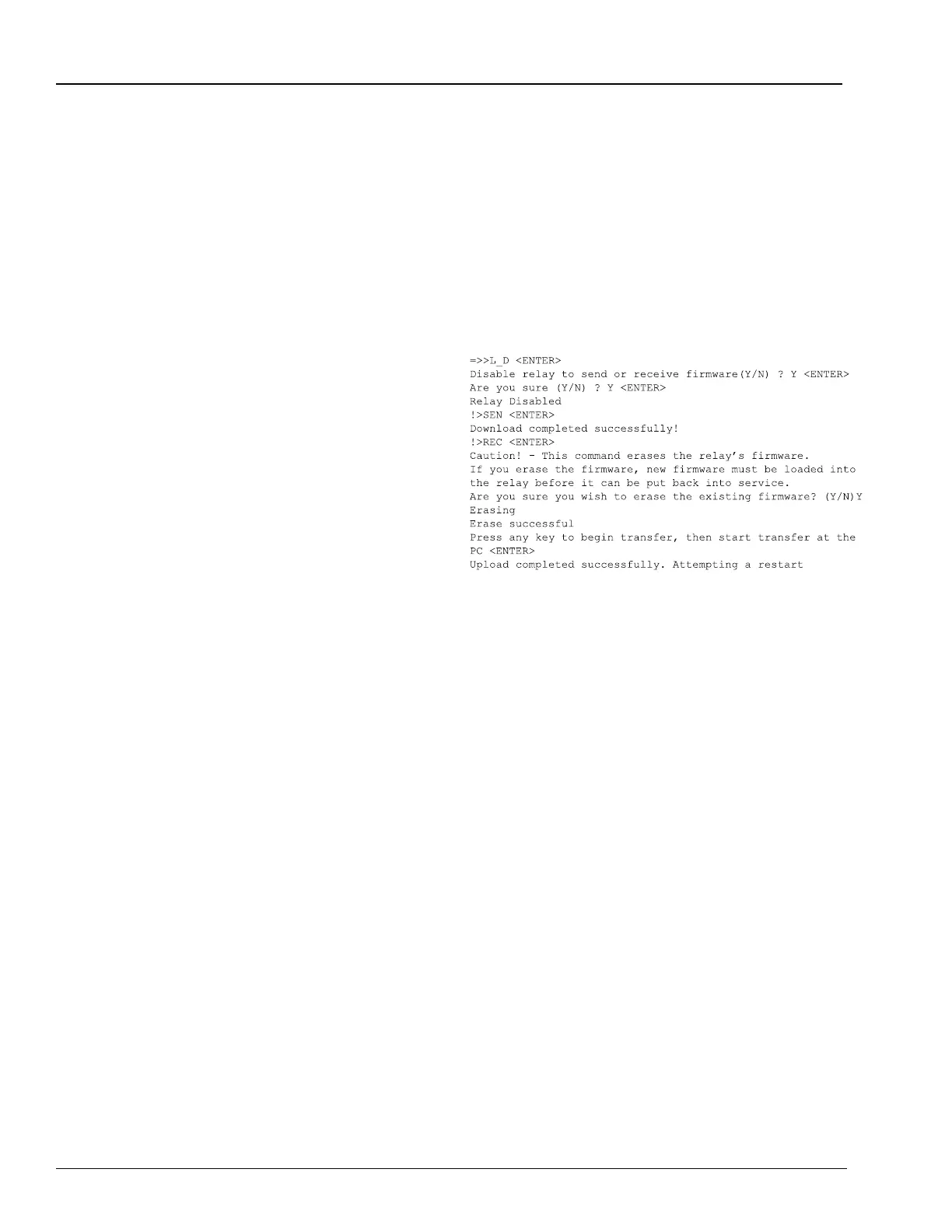
Access Level 1. The following screen capture
shows the entire process.
Figure 10.1 File Transfer Process
12. The relay illuminates the Relay Enabled
front-panel LED if the relay settings were
retained through the download. If the Relay
Enabled LED is illuminated, proceed to
step 13.; otherwise, reload the relay settings
with the procedure below.
a. Set your communication software settings
to 2400 baud, 8 data bits, 1 stop bit.
b. Enter Access Level 2 by issuing the 2AC
command.
c. Issue the R_S command to restore the
factory default settings in the relay. The
relay will then reboot with the factory
default settings.
d. If the message,
Calibration settings
lost, please call the factory!
appears
during the restart, please contact the
factory (see Section 10.7, page 133).
e. Enter Access Level 2.














 To Next Page