EasyManua.ls Logo

Siemens SIMPRO-100 - User Manual

Siemens SIMPRO-100
240 pages
Print Icon
To Next Page IconTo Next Page
Loading...
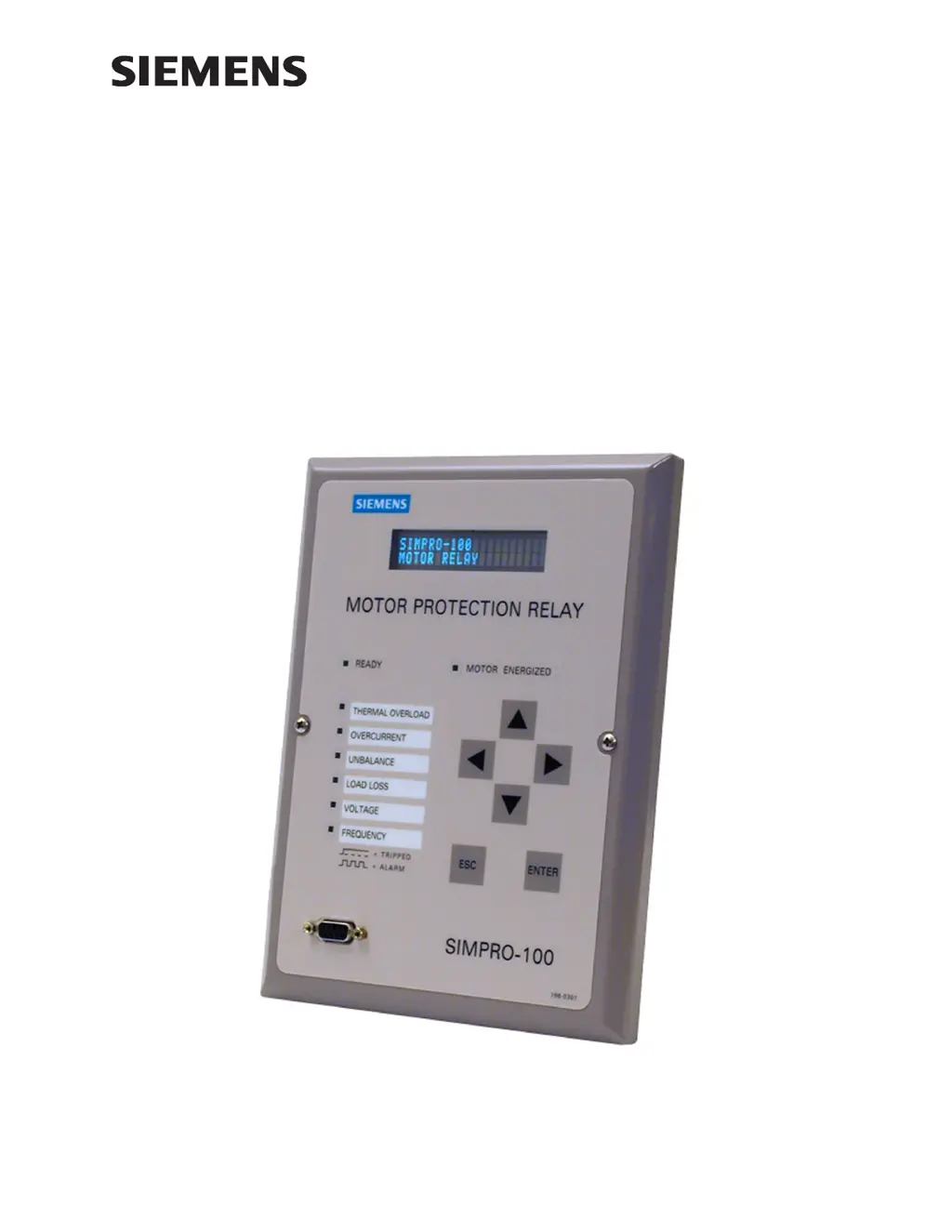
SIMPRO-100
Motor Protection Relay
Instruction Manual
Document No. PRIM-2400C

Table of Contents

Questions and Answers

Summary

SIMPRO-100 Motor Protection Relay Instruction Manual

Introduction & Specifications Overview

Provides an overview of the SIMPRO-100 Relay, its features, and the manual's structure.

Manual Conventions and Relay Models

Typographic Conventions in Manual

Explains the conventions used for commands, keys, and menu selections in the manual.

SIMPRO-100 Relay Models Listed

Lists the available SIMPRO-100 Relay models and provides information on creating order numbers.

SIMPRO-PC Software Guide

PC System Requirements for Software

Lists the minimum PC resources needed for installing and using the SIMPRO-PC software.

Settings Calculation Procedures

Introduction to Settings Calculation

Outlines the structure of the settings calculation section, covering motor protection and logic settings.

Front-Panel Operation Guide

SIMPRO-100 Front-Panel Layout

Describes the physical layout of the SIMPRO-100 Relay's front panel, including display, buttons, and LEDs.

Front-Panel Automatic Messages Explained

Details automatic messages displayed on the front panel for various conditions like motor overload or trips.

ASCII Serial Port Communication

Required Equipment for Serial Port

Lists the necessary equipment for establishing serial port communication with the SIMPRO-100 Relay.

ASCII Serial Port Operation Details

Configuring Terminal Emulation Software

Guides on configuring terminal emulation software for successful PC-to-relay serial communication.

Using Terminal Commands for Relay

Explains how to use terminal commands, including abbreviations, control characters, and command examples.

Serial Port Access Levels and Security

Serial Port Access Levels Explained

Describes Access Level 1 and 2, password entry, and security features for serial port access.

Relay Commissioning Procedure

Relay Commissioning Procedure Steps

Provides a step-by-step guideline for entering settings and verifying relay connections and operation.

Equipment Required for Commissioning

Lists all necessary equipment for performing the relay commissioning procedure, including test sources and software.

Commissioning Procedure Details

Initial Commissioning Steps

Details applying power, verifying connections, setting clock/passwords, and entering relay settings.

AC Connections and Protection Tests

Continues commissioning steps, focusing on verifying AC connections and performing protection element tests.

Functional Testing Procedures

Test Connections for Relay Configurations

Provides connection diagrams for test sources based on different relay configurations for accurate testing.

Phase Current Measuring Accuracy Test

Details steps to test phase current measuring accuracy by connecting current sources and verifying measurements.

Accuracy Tests for Relay Measurements

Neutral Current Measuring Accuracy Test

Describes the procedure to test neutral current measuring accuracy by connecting a current source to the IN input.

Current Unbalance Element Accuracy Test

Guides on testing current unbalance element accuracy by verifying measurement based on expected readings.

Thermal and Analog Output Accuracy

Motor Thermal Element Accuracy Verification

Explains how to test motor thermal element accuracy using current sources and specific commands.

Analog Output Accuracy Testing

Details testing analog output accuracy by connecting a milliammeter and using the ANALOG command.

RTD and Power Measurement Accuracy

RTD Input Measuring Accuracy Test

Guides on verifying RTD input accuracy by connecting variable resistances and using meter functions or commands.

Power & Power Factor Measuring Accuracy

Outlines tests for power and power factor measuring accuracy using current and voltage sources with specific phase angles.

Metering and Monitoring Functions

Introduction to Metering Functions

Introduces relay metering functions for displaying various measured values via front-panel, serial port, or analog output.

Metering Data Categories Explained

Categorizes meter data into instantaneous, demand, max/min, thermal, and energy metering types.

Metering Data Types and Analysis

Instantaneous Metering Details

Describes instantaneous metering, detailing fundamental magnitudes, phase angles, and RMS values for various quantities.

Demand Metering Functionality

Explains demand metering, including calculation of new demand quantities and recording peak values.

Max;Min Metering Functionality

Details max/min metering, describing how the relay records extreme values of measurements under specific conditions.

Thermal and Energy Metering

Thermal Metering Data Explained

Reports present RTD temperatures and quantities related to motor thermal protection, including % Thermal Capacity.

Energy Metering Functionality

Explains energy metering, noting that real, reactive, and apparent energy are recorded when voltage inputs are connected.

Power Measurement Conventions

IEEE Convention for Power Measurement

Describes the IEEE convention for power measurement and its implications for SIMPRO-100 Relay.

Load Profiling and Motor Statistics

Load Profiling Function Details

Explains the built-in load profiling function that automatically records selected quantities every 15 minutes.

Motor Operating Statistics Overview

Details how the relay retains motor information accessible via commands, covering times, totals, and averages.

Motor Operating Statistics Details

Times and Totals for Motor Operation

Explains the recording of motor running/stopped time, percent running time, and total energy consumed.

Average and Peak Data for Motor Trends

Describes the recording of average and peak values for key measurements like starting time, current, and thermal capacity.

Motor Statistics Data and Reports

Learned Parameters for Motor Performance

Explains how the relay learns motor cooling time and starting thermal capacity from collected data.

Alarm and Trip Counters for Motor Protection

Details how the relay records the number and type of element alarms and trips for motor protection.

Motor Start Report Analysis

Motor Start Report Summary Data

Lists information within the motor start report summary, including start date, acceleration time, and thermal capacity.

Motor Start Data Capture and Format

Explains the capture and output format of motor start data, recorded every 5 cycles.

Motor Start Report Format Details

Describes the comma-delimited format of the motor start report for spreadsheet integration.

Motor Start Trending Functionality

Motor Start Trending Data Tracking

Explains the motor start trending function, tracking summary data for eighteen 30-day periods.

Event Analysis Tools and Features

Introduction to Event Analysis

Introduces the tools available for analyzing relay operations to diagnose faults and restore motor service.

Front-Panel Target LED Functions

Explains the target LEDs on the front panel, indicating relay status, motor condition, and active protection elements.

Front-Panel Target LED Usage

Resetting Front-Panel Targets

Details how to reset tripping targets using the front-panel menu or serial port command.

Motor Energized LED Status

Describes the behavior of the Motor Energized LED indicating motor stopped, starting, or running states.

Front-Panel Message Display

Front-Panel Trip Messages

Explains that trip messages are displayed automatically on the front panel to indicate the cause of a trip.

Front-Panel Automatic Messages

Lists automatic messages displayed under specific conditions like motor overload or self-test failures.

History Data and Event Summaries

History Data and Event Summaries

Explains that the relay captures detailed information for event reports and stores recent reports and summaries.

Event Reports and Their Triggering

Event Reports Detailed Information

Details how the SIMPRO-100 Relay captures and stores detailed information for event reports, including measurements and status.

Event Report Triggering Conditions

Lists conditions that trigger an event report, including relay trips, user commands, and programmable events.

Retrieving and Defining Event Reports

Retrieving Event Reports via Serial Port

Explains how to use the serial port EVENT command to retrieve event reports with various formatting options.

Event Report Data Column Definitions

Defines columns in event reports, including current, voltage, output, input, and element status.

Event Report Column Details

Current and Voltage Columns in Reports

Summarizes event report current and voltage columns, defining measurements like IA, IB, IC, and voltage inputs.

Output, Input, and Element Columns

Summarizes event report columns for output contacts, inputs, and relay element control states.

Filtered and Unfiltered Event Reports

Filtered and Unfiltered Event Reports

Explains how to view raw inputs using the unfiltered event report command for analyzing harmonics and DC offset.

Resetting the Event Report Buffer

Describes using the HISTORY R command to clear event summaries and reports from memory.

Sequential Events Recorder (SER) Report

SER Triggering Conditions

Explains how the relay stores SER entries for state changes of elements listed in SER trigger settings.

SER Trigger Condition Aliases

Details renaming SER trigger conditions using ALIAS settings for easier report review.

SER Alias Settings Configuration

Alias Settings for SER Reports

Guides on defining aliases for Relay Word bits, including asserted and deasserted text strings, up to 15 characters each.

Maintenance and Troubleshooting Guide

Routine Maintenance Checks Recommended

Recommends monitoring the ALARM contact and reviewing event reports for effective relay maintenance.

Relay Status Verification Procedure

Advises using Status of Relay function or command to verify relay self-tests for out-of-tolerance conditions.

Routine Maintenance Check Details

Meter Verification Process

Suggests comparing relay meter readings to a separate meter for verifying current and voltage measurements.

Contact Input Verification Steps

Details checking contact input status by short-circuiting inputs and observing the front-panel display.

Contact Output Verification Procedure

Explains verifying contact output performance using the Pulse Out Contact command for TRIP and other outputs.

Self-Testing and Protection Status

Relay Self-Testing Functions

Explains the relay's self-tests and the ALARM contact's role in indicating failures or de-energization.

Protection Disabled Due to Self-Test Failure

Describes the relay's actions when protection functions are disabled due to self-test failures.

Troubleshooting Common Relay Issues

Troubleshooting: Relay Enabled LED Dark

Provides causes and solutions for the Relay Enabled LED being dark, related to input power or self-test failures.

Troubleshooting: Display Screen Issues

Offers troubleshooting steps for display issues, including timeout activation and verifying input power continuity.

Troubleshooting Measurement and Communication

Troubleshooting: Inaccurate Measurements

Lists potential causes and solutions for inaccurate voltage/current measurements, including wiring and setting errors.

Troubleshooting: Serial Port Command Response

Provides troubleshooting for serial port communication issues, covering cable, baud rate, and protocol configuration.

Troubleshooting Fault Response and Fuse Replacement

Troubleshooting: Relay Does Not Respond to Faults

Suggests checking relay settings, test source settings, input wiring, and self-test results for fault response issues.

Power Supply Fuse Replacement Guide

Explains how to replace the relay's internal fuse, detailing specifications and part numbers.

Real-Time Clock Battery and Firmware

Real-Time Clock Battery Replacement

Guides on replacing the real-time clock lithium battery, including removal and installation steps.

Firmware Upgrade Required Equipment

Lists essential equipment for firmware upgrades, including PC, software, serial cable, and firmware file.

Firmware Upgrade Installation Process

Firmware Upgrade Instructions Steps

Provides step-by-step instructions for upgrading firmware using terminal emulation or SIMPRO-PC software.

Firmware Upgrade Procedure Steps

Firmware Upgrade Procedure Details

Continues firmware upgrade steps, covering saving settings, communication parameters, and file transfer initiation.

Control Equations and Relay Logic

Introduction to Control Equations

Introduces programmable logic for customizing relay functions using control equations and Relay Word bits.

Relay Functional Overview Explained

Explains the relay's internal processes and programmable logic capabilities, illustrated by a process diagram.

Relay Functional Overview Details

Data Acquisition and Filtering Process

Details how the relay acquires and filters AC signals, sampling at 16 times per power system cycle.

Element Processing in Relay

Explains how the relay processes acquired signals to determine protection element status (picked up or dropped out).

Relay Word Bit Definition

Defines Relay Word bits as internal representations of element results, existing in true/false states.

Relay Word Bits and Their Definitions

Relay Word Bits Explained

Explains Relay Word bits as representations of element results, collected into a table (Relay Word) used by commands like TAR.

Control Equations for Relay Logic

Control Equations Overview

Describes how control equations combine relay elements and logic operators to create custom protection and control schemes.

Control Equation Operator Usage

Control Equation Operators Defined

Lists and explains logic operators (AND, OR, NOT) and edge detection operators (Rising, Falling) for control equations.

Control Equation AND Operator [*]

Explains the use of the asterisk [*] symbol for logical AND operations between Relay Word bits.

Control Equation OR Operator [+] Explained

Explains the use of the plus [+] symbol for logical OR operations, where either bit can trigger the action.

Control Equation Operator Details

Control Equation Falling-Edge Operator [\ ]

Describes the falling-edge operator [\ ] for single-cycle assertions when a Relay Word bit changes from logical 1 to 0.

Control Equation Rising-Edge Operator [; ]

Explains the rising-edge operator [/ ] for single-cycle assertions when a Relay Word bit changes from logical 0 to 1.

Control Equation Parentheses Operator [( )]

Details using parentheses to logically combine elements in control equations, with limitations on nesting.

Control Equation Limitations and Defaults

Control Equation Limitations Explained

Outlines limitations for single control equation settings and the sum of all settings, reporting capability usage.

Factory Default Logic Settings Management

Explains how FACTLOG setting controls the display and modification of factory default logic and other settings.

Front-Panel Display and Nondedicated Variables

Front-Panel Display Message Configuration

Describes four text display messages, each with complementary screens controlled by DMn settings for displaying conditions.

Nondedicated Control Equation Variables

Introduces four nondedicated variables (SV1-SV4) used in control equations, with associated timers.

Latch Control Switches and Logic

Latch Control Switch Features

Explains the latch control switch feature, replacing traditional relays by pulsing set/reset inputs for output contacts.

Latch Control Switch Settings Caution

Advises caution when setting latch controls due to nonvolatile memory write limits and potential EEPROM failure.

Stop;Trip Logic for Motor Control

Stop;Trip Logic Overview

Describes the logic for tripping or stopping motors, defining conditions for trip initiation and unlatching.

Initiate Trip Methods

Outlines three methods to stop the motor: TRIP control equation, STOP command, or remote bit function.

Initiate Trip Conditions

Unlatch Trip Conditions

Explains the conditions required to maintain a trip signal until a fault condition is cleared and lockout conditions are satisfied.

Breaker Auxiliary Contact and Start Logic

Breaker Auxiliary Contact Setting

Defines the 52A setting for breaker auxiliary contact input, allowing custom control functions like breaker failure logic.

Start and Emergency Restart Logic

Illustrates the logic for initiating motor starts, including the START Relay Word bit and Emergency Restart.

Start and Emergency Restart Logic Details

Program Output Contact for Motor Starting

Shows how factory settings route the start logic result to output contact OUT3 via a control equation.

Modbus RTU Communications Protocol

Introduction to Modbus RTU Protocol

Describes Modbus RTU communication features supported by the EIA-485 port when Modbus protocol is enabled.

Modbus RTU Protocol Overview

Details Modbus RTU protocol, including master queries, slave responses, function codes, and exception responses.

Modbus RTU Protocol Details

Modbus Queries Structure

Explains the fields in a Modbus RTU query: Slave Device Address, Function Code, Data Region, and CRC.

Supported Modbus Function Codes

Lists the Modbus function codes supported by the SIMPRO-100 Relay, such as Read Coil Status and Preset Single Register.

Modbus Exception Responses Explained

Describes exception codes the relay sends for errors like illegal function code, illegal data address, or device errors.

Modbus Protocol Error Handling

Cyclical Redundancy Check (CRC)

Explains the CRC-16 algorithm used for error detection to validate received data and ensure packet integrity.

Modbus Function Code: Read Coil Status

01 h Read Coil Status Command

Details function code 01h for reading the On/Off status of selected bits (coils), up to 2000 bits per query.

Modbus Function Code: Read Input Status

02 h Read Input Status Command

Explains function code 02h for reading the On/Off status of selected bits, up to 2000 bits per query.

Modbus Function Codes: Register Reads

03 h Read Holding Registers Command

Describes using function code 03h to read registers from the Modbus Register Map, up to 125 registers at once.

04 h Read Input Registers Command

Details using function code 04h to read registers from the Modbus Map, up to 125 registers at once.

Modbus Function Codes: Coil and Register Writes

05 h Force Single Coil Command

Explains function code 05h for data control, including clearing records, operating output contacts, and breaker elements.

06 h Preset Single Register Command

Describes function code 06h to allow a Modbus master to write directly to a database register.

Modbus Function Codes: Status and Diagnostics

07 h Read Exception Status Command

Explains how the SIMPRO-100 Relay allows a Modbus master to read the present status of the relay and protected motor.

08 h Loopback Diagnostic Command

Details using function code 08h for diagnostic testing of Modbus communication channels and the relay.

Modbus Function Code: Preset Multiple Registers

10 h Preset Multiple Registers Command

Explains function code 10h for writing multiple registers at once, up to 100 per operation.

Controlling Outputs and Remote Bits via Modbus

Describes how the Modbus Register Map allows control of relay output contacts and Relay Word Remote Bits.

Modbus Time;Date and Status Reading

Setting Relay Time;Date Using Modbus

Explains how to set the relay clock and calendar using Modbus Function Code 10h commands.

Reading Relay Status via Modbus

Details reading present relay self-test results using Modbus Map addresses and interpreting the results.

User-Defined Modbus Data and Event Reading

User-Defined Modbus Data Region

Explains the Modbus Register Map's feature for defining 125 user settable addresses for custom data regions.

Reading Event Data Using Modbus

Describes how to download complete event data via Modbus, including summary and analog event data.

Modbus Register Map Overview

Modbus Register Map Address Table

Provides a comprehensive table of Modbus register addresses, fields, samples, low/high limits, steps, and types.

Modbus Register Map Sections

Modbus Register Map: Commands and Clock

Continues the Modbus register map, detailing addresses for commands, real-time clock, user map values, and relay elements.

Modbus Register Map: Metering Data

Modbus Register Map: Relay Status & Metering

Continues the Modbus register map, detailing addresses for relay status, instantaneous metering, and thermal metering.

Modbus Register Map: Energy and Demand

Modbus Register Map: Energy Metering

Continues the Modbus register map, detailing addresses for energy metering, demand metering, and peak demand metering.

Modbus Register Map: Current and RTD Data

Modbus Register Map: Max;Min Metering

Continues the Modbus register map, detailing addresses for current max/min metering, RTD max/min metering, and thermal metering.

Modbus Register Map: Voltage and Frequency

Modbus Register Map: Voltage;Power Data

Continues the Modbus register map, detailing addresses for voltage/power max/min metering and RTD temperature settings.

SIMPRO-PC Compatibility Features

Introduction to SIMPRO-PC Features

Introduces communication features supported by serial ports for ASCII communications, including compressed ASCII commands.

Fast Binary Message Lists

Lists binary messages used for relay configuration and status, categorized by Hex and ASCII requests.

Fast Binary Message Definitions

A5 C0 Relay Definition Block

Provides definitions for Fast Binary Messages, including A5C0, A5C1, A5D1, A5C2, A5D2, A5C3, A5D3, A5B9, A5CE, A5E0, A5E3.

A5 CE Fast Operate Configuration Block

Details the block sent in response to an A5CE request, including command, length, and operate codes.

Fast Binary Message Block Details

A5 CE Fast Operate Configuration Block Data

Lists the data and description for the A5CE Fast Operate Configuration Block.

A5 E0 Fast Operate Remote Bit Control

Explains how to use the A5E0 command to operate Remote Bits RB1-RB4, including command structure.

A5 E3 Fast Operate Breaker;Contactor Control

Details the A5E3 command for stopping or starting the protected motor, requiring proper output contact connection.

Fast Binary Message Command Responses

ID Message Response Format

Describes the ID command response, including firmware ID, boot code, relay settings, device code, part number, and configuration.

DNA Message Response Format

Explains the DNA command response, which sends names of Relay Word bits from the A5D1 message.

BNA Message Response Format

Describes the BNA command response, which sends names of bits transmitted in the A5D1 Status Byte.

Compressed ASCII Commands Overview

Compressed ASCII Commands Explained

Introduces compressed ASCII versions of commands for efficient data extraction into spreadsheet or database programs.

CASCII Command for Configuration Data

CASCII Command Usage

Explains the CASCII command for obtaining configuration messages and the relay's response format.

CASCII General Format Details

Details the general format of the compressed ASCII configuration message and its components like headers and data format designators.

SIMPRO-100 Relay Command Response Contents

SIMPRO-100 Relay Command Response Data

Explains how the SIMPRO-100 Relay sends compressed ASCII configuration messages, replacing italics with actual data.

Specific SIMPRO-100 Command Responses

CSTATUS Command for Status Data

Explains the CSTATUS command to display status data in compressed ASCII format, showing enabled/disabled status and checksum.

CHISTORY Command for History Data

Describes the CHISTORY command to display history data in compressed ASCII format, showing data values and checksum.

CEVENT Command for Event Reports

CEVENT Command for Event Reports

Explains the CEVENT command to display event reports in compressed ASCII format, showing event number, date, time, and type.

CME Commands for Meter Data

CME E Command for Energy Meter Data

Details the CME E command for displaying energy meter data in compressed ASCII format, showing various energy values.

CME Commands for Meter Data (Continued)

CME M Command for Max;Min Meter Data

Explains the CME M command for displaying Max/Min meter data in compressed ASCII format, showing max/min values for various parameters.

CME Command for Thermal Meter Data

CME T Command for Thermal Meter Data

Describes the CME T command for displaying thermal meter data in compressed ASCII format, including thermal capacity and RTD values.

Motor Thermal Element Fundamentals

Introduction to Motor Thermal Element

Introduces the SIMPRO-100 Relay's motor thermal protection using a patented algorithm with three setting methods.

Purpose of Motor Thermal Protection

Explains the purpose of motor thermal protection, relating it to motor starting characteristics and continuous heavy load operation.

Motor Thermal Element Components

The Basic Thermal Element Structure

Describes the electrical analog of a thermal system, including heat source, capacitance, impedance, and comparator.

Motor Starting Protection Logic

Illustrates the thermal element used during motor starting, focusing on locked rotor heating and heat transfer.

Motor Starting Protection Details

Motor Starting Protection Operation

Explains the thermal element's operation during motor starting, including heat estimates and trip values.

Motor Running Protection Functionality

Describes the motor running thermal element, its path for energy return, and how resistor value is determined.

Motor Running Protection Details

Motor Running Protection Calculations

Details how the motor running thermal element determines resistor value and describes the final running thermal element.

Interpreting Percent Thermal Capacity Values

Explains how the relay calculates % Thermal Capacity and its meaning when reaching 100% for tripping.

Percent Thermal Capacity Interpretation

Comparing Percent Thermal Capacity

Discusses comparing % Thermal Capacity across multiple starts and how the report helps identify increasing load torque.

Motor Starting Thermal Capacity Explained

Explains the importance of starting thermal capacity and how the relay ensures safe motor starts using fixed values or learned data.

SIMPRO-100 Relay Settings Sheets

Relay Settings: General Data

Presents factory default settings for the SIMPRO-100 Relay, covering general data like identifiers, CT/VT ratios, and phase rotation.

General Data Parameters

Details general data settings including relay and terminal identifiers, CT/VT ratios, phase rotation, nominal frequency, and date format.

Thermal Model Elements Settings

Thermal Model Elements Configuration

Describes thermal element settings, including setting methods (Rating, Generic, User) and their respective parameters.

Thermal Element Settings: Rating Method

Details thermal element settings for the Rating method, including Full Load Amps, Service Factor, Locked Rotor Amps, and time settings.

Thermal Model Elements: Generic and User Methods

Thermal Element Settings: Generic Method

Explains thermal element settings for the Generic method, including Full Load Amps, Service Factor, and Curve Number selection.

Thermal Element Settings: User Method

Details thermal element settings for the User method, allowing custom curve construction with time-to-trip points.

Overcurrent and Jogging Block Settings

Overcurrent (O;C) Elements Configuration

Describes Overcurrent elements, including phase, residual, and neutral overcurrent pickups and time delays.

Jogging Block Element Settings

Explains settings for Jogging Block elements, including maximum starts per hour and minimum time between starts.

Load-Jam and Load-Loss Settings

Load-Jam Function Settings Details

Details Load-Jam settings, including trip pickup and delay parameters for detecting motor load jamming.

Load-Loss Element Settings Explained

Describes Load-Loss element settings, including alarm and trip thresholds and time delays, with options for voltage input availability.

Current Unbalance and Phase Reversal Settings

Current Unbalance Elements Settings

Explains current unbalance settings, including alarm and trip pickups and time delays for detecting phase current unbalance.

Phase Reversal Tripping Setting

Details the Phase Reversal Tripping setting (E47T) to detect incorrect phase rotation and trip the motor.

Speed Switch and RTD Configuration

Speed Switch Tripping Time Delay Setting

Describes the Speed Switch Tripping Time Delay setting (SPDSDLY) for additional locked rotor protection.

RTD Configuration Settings

Explains RTD input options (INT, EXT, NONE) and temperature preference settings (C or F).

RTD Settings Configuration

RTD Location Settings

Guides on defining RTD locations (WDG, BRG, AMB, OTH, NONE) for each monitored RTD input.

RTD Type Settings

Lists the available RTD types (PT100, NI100, NI120, CU10) that can be configured for each input.

RTD Temperature Settings

RTD Temperature Settings for Alarms and Trips

Details RTD temperature settings for trip and alarm levels, including enabling winding and bearing trip voting.

Voltage-Based Protection Functions

Introduction to Voltage-Based Protection

Introduces voltage-based protection functions, including undervoltage, overvoltage, underpower, power factor, and frequency elements.

Undervoltage (U;V) Elements

Describes Undervoltage elements for phase-to-phase and phase-to-neutral potentials, including pickup and time delay settings.

Voltage Protection Element Details

Overvoltage (O;V) Elements Explained

Details Overvoltage elements for phase-to-phase and phase-to-neutral potentials, including residual overvoltage pickup.

Reactive Power (VAR) Element Settings

Explains Reactive Power element settings, including alarm and trip pickups and time delays for synchronous motors.

Underpower and Power Factor Settings

Underpower Element Settings Details

Describes Underpower element settings, including alarm and trip pickups and time delays for detecting low real power consumption.

Power Factor Element Settings Details

Details Power Factor element settings, including alarm and trip pickups and time delays for synchronous motors.

Frequency Elements Settings

Frequency Elements Settings Explained

Explains Frequency elements settings, providing three levels for over/under-frequency detection with pickup and time delay.

Output Configuration Options

Analog Output Settings Configuration

Describes analog output settings, including signal type (0-1mA, 0-20mA, 4-20mA) and output parameter selection.

Front-Panel Display Settings Configuration

Details front-panel display settings for power display, RTD display, timeout, and brightness adjustment.

Display Settings and Output Contacts

Front-Panel Display Message Settings

Explains display message settings (DMn) to control up to four logic conditions and eight display messages.

Output Contact Settings Configuration

Covers output contact settings, including enable fail-safe options for TRIP, OUT1, OUT2, OUT3, and ALARM contacts.

Contact Settings and Factory Logic

Antibackspin Setting Configuration

Details the Antibackspin Setting (ABSDLY) to prevent motor starts during backspin periods after stopping.

Factory Logic Settings Management

Explains factory logic settings (FACTLOG) that generate trip/alarm outputs and control inputs based on default logic.

Serial Port Settings Configuration

SET P Serial Port Settings Overview

Covers serial port settings for front and rear panels, including protocol, baud rate, data bits, parity, and stop bits.

Protocol = ASCII Serial Port Settings

Details ASCII protocol settings for serial ports, including baud rate, data bits, parity, stop bits, timeout, and handshaking.

Serial Port Protocol Settings

Protocol = MOD Serial Port Settings

Explains Modbus protocol settings for the rear-panel serial port, including baud rate, parity, and Modbus Slave ID.

SER Settings (SET R) Configuration

Outlines SER settings, including SER trigger settings (SER1-SER4) and ALIAS settings for customizing report display.

SER Settings Configuration Details

SER Trigger Settings Configuration

Details SER trigger settings, allowing configuration of up to 96 conditions using Relay Word bits.

SER Alias Settings Configuration

Explains SER Alias settings for renaming trigger conditions and customizing text displayed for asserted/deasserted states.

Alias Settings for SER Reports

Alias Settings Definition

Guides on defining aliases for Relay Word bits, including asserted and deasserted text strings, up to 15 characters each.

Glossary of Terms

Glossary Terms A-C

Defines terms starting with A, B, and C, including abbreviations for amps, alias, ambient temperature, and Modbus.

Glossary of Terms (Continued)

Glossary Terms D-I

Defines terms starting with D, E, F, G, H, I, including deassert, EEPROM, event report, and horsepower.

Glossary of Terms (Continued)

Glossary Terms J-P

Defines terms starting with J, K, L, M, N, O, P, including key switch, learned parameters, and phase reversal element.

Glossary of Terms (Continued)

Glossary Terms Q-V

Defines terms starting with Q, R, S, T, U, V, including RAM, relay word, RMS, and voltage measurements.

Glossary of Terms (Continued)

Glossary Terms W-Z

Defines terms starting with W, X, Y, Z, including Wye connection, terminal emulation software, and underfrequency element.

Summary

SIMPRO-100 Motor Protection Relay Instruction Manual

Introduction & Specifications Overview

Provides an overview of the SIMPRO-100 Relay, its features, and the manual's structure.

Manual Conventions and Relay Models

Typographic Conventions in Manual

Explains the conventions used for commands, keys, and menu selections in the manual.

SIMPRO-100 Relay Models Listed

Lists the available SIMPRO-100 Relay models and provides information on creating order numbers.

SIMPRO-PC Software Guide

PC System Requirements for Software

Lists the minimum PC resources needed for installing and using the SIMPRO-PC software.

Settings Calculation Procedures

Introduction to Settings Calculation

Outlines the structure of the settings calculation section, covering motor protection and logic settings.

Front-Panel Operation Guide

SIMPRO-100 Front-Panel Layout

Describes the physical layout of the SIMPRO-100 Relay's front panel, including display, buttons, and LEDs.

Front-Panel Automatic Messages Explained

Details automatic messages displayed on the front panel for various conditions like motor overload or trips.

ASCII Serial Port Communication

Required Equipment for Serial Port

Lists the necessary equipment for establishing serial port communication with the SIMPRO-100 Relay.

ASCII Serial Port Operation Details

Configuring Terminal Emulation Software

Guides on configuring terminal emulation software for successful PC-to-relay serial communication.

Using Terminal Commands for Relay

Explains how to use terminal commands, including abbreviations, control characters, and command examples.

Serial Port Access Levels and Security

Serial Port Access Levels Explained

Describes Access Level 1 and 2, password entry, and security features for serial port access.

Relay Commissioning Procedure

Relay Commissioning Procedure Steps

Provides a step-by-step guideline for entering settings and verifying relay connections and operation.

Equipment Required for Commissioning

Lists all necessary equipment for performing the relay commissioning procedure, including test sources and software.

Commissioning Procedure Details

Initial Commissioning Steps

Details applying power, verifying connections, setting clock/passwords, and entering relay settings.

AC Connections and Protection Tests

Continues commissioning steps, focusing on verifying AC connections and performing protection element tests.

Functional Testing Procedures

Test Connections for Relay Configurations

Provides connection diagrams for test sources based on different relay configurations for accurate testing.

Phase Current Measuring Accuracy Test

Details steps to test phase current measuring accuracy by connecting current sources and verifying measurements.

Accuracy Tests for Relay Measurements

Neutral Current Measuring Accuracy Test

Describes the procedure to test neutral current measuring accuracy by connecting a current source to the IN input.

Current Unbalance Element Accuracy Test

Guides on testing current unbalance element accuracy by verifying measurement based on expected readings.

Thermal and Analog Output Accuracy

Motor Thermal Element Accuracy Verification

Explains how to test motor thermal element accuracy using current sources and specific commands.

Analog Output Accuracy Testing

Details testing analog output accuracy by connecting a milliammeter and using the ANALOG command.

RTD and Power Measurement Accuracy

RTD Input Measuring Accuracy Test

Guides on verifying RTD input accuracy by connecting variable resistances and using meter functions or commands.

Power & Power Factor Measuring Accuracy

Outlines tests for power and power factor measuring accuracy using current and voltage sources with specific phase angles.

Metering and Monitoring Functions

Introduction to Metering Functions

Introduces relay metering functions for displaying various measured values via front-panel, serial port, or analog output.

Metering Data Categories Explained

Categorizes meter data into instantaneous, demand, max/min, thermal, and energy metering types.

Metering Data Types and Analysis

Instantaneous Metering Details

Describes instantaneous metering, detailing fundamental magnitudes, phase angles, and RMS values for various quantities.

Demand Metering Functionality

Explains demand metering, including calculation of new demand quantities and recording peak values.

Max;Min Metering Functionality

Details max/min metering, describing how the relay records extreme values of measurements under specific conditions.

Thermal and Energy Metering

Thermal Metering Data Explained

Reports present RTD temperatures and quantities related to motor thermal protection, including % Thermal Capacity.

Energy Metering Functionality

Explains energy metering, noting that real, reactive, and apparent energy are recorded when voltage inputs are connected.

Power Measurement Conventions

IEEE Convention for Power Measurement

Describes the IEEE convention for power measurement and its implications for SIMPRO-100 Relay.

Load Profiling and Motor Statistics

Load Profiling Function Details

Explains the built-in load profiling function that automatically records selected quantities every 15 minutes.

Motor Operating Statistics Overview

Details how the relay retains motor information accessible via commands, covering times, totals, and averages.

Motor Operating Statistics Details

Times and Totals for Motor Operation

Explains the recording of motor running/stopped time, percent running time, and total energy consumed.

Average and Peak Data for Motor Trends

Describes the recording of average and peak values for key measurements like starting time, current, and thermal capacity.

Motor Statistics Data and Reports

Learned Parameters for Motor Performance

Explains how the relay learns motor cooling time and starting thermal capacity from collected data.

Alarm and Trip Counters for Motor Protection

Details how the relay records the number and type of element alarms and trips for motor protection.

Motor Start Report Analysis

Motor Start Report Summary Data

Lists information within the motor start report summary, including start date, acceleration time, and thermal capacity.

Motor Start Data Capture and Format

Explains the capture and output format of motor start data, recorded every 5 cycles.

Motor Start Report Format Details

Describes the comma-delimited format of the motor start report for spreadsheet integration.

Motor Start Trending Functionality

Motor Start Trending Data Tracking

Explains the motor start trending function, tracking summary data for eighteen 30-day periods.

Event Analysis Tools and Features

Introduction to Event Analysis

Introduces the tools available for analyzing relay operations to diagnose faults and restore motor service.

Front-Panel Target LED Functions

Explains the target LEDs on the front panel, indicating relay status, motor condition, and active protection elements.

Front-Panel Target LED Usage

Resetting Front-Panel Targets

Details how to reset tripping targets using the front-panel menu or serial port command.

Motor Energized LED Status

Describes the behavior of the Motor Energized LED indicating motor stopped, starting, or running states.

Front-Panel Message Display

Front-Panel Trip Messages

Explains that trip messages are displayed automatically on the front panel to indicate the cause of a trip.

Front-Panel Automatic Messages

Lists automatic messages displayed under specific conditions like motor overload or self-test failures.

History Data and Event Summaries

History Data and Event Summaries

Explains that the relay captures detailed information for event reports and stores recent reports and summaries.

Event Reports and Their Triggering

Event Reports Detailed Information

Details how the SIMPRO-100 Relay captures and stores detailed information for event reports, including measurements and status.

Event Report Triggering Conditions

Lists conditions that trigger an event report, including relay trips, user commands, and programmable events.

Retrieving and Defining Event Reports

Retrieving Event Reports via Serial Port

Explains how to use the serial port EVENT command to retrieve event reports with various formatting options.

Event Report Data Column Definitions

Defines columns in event reports, including current, voltage, output, input, and element status.

Event Report Column Details

Current and Voltage Columns in Reports

Summarizes event report current and voltage columns, defining measurements like IA, IB, IC, and voltage inputs.

Output, Input, and Element Columns

Summarizes event report columns for output contacts, inputs, and relay element control states.

Filtered and Unfiltered Event Reports

Filtered and Unfiltered Event Reports

Explains how to view raw inputs using the unfiltered event report command for analyzing harmonics and DC offset.

Resetting the Event Report Buffer

Describes using the HISTORY R command to clear event summaries and reports from memory.

Sequential Events Recorder (SER) Report

SER Triggering Conditions

Explains how the relay stores SER entries for state changes of elements listed in SER trigger settings.

SER Trigger Condition Aliases

Details renaming SER trigger conditions using ALIAS settings for easier report review.

SER Alias Settings Configuration

Alias Settings for SER Reports

Guides on defining aliases for Relay Word bits, including asserted and deasserted text strings, up to 15 characters each.

Maintenance and Troubleshooting Guide

Routine Maintenance Checks Recommended

Recommends monitoring the ALARM contact and reviewing event reports for effective relay maintenance.

Relay Status Verification Procedure

Advises using Status of Relay function or command to verify relay self-tests for out-of-tolerance conditions.

Routine Maintenance Check Details

Meter Verification Process

Suggests comparing relay meter readings to a separate meter for verifying current and voltage measurements.

Contact Input Verification Steps

Details checking contact input status by short-circuiting inputs and observing the front-panel display.

Contact Output Verification Procedure

Explains verifying contact output performance using the Pulse Out Contact command for TRIP and other outputs.

Self-Testing and Protection Status

Relay Self-Testing Functions

Explains the relay's self-tests and the ALARM contact's role in indicating failures or de-energization.

Protection Disabled Due to Self-Test Failure

Describes the relay's actions when protection functions are disabled due to self-test failures.

Troubleshooting Common Relay Issues

Troubleshooting: Relay Enabled LED Dark

Provides causes and solutions for the Relay Enabled LED being dark, related to input power or self-test failures.

Troubleshooting: Display Screen Issues

Offers troubleshooting steps for display issues, including timeout activation and verifying input power continuity.

Troubleshooting Measurement and Communication

Troubleshooting: Inaccurate Measurements

Lists potential causes and solutions for inaccurate voltage/current measurements, including wiring and setting errors.

Troubleshooting: Serial Port Command Response

Provides troubleshooting for serial port communication issues, covering cable, baud rate, and protocol configuration.

Troubleshooting Fault Response and Fuse Replacement

Troubleshooting: Relay Does Not Respond to Faults

Suggests checking relay settings, test source settings, input wiring, and self-test results for fault response issues.

Power Supply Fuse Replacement Guide

Explains how to replace the relay's internal fuse, detailing specifications and part numbers.

Real-Time Clock Battery and Firmware

Real-Time Clock Battery Replacement

Guides on replacing the real-time clock lithium battery, including removal and installation steps.

Firmware Upgrade Required Equipment

Lists essential equipment for firmware upgrades, including PC, software, serial cable, and firmware file.

Firmware Upgrade Installation Process

Firmware Upgrade Instructions Steps

Provides step-by-step instructions for upgrading firmware using terminal emulation or SIMPRO-PC software.

Firmware Upgrade Procedure Steps

Firmware Upgrade Procedure Details

Continues firmware upgrade steps, covering saving settings, communication parameters, and file transfer initiation.

Control Equations and Relay Logic

Introduction to Control Equations

Introduces programmable logic for customizing relay functions using control equations and Relay Word bits.

Relay Functional Overview Explained

Explains the relay's internal processes and programmable logic capabilities, illustrated by a process diagram.

Relay Functional Overview Details

Data Acquisition and Filtering Process

Details how the relay acquires and filters AC signals, sampling at 16 times per power system cycle.

Element Processing in Relay

Explains how the relay processes acquired signals to determine protection element status (picked up or dropped out).

Relay Word Bit Definition

Defines Relay Word bits as internal representations of element results, existing in true/false states.

Relay Word Bits and Their Definitions

Relay Word Bits Explained

Explains Relay Word bits as representations of element results, collected into a table (Relay Word) used by commands like TAR.

Control Equations for Relay Logic

Control Equations Overview

Describes how control equations combine relay elements and logic operators to create custom protection and control schemes.

Control Equation Operator Usage

Control Equation Operators Defined

Lists and explains logic operators (AND, OR, NOT) and edge detection operators (Rising, Falling) for control equations.

Control Equation AND Operator [*]

Explains the use of the asterisk [*] symbol for logical AND operations between Relay Word bits.

Control Equation OR Operator [+] Explained

Explains the use of the plus [+] symbol for logical OR operations, where either bit can trigger the action.

Control Equation Operator Details

Control Equation Falling-Edge Operator [\ ]

Describes the falling-edge operator [\ ] for single-cycle assertions when a Relay Word bit changes from logical 1 to 0.

Control Equation Rising-Edge Operator [; ]

Explains the rising-edge operator [/ ] for single-cycle assertions when a Relay Word bit changes from logical 0 to 1.

Control Equation Parentheses Operator [( )]

Details using parentheses to logically combine elements in control equations, with limitations on nesting.

Control Equation Limitations and Defaults

Control Equation Limitations Explained

Outlines limitations for single control equation settings and the sum of all settings, reporting capability usage.

Factory Default Logic Settings Management

Explains how FACTLOG setting controls the display and modification of factory default logic and other settings.

Front-Panel Display and Nondedicated Variables

Front-Panel Display Message Configuration

Describes four text display messages, each with complementary screens controlled by DMn settings for displaying conditions.

Nondedicated Control Equation Variables

Introduces four nondedicated variables (SV1-SV4) used in control equations, with associated timers.

Latch Control Switches and Logic

Latch Control Switch Features

Explains the latch control switch feature, replacing traditional relays by pulsing set/reset inputs for output contacts.

Latch Control Switch Settings Caution

Advises caution when setting latch controls due to nonvolatile memory write limits and potential EEPROM failure.

Stop;Trip Logic for Motor Control

Stop;Trip Logic Overview

Describes the logic for tripping or stopping motors, defining conditions for trip initiation and unlatching.

Initiate Trip Methods

Outlines three methods to stop the motor: TRIP control equation, STOP command, or remote bit function.

Initiate Trip Conditions

Unlatch Trip Conditions

Explains the conditions required to maintain a trip signal until a fault condition is cleared and lockout conditions are satisfied.

Breaker Auxiliary Contact and Start Logic

Breaker Auxiliary Contact Setting

Defines the 52A setting for breaker auxiliary contact input, allowing custom control functions like breaker failure logic.

Start and Emergency Restart Logic

Illustrates the logic for initiating motor starts, including the START Relay Word bit and Emergency Restart.

Start and Emergency Restart Logic Details

Program Output Contact for Motor Starting

Shows how factory settings route the start logic result to output contact OUT3 via a control equation.

Modbus RTU Communications Protocol

Introduction to Modbus RTU Protocol

Describes Modbus RTU communication features supported by the EIA-485 port when Modbus protocol is enabled.

Modbus RTU Protocol Overview

Details Modbus RTU protocol, including master queries, slave responses, function codes, and exception responses.

Modbus RTU Protocol Details

Modbus Queries Structure

Explains the fields in a Modbus RTU query: Slave Device Address, Function Code, Data Region, and CRC.

Supported Modbus Function Codes

Lists the Modbus function codes supported by the SIMPRO-100 Relay, such as Read Coil Status and Preset Single Register.

Modbus Exception Responses Explained

Describes exception codes the relay sends for errors like illegal function code, illegal data address, or device errors.

Modbus Protocol Error Handling

Cyclical Redundancy Check (CRC)

Explains the CRC-16 algorithm used for error detection to validate received data and ensure packet integrity.

Modbus Function Code: Read Coil Status

01 h Read Coil Status Command

Details function code 01h for reading the On/Off status of selected bits (coils), up to 2000 bits per query.

Modbus Function Code: Read Input Status

02 h Read Input Status Command

Explains function code 02h for reading the On/Off status of selected bits, up to 2000 bits per query.

Modbus Function Codes: Register Reads

03 h Read Holding Registers Command

Describes using function code 03h to read registers from the Modbus Register Map, up to 125 registers at once.

04 h Read Input Registers Command

Details using function code 04h to read registers from the Modbus Map, up to 125 registers at once.

Modbus Function Codes: Coil and Register Writes

05 h Force Single Coil Command

Explains function code 05h for data control, including clearing records, operating output contacts, and breaker elements.

06 h Preset Single Register Command

Describes function code 06h to allow a Modbus master to write directly to a database register.

Modbus Function Codes: Status and Diagnostics

07 h Read Exception Status Command

Explains how the SIMPRO-100 Relay allows a Modbus master to read the present status of the relay and protected motor.

08 h Loopback Diagnostic Command

Details using function code 08h for diagnostic testing of Modbus communication channels and the relay.

Modbus Function Code: Preset Multiple Registers

10 h Preset Multiple Registers Command

Explains function code 10h for writing multiple registers at once, up to 100 per operation.

Controlling Outputs and Remote Bits via Modbus

Describes how the Modbus Register Map allows control of relay output contacts and Relay Word Remote Bits.

Modbus Time;Date and Status Reading

Setting Relay Time;Date Using Modbus

Explains how to set the relay clock and calendar using Modbus Function Code 10h commands.

Reading Relay Status via Modbus

Details reading present relay self-test results using Modbus Map addresses and interpreting the results.

User-Defined Modbus Data and Event Reading

User-Defined Modbus Data Region

Explains the Modbus Register Map's feature for defining 125 user settable addresses for custom data regions.

Reading Event Data Using Modbus

Describes how to download complete event data via Modbus, including summary and analog event data.

Modbus Register Map Overview

Modbus Register Map Address Table

Provides a comprehensive table of Modbus register addresses, fields, samples, low/high limits, steps, and types.

Modbus Register Map Sections

Modbus Register Map: Commands and Clock

Continues the Modbus register map, detailing addresses for commands, real-time clock, user map values, and relay elements.

Modbus Register Map: Metering Data

Modbus Register Map: Relay Status & Metering

Continues the Modbus register map, detailing addresses for relay status, instantaneous metering, and thermal metering.

Modbus Register Map: Energy and Demand

Modbus Register Map: Energy Metering

Continues the Modbus register map, detailing addresses for energy metering, demand metering, and peak demand metering.

Modbus Register Map: Current and RTD Data

Modbus Register Map: Max;Min Metering

Continues the Modbus register map, detailing addresses for current max/min metering, RTD max/min metering, and thermal metering.

Modbus Register Map: Voltage and Frequency

Modbus Register Map: Voltage;Power Data

Continues the Modbus register map, detailing addresses for voltage/power max/min metering and RTD temperature settings.

SIMPRO-PC Compatibility Features

Introduction to SIMPRO-PC Features

Introduces communication features supported by serial ports for ASCII communications, including compressed ASCII commands.

Fast Binary Message Lists

Lists binary messages used for relay configuration and status, categorized by Hex and ASCII requests.

Fast Binary Message Definitions

A5 C0 Relay Definition Block

Provides definitions for Fast Binary Messages, including A5C0, A5C1, A5D1, A5C2, A5D2, A5C3, A5D3, A5B9, A5CE, A5E0, A5E3.

A5 CE Fast Operate Configuration Block

Details the block sent in response to an A5CE request, including command, length, and operate codes.

Fast Binary Message Block Details

A5 CE Fast Operate Configuration Block Data

Lists the data and description for the A5CE Fast Operate Configuration Block.

A5 E0 Fast Operate Remote Bit Control

Explains how to use the A5E0 command to operate Remote Bits RB1-RB4, including command structure.

A5 E3 Fast Operate Breaker;Contactor Control

Details the A5E3 command for stopping or starting the protected motor, requiring proper output contact connection.

Fast Binary Message Command Responses

ID Message Response Format

Describes the ID command response, including firmware ID, boot code, relay settings, device code, part number, and configuration.

DNA Message Response Format

Explains the DNA command response, which sends names of Relay Word bits from the A5D1 message.

BNA Message Response Format

Describes the BNA command response, which sends names of bits transmitted in the A5D1 Status Byte.

Compressed ASCII Commands Overview

Compressed ASCII Commands Explained

Introduces compressed ASCII versions of commands for efficient data extraction into spreadsheet or database programs.

CASCII Command for Configuration Data

CASCII Command Usage

Explains the CASCII command for obtaining configuration messages and the relay's response format.

CASCII General Format Details

Details the general format of the compressed ASCII configuration message and its components like headers and data format designators.

SIMPRO-100 Relay Command Response Contents

SIMPRO-100 Relay Command Response Data

Explains how the SIMPRO-100 Relay sends compressed ASCII configuration messages, replacing italics with actual data.

Specific SIMPRO-100 Command Responses

CSTATUS Command for Status Data

Explains the CSTATUS command to display status data in compressed ASCII format, showing enabled/disabled status and checksum.

CHISTORY Command for History Data

Describes the CHISTORY command to display history data in compressed ASCII format, showing data values and checksum.

CEVENT Command for Event Reports

CEVENT Command for Event Reports

Explains the CEVENT command to display event reports in compressed ASCII format, showing event number, date, time, and type.

CME Commands for Meter Data

CME E Command for Energy Meter Data

Details the CME E command for displaying energy meter data in compressed ASCII format, showing various energy values.

CME Commands for Meter Data (Continued)

CME M Command for Max;Min Meter Data

Explains the CME M command for displaying Max/Min meter data in compressed ASCII format, showing max/min values for various parameters.

CME Command for Thermal Meter Data

CME T Command for Thermal Meter Data

Describes the CME T command for displaying thermal meter data in compressed ASCII format, including thermal capacity and RTD values.

Motor Thermal Element Fundamentals

Introduction to Motor Thermal Element

Introduces the SIMPRO-100 Relay's motor thermal protection using a patented algorithm with three setting methods.

Purpose of Motor Thermal Protection

Explains the purpose of motor thermal protection, relating it to motor starting characteristics and continuous heavy load operation.

Motor Thermal Element Components

The Basic Thermal Element Structure

Describes the electrical analog of a thermal system, including heat source, capacitance, impedance, and comparator.

Motor Starting Protection Logic

Illustrates the thermal element used during motor starting, focusing on locked rotor heating and heat transfer.

Motor Starting Protection Details

Motor Starting Protection Operation

Explains the thermal element's operation during motor starting, including heat estimates and trip values.

Motor Running Protection Functionality

Describes the motor running thermal element, its path for energy return, and how resistor value is determined.

Motor Running Protection Details

Motor Running Protection Calculations

Details how the motor running thermal element determines resistor value and describes the final running thermal element.

Interpreting Percent Thermal Capacity Values

Explains how the relay calculates % Thermal Capacity and its meaning when reaching 100% for tripping.

Percent Thermal Capacity Interpretation

Comparing Percent Thermal Capacity

Discusses comparing % Thermal Capacity across multiple starts and how the report helps identify increasing load torque.

Motor Starting Thermal Capacity Explained

Explains the importance of starting thermal capacity and how the relay ensures safe motor starts using fixed values or learned data.

SIMPRO-100 Relay Settings Sheets

Relay Settings: General Data

Presents factory default settings for the SIMPRO-100 Relay, covering general data like identifiers, CT/VT ratios, and phase rotation.

General Data Parameters

Details general data settings including relay and terminal identifiers, CT/VT ratios, phase rotation, nominal frequency, and date format.

Thermal Model Elements Settings

Thermal Model Elements Configuration

Describes thermal element settings, including setting methods (Rating, Generic, User) and their respective parameters.

Thermal Element Settings: Rating Method

Details thermal element settings for the Rating method, including Full Load Amps, Service Factor, Locked Rotor Amps, and time settings.

Thermal Model Elements: Generic and User Methods

Thermal Element Settings: Generic Method

Explains thermal element settings for the Generic method, including Full Load Amps, Service Factor, and Curve Number selection.

Thermal Element Settings: User Method

Details thermal element settings for the User method, allowing custom curve construction with time-to-trip points.

Overcurrent and Jogging Block Settings

Overcurrent (O;C) Elements Configuration

Describes Overcurrent elements, including phase, residual, and neutral overcurrent pickups and time delays.

Jogging Block Element Settings

Explains settings for Jogging Block elements, including maximum starts per hour and minimum time between starts.

Load-Jam and Load-Loss Settings

Load-Jam Function Settings Details

Details Load-Jam settings, including trip pickup and delay parameters for detecting motor load jamming.

Load-Loss Element Settings Explained

Describes Load-Loss element settings, including alarm and trip thresholds and time delays, with options for voltage input availability.

Current Unbalance and Phase Reversal Settings

Current Unbalance Elements Settings

Explains current unbalance settings, including alarm and trip pickups and time delays for detecting phase current unbalance.

Phase Reversal Tripping Setting

Details the Phase Reversal Tripping setting (E47T) to detect incorrect phase rotation and trip the motor.

Speed Switch and RTD Configuration

Speed Switch Tripping Time Delay Setting

Describes the Speed Switch Tripping Time Delay setting (SPDSDLY) for additional locked rotor protection.

RTD Configuration Settings

Explains RTD input options (INT, EXT, NONE) and temperature preference settings (C or F).

RTD Settings Configuration

RTD Location Settings

Guides on defining RTD locations (WDG, BRG, AMB, OTH, NONE) for each monitored RTD input.

RTD Type Settings

Lists the available RTD types (PT100, NI100, NI120, CU10) that can be configured for each input.

RTD Temperature Settings

RTD Temperature Settings for Alarms and Trips

Details RTD temperature settings for trip and alarm levels, including enabling winding and bearing trip voting.

Voltage-Based Protection Functions

Introduction to Voltage-Based Protection

Introduces voltage-based protection functions, including undervoltage, overvoltage, underpower, power factor, and frequency elements.

Undervoltage (U;V) Elements

Describes Undervoltage elements for phase-to-phase and phase-to-neutral potentials, including pickup and time delay settings.

Voltage Protection Element Details

Overvoltage (O;V) Elements Explained

Details Overvoltage elements for phase-to-phase and phase-to-neutral potentials, including residual overvoltage pickup.

Reactive Power (VAR) Element Settings

Explains Reactive Power element settings, including alarm and trip pickups and time delays for synchronous motors.

Underpower and Power Factor Settings

Underpower Element Settings Details

Describes Underpower element settings, including alarm and trip pickups and time delays for detecting low real power consumption.

Power Factor Element Settings Details

Details Power Factor element settings, including alarm and trip pickups and time delays for synchronous motors.

Frequency Elements Settings

Frequency Elements Settings Explained

Explains Frequency elements settings, providing three levels for over/under-frequency detection with pickup and time delay.

Output Configuration Options

Analog Output Settings Configuration

Describes analog output settings, including signal type (0-1mA, 0-20mA, 4-20mA) and output parameter selection.

Front-Panel Display Settings Configuration

Details front-panel display settings for power display, RTD display, timeout, and brightness adjustment.

Display Settings and Output Contacts

Front-Panel Display Message Settings

Explains display message settings (DMn) to control up to four logic conditions and eight display messages.

Output Contact Settings Configuration

Covers output contact settings, including enable fail-safe options for TRIP, OUT1, OUT2, OUT3, and ALARM contacts.

Contact Settings and Factory Logic

Antibackspin Setting Configuration

Details the Antibackspin Setting (ABSDLY) to prevent motor starts during backspin periods after stopping.

Factory Logic Settings Management

Explains factory logic settings (FACTLOG) that generate trip/alarm outputs and control inputs based on default logic.

Serial Port Settings Configuration

SET P Serial Port Settings Overview

Covers serial port settings for front and rear panels, including protocol, baud rate, data bits, parity, and stop bits.

Protocol = ASCII Serial Port Settings

Details ASCII protocol settings for serial ports, including baud rate, data bits, parity, stop bits, timeout, and handshaking.

Serial Port Protocol Settings

Protocol = MOD Serial Port Settings

Explains Modbus protocol settings for the rear-panel serial port, including baud rate, parity, and Modbus Slave ID.

SER Settings (SET R) Configuration

Outlines SER settings, including SER trigger settings (SER1-SER4) and ALIAS settings for customizing report display.

SER Settings Configuration Details

SER Trigger Settings Configuration

Details SER trigger settings, allowing configuration of up to 96 conditions using Relay Word bits.

SER Alias Settings Configuration

Explains SER Alias settings for renaming trigger conditions and customizing text displayed for asserted/deasserted states.

Alias Settings for SER Reports

Alias Settings Definition

Guides on defining aliases for Relay Word bits, including asserted and deasserted text strings, up to 15 characters each.

Glossary of Terms

Glossary Terms A-C

Defines terms starting with A, B, and C, including abbreviations for amps, alias, ambient temperature, and Modbus.

Glossary of Terms (Continued)

Glossary Terms D-I

Defines terms starting with D, E, F, G, H, I, including deassert, EEPROM, event report, and horsepower.

Glossary of Terms (Continued)

Glossary Terms J-P

Defines terms starting with J, K, L, M, N, O, P, including key switch, learned parameters, and phase reversal element.

Glossary of Terms (Continued)

Glossary Terms Q-V

Defines terms starting with Q, R, S, T, U, V, including RAM, relay word, RMS, and voltage measurements.

Glossary of Terms (Continued)

Glossary Terms W-Z

Defines terms starting with W, X, Y, Z, including Wye connection, terminal emulation software, and underfrequency element.

Siemens SIMPRO-100 Specifications

General IconGeneral
Switching VoltageUp to 250VAC
Mechanical Life10, 000, 000 operations
Contact ConfigurationSPDT
Electrical Life100, 000 operations
Storage Temperature-40°C to +70°C
Operating Voltage24V DC
Contact Rating5A at 250V AC

Related product manuals