4
Settings Calculation
SIMPRO-100
70 PRIM-2400C
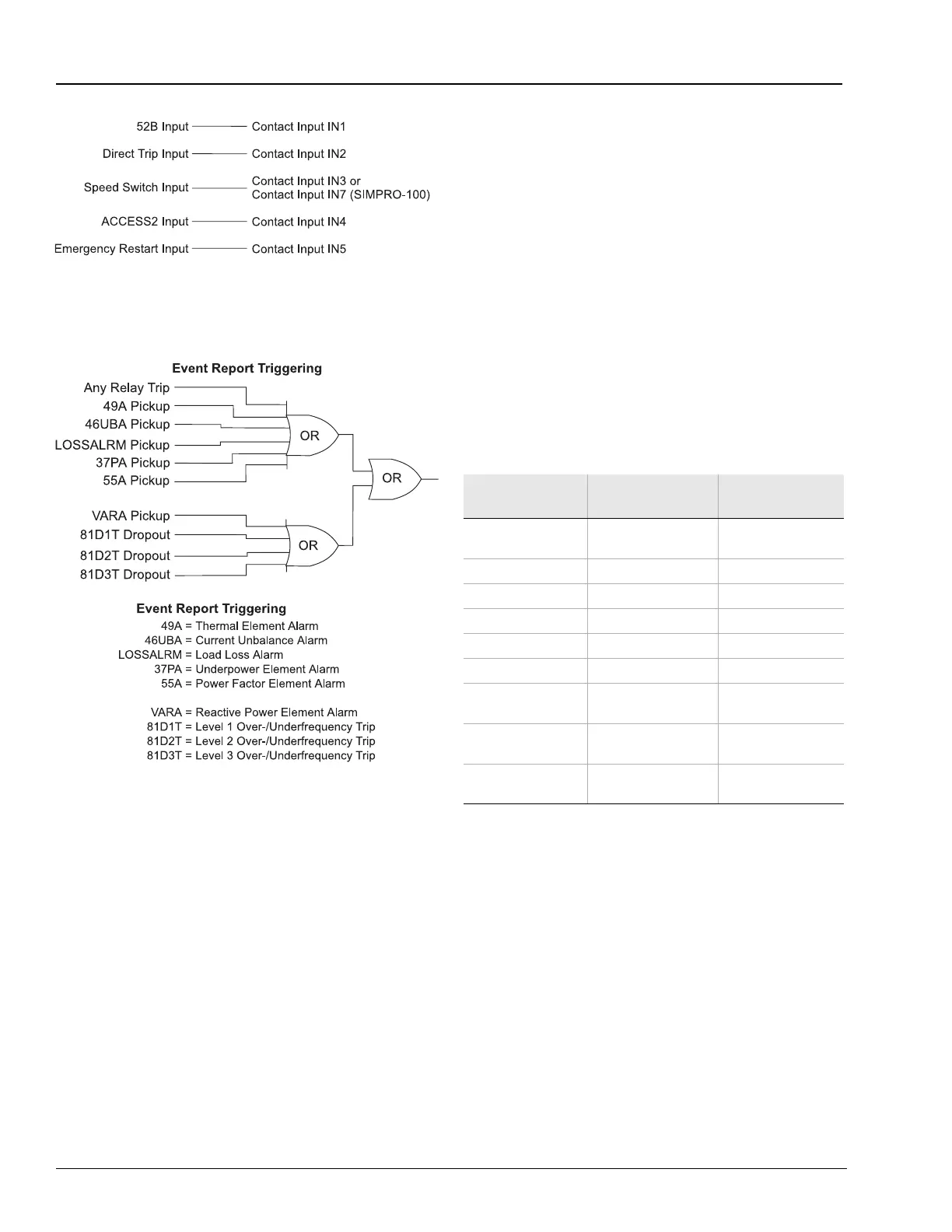
Figure 4.7 Factory Contact Input Logic
Figure 4.8 Factory Event Triggering Logic
4.8 Serial Port Settings
The SIMPRO-100 Relay provides settings that
allow you to configure the communication
parameters for the front- and rear-panel serial
ports. The front-panel serial port only supports
ASCII communications described in detail in
Chapter 6, page 85. The rear-panel serial port
settings include the Protocol setting. When you
set the rear-panel serial port Protocol setting
equal to ASCII, the relay supports ASCII
commands at the rear-panel EIA-232 port. When
you set the rear-panel serial port Protocol setting
equal to MOD, the relay supports Modbus RTU
protocol at the rear-panel EIA-485 port and
disables the rear-panel EIA-232 port.
Table 4.40 SET P Serial Port Settings,
Protocol = ASCII
The SIMPRO-100 Relay front-panel serial port
supports EIA-232 communication of ASCII text
data and SEL Binary commands and responses.
The rear panel is equipped with EIA-232 and
EIA-485 serial port connectors. Table 4.40 shows
relay serial port settings for the front-panel port
and the rear-panel port when it is set to use
ASCII protocol. Set the Baud Rate, Data Bits,
Parity, and Stop Bits settings to match the serial
port configuration of the equipment that is
communicating with the serial port.
Setting Prompt Setting Range
Setting Name =
Factory Default
Protocol, (shown
for rear port only)
ASCII, MOD PROTO = ASCII
Baud Rate 300 – 19200 SPEED = 2400
Data Bits 7, 8 BITS = 8
Parity O, E, N PARITY = N
Stop Bits 1, 2 STOP = 1
Timeout 0 – 30 min T_OUT = 15
Send Auto
Messages to Port
Y, N A U T O = N
Enable Hardware
Handshaking
Y, N R T S C T S = N
Fast Operate
Enable
Y, N FASTOP = N














 To Next Page