Requirement
● You are familiar with the general procedure described in the section "General information on
installing option modules (Page 53)".
● The slot required for the internal NCS (iNCS) module in the rack is free. The following option
modules use the same slot in the rack:
– Alarm module
– SIA module
– Mechanical limit switch module
– Internal NCS module
● The positioner is mounted, or is to be mounted, directly on the valve using the positioner
shaft.
Procedure
1. Open the positioner as in the description depending on the device version:
– Opening the standard and and intrinsically safe version (Page 53)
– Opening the device version with "flameproof enclosure" (Page 56)
2. Remove the ribbon cable from the basic electronics.
3. Tighten the two fixing screws of the basic electronics.
4. Remove the basic electronics.
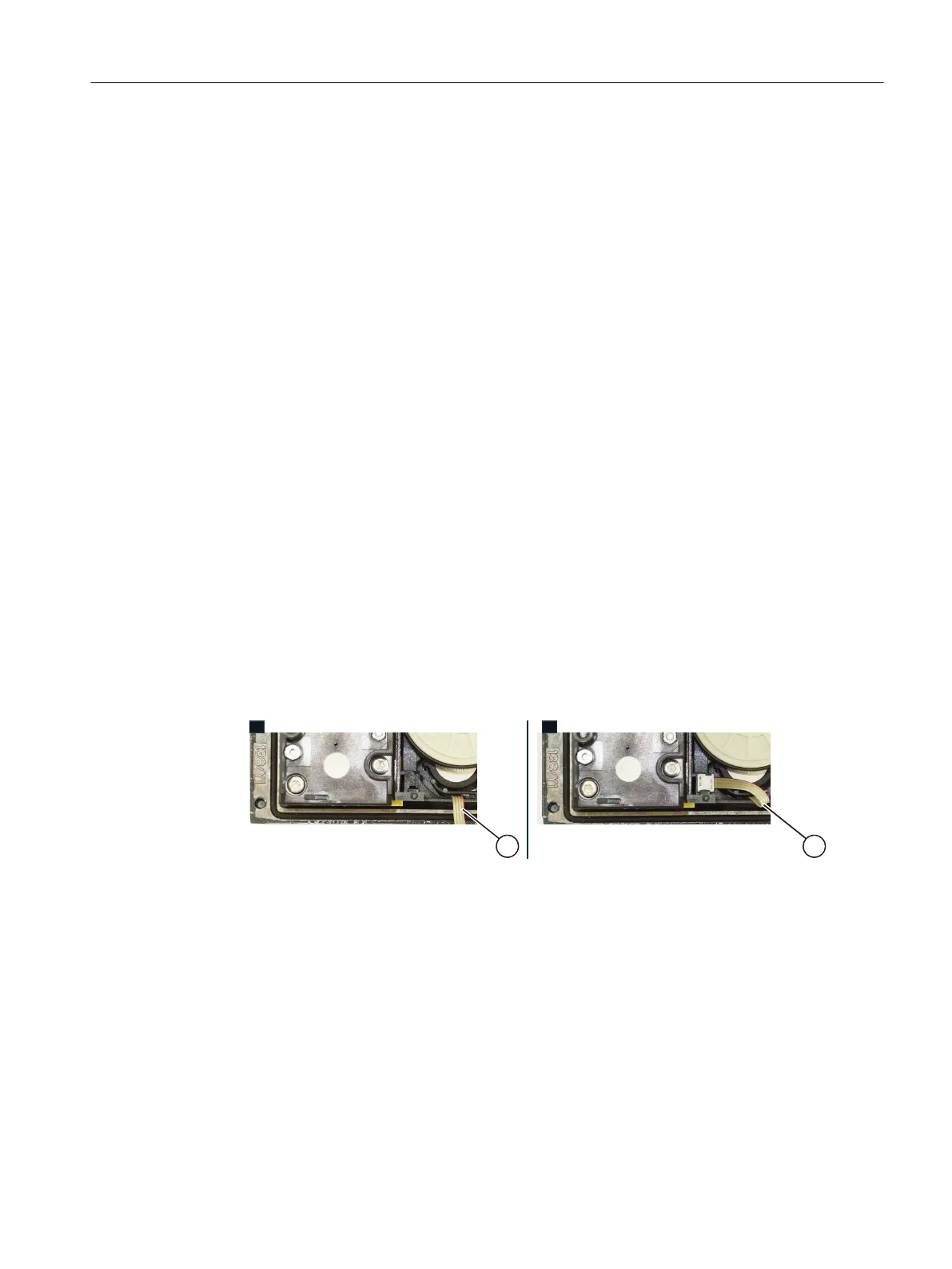
5. Insert the connector of the ribbon cable (A) into the slot as shown below.
Note: There is no space for the ribbon cable (A) in earlier versions of the positioner. Here
you fasten the ribbon cable to the container using a cable tie.
6. Screw the special screw ⑥ into the shaft of the positioner.
Installing/mounting
4.5 Installing the optional modules
SIPART PS2 with PROFIBUS PA
Operating Instructions, 05/2019, A5E00127926-AC 71


 To Next Page
 Loading...