Scale parameters and functions
8.4 Calibration procedure
SIWAREX WP231
78 Manual, 07/2014, A5E31238908A-02
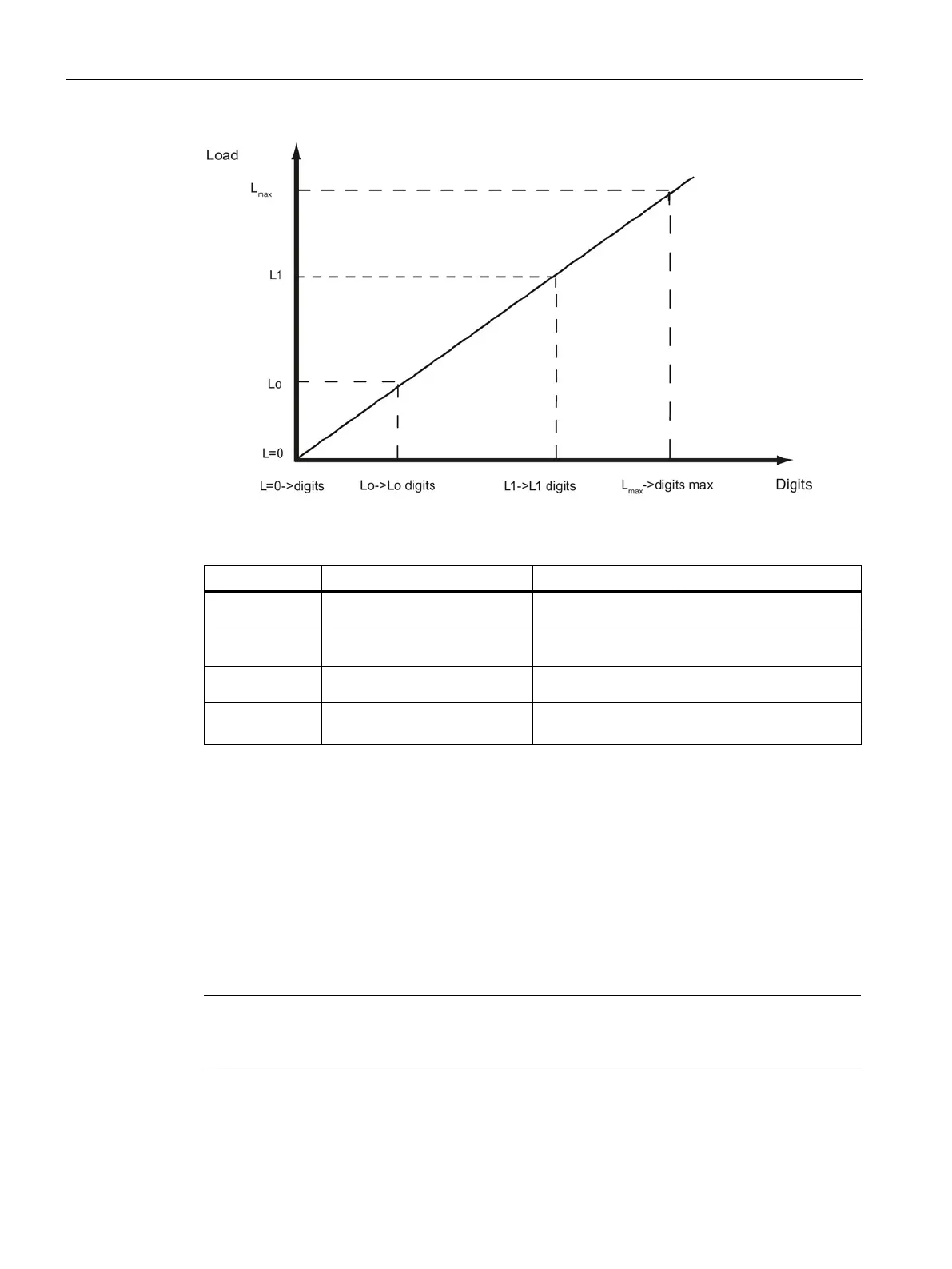
Figure 8-3 Calibration digits and calibration weight
L=0 100 kg load cell (2 mV/V) not
loaded
Approx. 0
L0 Mechanical installation on load cell
(dead load)
25 kg Approx. 500 000
L1 Calibration weight 1 placed onto
scale
e.g. 60 kg Approx. 1 200 000
L
max
Nominal weight of load cell 100 kg 2 000 000
L
max
+10% Rated weight + approx. 10 % Approx. 110 kg 2 200 000
You do not need to perform calibration if the calibration digits and the calibration weights are
known to the weighing module described here. They are simply sent to SIWAREX by data
record DR 3 and the scales are ready for use immediately.
The SIWATOOL program facilitates rapid calibration.
Following commissioning and calibration, all data records must be read from the weighing
module and saved as a scale file.
Identical scales can be put into operation immediately. Connect the PC to the new scales
and enable the "Send all data records" function. This transfers the parameters for calibration
weights and calibration digits, and the characteristic curve are determined immediately. The
same applies when you change a weighing module.
Two working points are usually sufficient for determining the scales' characteristic curve. An
additional working point is only required for non-linear systems.


 To Next Page