Somat eDAQ
lite
140
I2773-4.4 en
Percentile
Specify the
X
value for the Xth-percentile mode. The value can be an integer between
0 and 100.
NOTE
Setting the Xth-percentile parameter to zero returns the minimum value in the analysis
window. Setting the Xth-percentile parameter to 100 returns the maximum value in the
analysis window.
Window Samples
Specify the number of input samples used to generate one output sample. This sets
the analysis window size and associated output sample rate. Specify any positive
integer value greater than one.
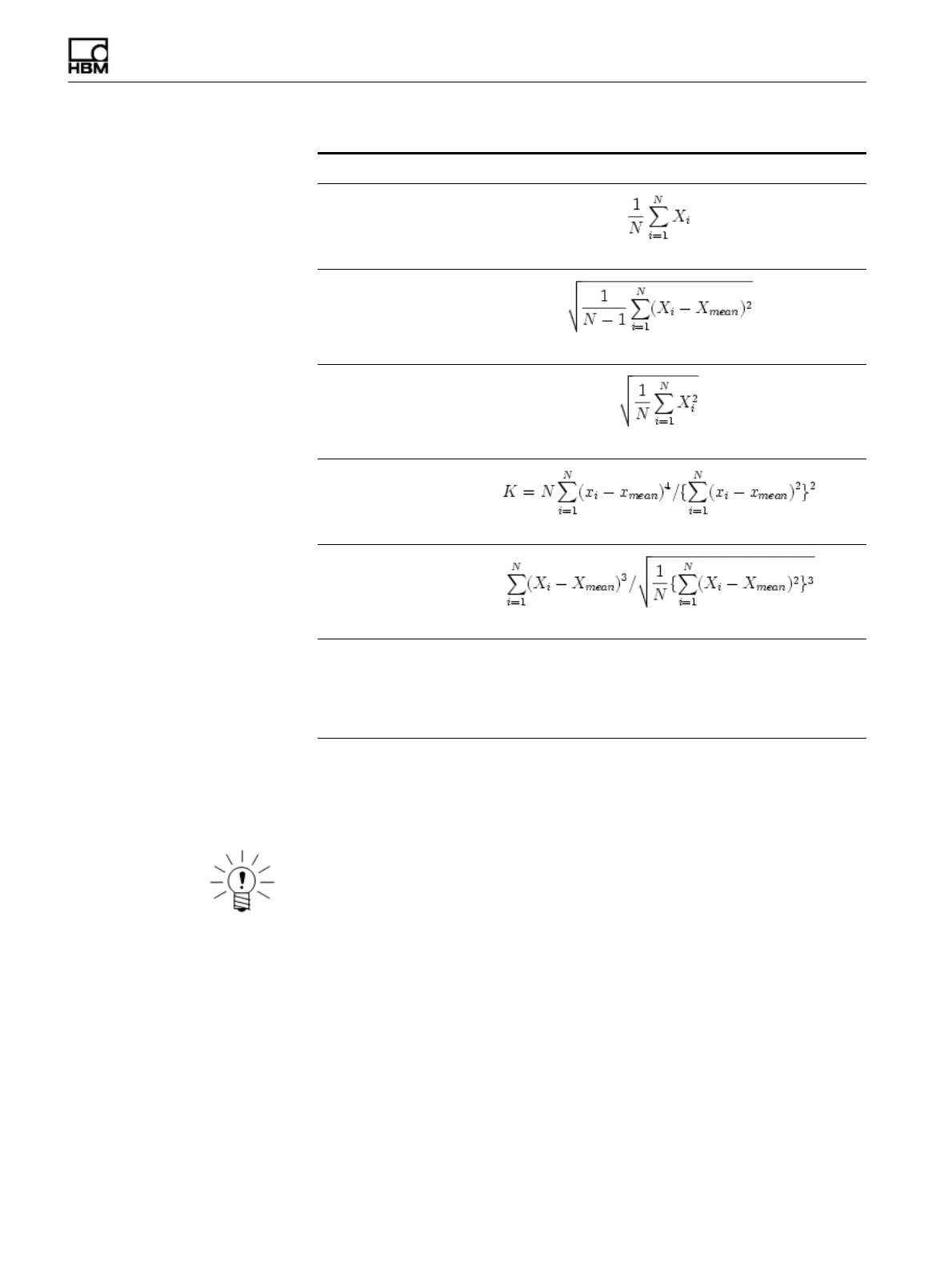
Statistic Algorithm
Mean
Standard deviation
RMS
Kurtosis
Skewness
Xth-percentile TCE sorts the data samples in the analysis window in ascending order
and interpolates as required between the array element data values
that border the exact Xth-percentile array element. For more
information on processing limitations when using the Xth-percentile
mode, see “Xth-Percentile Benchmark Tests” on page 219.
HBM: public



 To Next Page