I2773-4.4 en
173
Somat eDAQ
lite
8.5 Digital Output
A Digital Output is a pseudo-DataMode. Digital outputs are compatible with the first
eight bits of the ELDIO. For more information on ELDIO digital outputs, see “ELDIO
Digital Input/Output” on page 92.
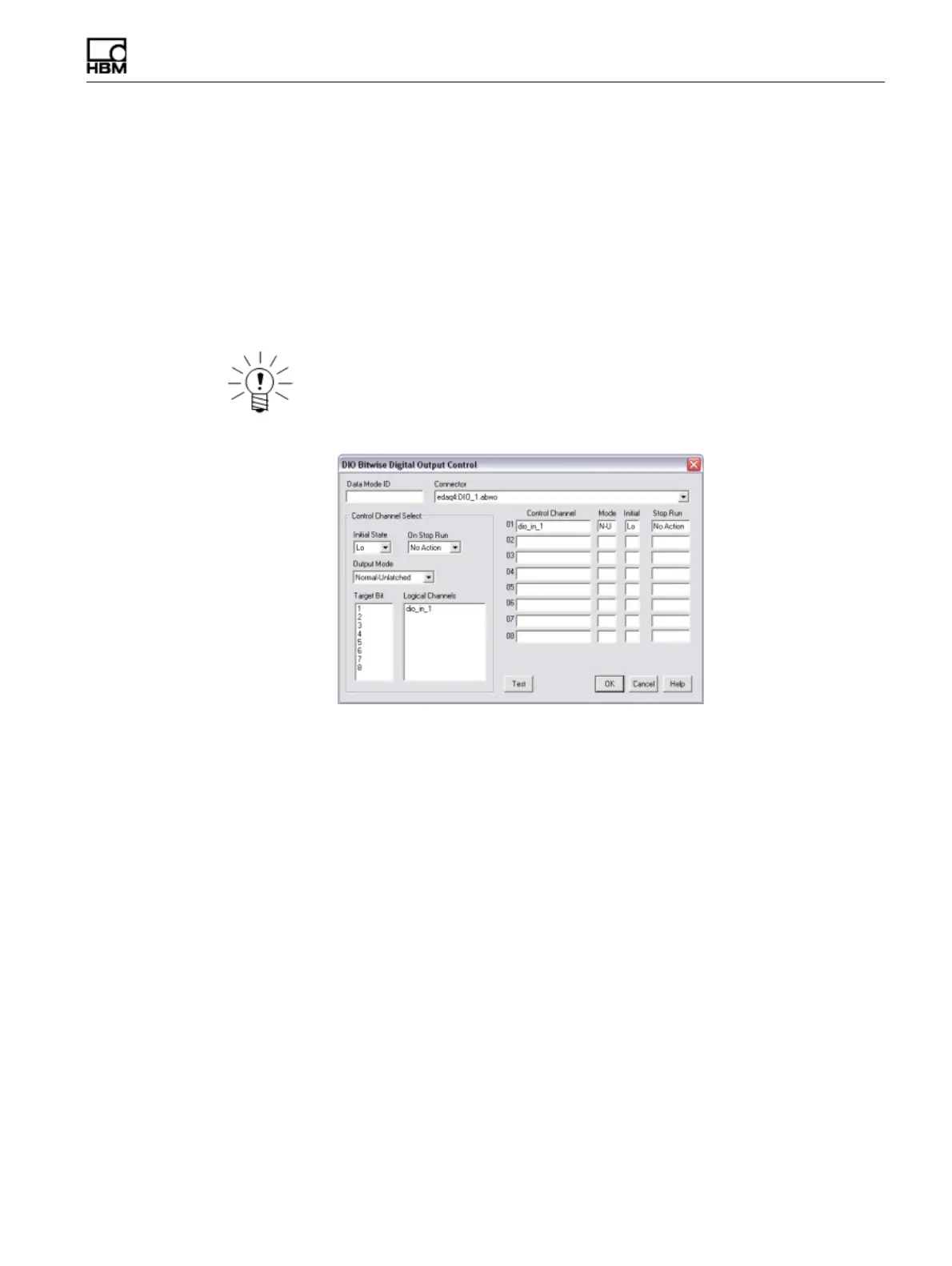
Use the Digital Output definition window to define all desired digital outputs. For each
desired output target bit, specify the associated logical control channel, output mode,
initial state and stop run action. Use the control channel select area of the window or
type the desired values directly into the digital output list.
NOTE
When using the control channel select area, double click the desired logical channel
to complete each digital output definition.
Figure 8-1:
TCE Digital Output DataMode definition window.
Use the Test button to open a window for testing the digital output bits and the devices
tied to the output lines. The test window contains a set of check boxes corresponding
to the set of available digital output lines. Check or uncheck the desired bits and select
Set Bits to set the digital output lines based on the bit selections. A checked box sets
the output to high (TRUE) and an unchecked box sets the output to low (FALSE).
Target Bit
Select the desired digital output bit on the selected connector. A bit must be configured
as an output using the ELDIO configuration options. If a selected bit is configured as
an input, TCE issues a warning. For more information on configuring digital bits as
outputs on the ELDIO layer, see “ELDIO Configuration Options” on page 92.
Control Channel
The control channel specifies the logical input channel to drive the digital output. Use
the presented list to select any defined logical channel with a data type of 8-bit
unsigned (logical).
Initial State
For each digital output, select the initial state as either high (TRUE) or low (FALSE).
The eDAQ
lite
imposes the initial state at the start of the test run.
HBM: public



 To Next Page