Somat eDAQ
lite
178
I2773-4.4 en
9.3 Hardware Tab
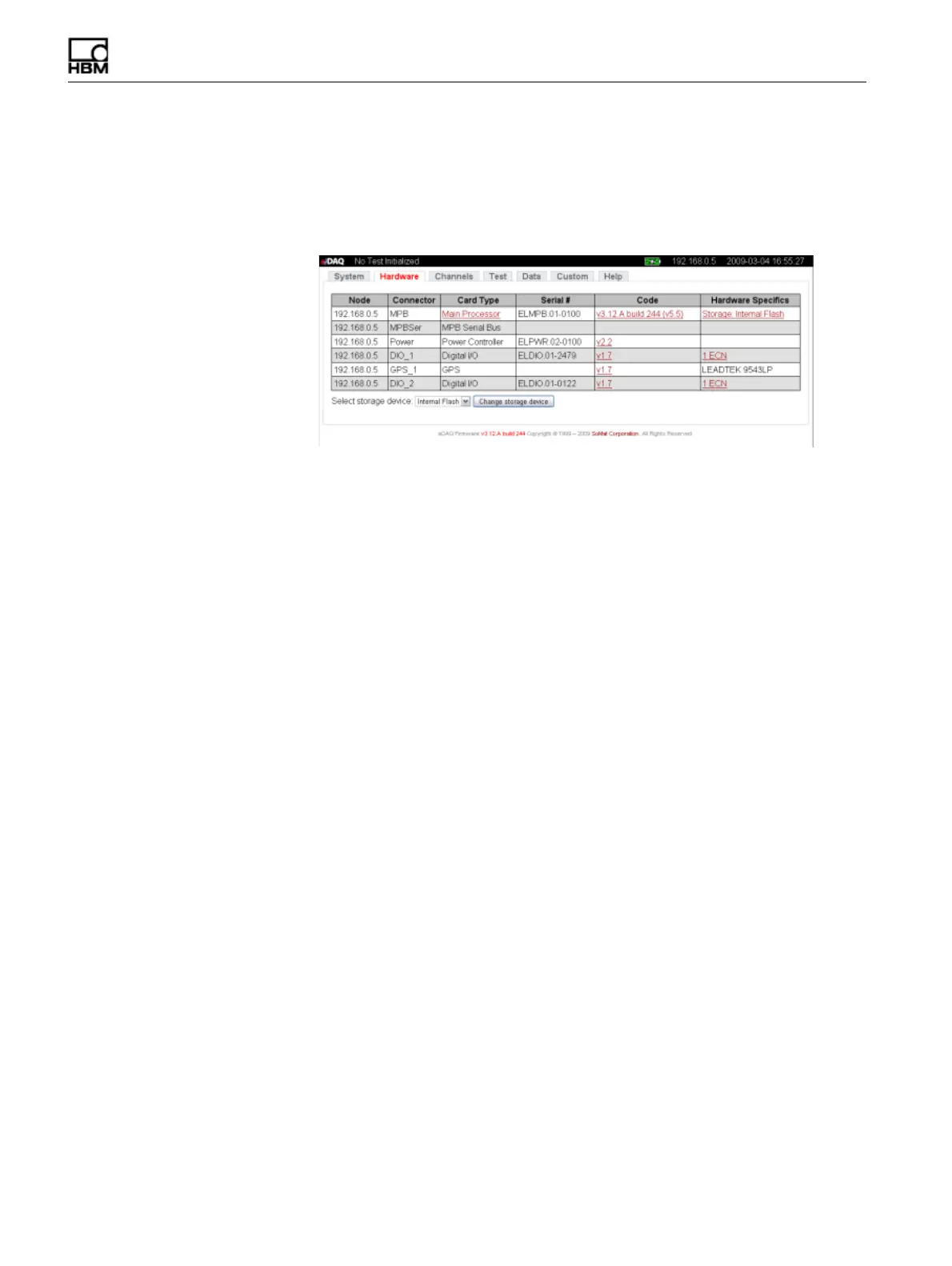
The Hardware tab contains information about the hardware contained in the eDAQ
lite
stack including the network node associated with the hardware, the type of layer and
its serial number, the version number of the code contained in the flash memory and
information about the PC Card (if installed).
Figure 9-3:
Hardware tab of the eDAQ
lite
web interface.
9.3.1 Hardware Table
Node
The node column indicates the associated network node by its IP address.
Connector
The connector column indicates the layer identifier prefix used in hardware connector
IDs.
Card Type
The card type column shows each layer type. Certain eDAQ
lite
layers allow for
additional configuration such as enabling message logging and editing of parameter
databases. When this additional configuration is available, the card type listed is
enabled as a hyperlink and, when selected, opens additional pages for configuration
options.
The additional configuration available for the vehicle bus layer includes editing
parameter databases, importing a vector CANdb database, logging messages,
viewing status and resetting the vehicle bus hardware. Navigate to the Help tab for
more detailed information on vehicle bus options.
Serial Number
The serial number column indicates the unique serial number of the layer in the stack.
HBM: public



 To Next Page