I2773-4.4 en
23
Somat eDAQ
lite
2 Using the eDAQ
lite
The following chapter describes the setup and operation of the eDAQ
lite
including the
LED status indicators, updating firmware, eDAQ
lite
communications, power
considerations, data storage and eDAQ
lite
networking.
2.1 eDAQ
lite
Base System
2.1.1 Status LEDs
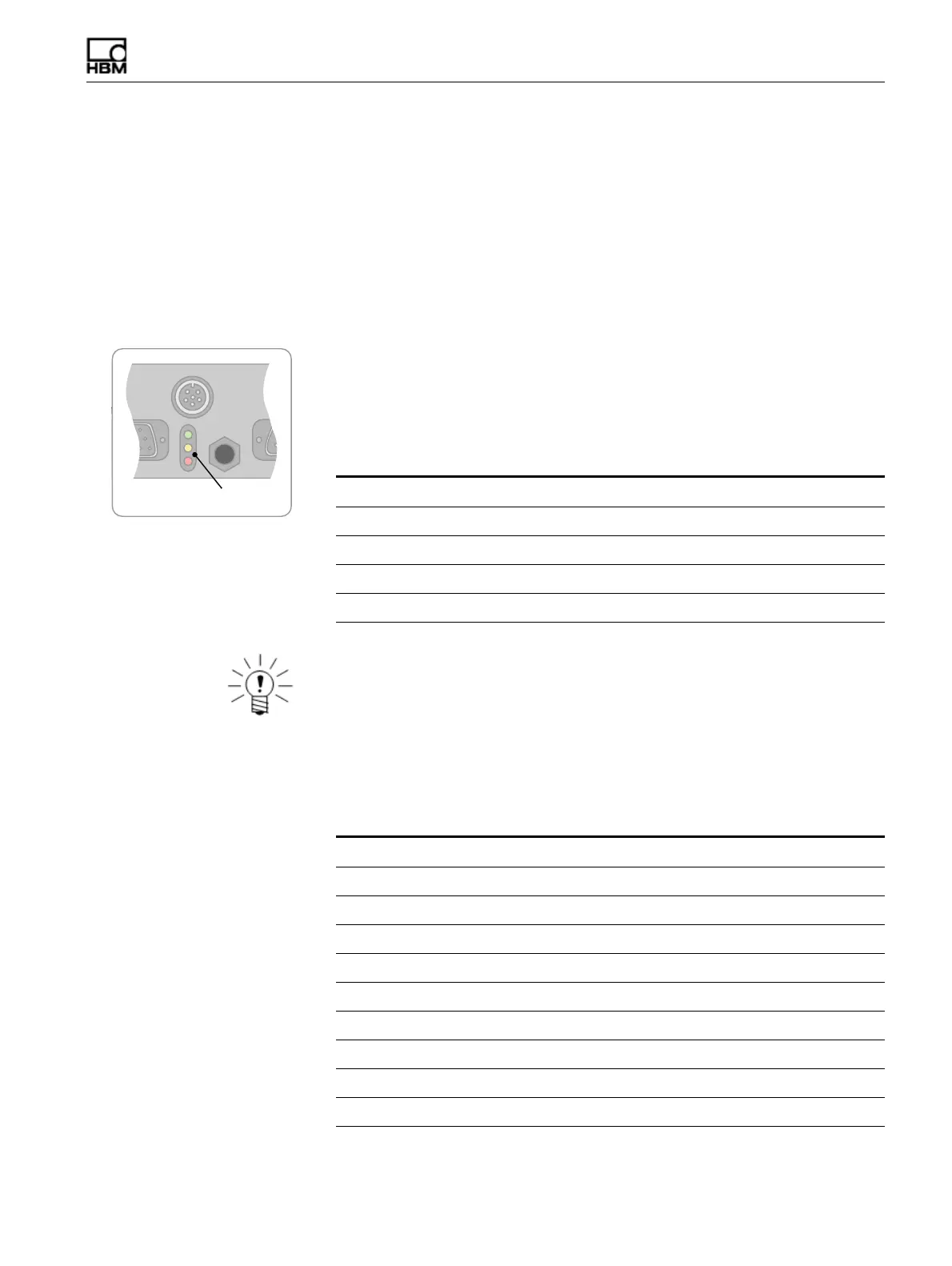
There are three LEDs (green, yellow and red) located on the eDAQ
lite
front panel that
are important indicators of eDAQ
lite
status.
Initial State
When powering on, all three LEDs turn on indicating that the main processor is starting
the boot up process. However, the eDAQ
lite
displays different LED states than this on
abnormal conditions as defined by the following table.
NOTE
If all three LEDs stay on for more than about 10 seconds, the boot has failed at a very
early stage or the boot was interrupted in the serial loader (which should not happen
accidentally).
Possible States
After all three LEDs are on, the main processor boot up begins. The LED states that
can exist after the boot up starts are defined as follows.
Red Yellow Green Description
4 Hz Off Off Bus pins misaligned.
4 Hz 4 Hz Off Blown fuse.
On On Off Power supply failure or voltages not stabilized.
On On On No problems detected, boot up starting.
Red Yellow Green Description
On On On Normal for early in boot up process.
Off On On Normal for later in boot up process.
Off Off On Ready, no test initialized, no error/status flag.
On Off On Ready, no test initialized, error/status flag.
Off 0.5 Hz On Ready, test initialized, no error/status flag.
On 0.5 Hz On Ready, test initialized, error/status flag.
Off 1 Hz 1 Hz Ready, waiting for sync, no error/status flag.
On 1 Hz 1 Hz Ready, waiting for sync, error/status flag.
Off 8 Hz On Ready, test running, no error/status flag.
On 8 Hz On Ready, test running, error/status flag.
HBM: public



 To Next Page