Somat eDAQ
lite
176
I2773-4.4 en
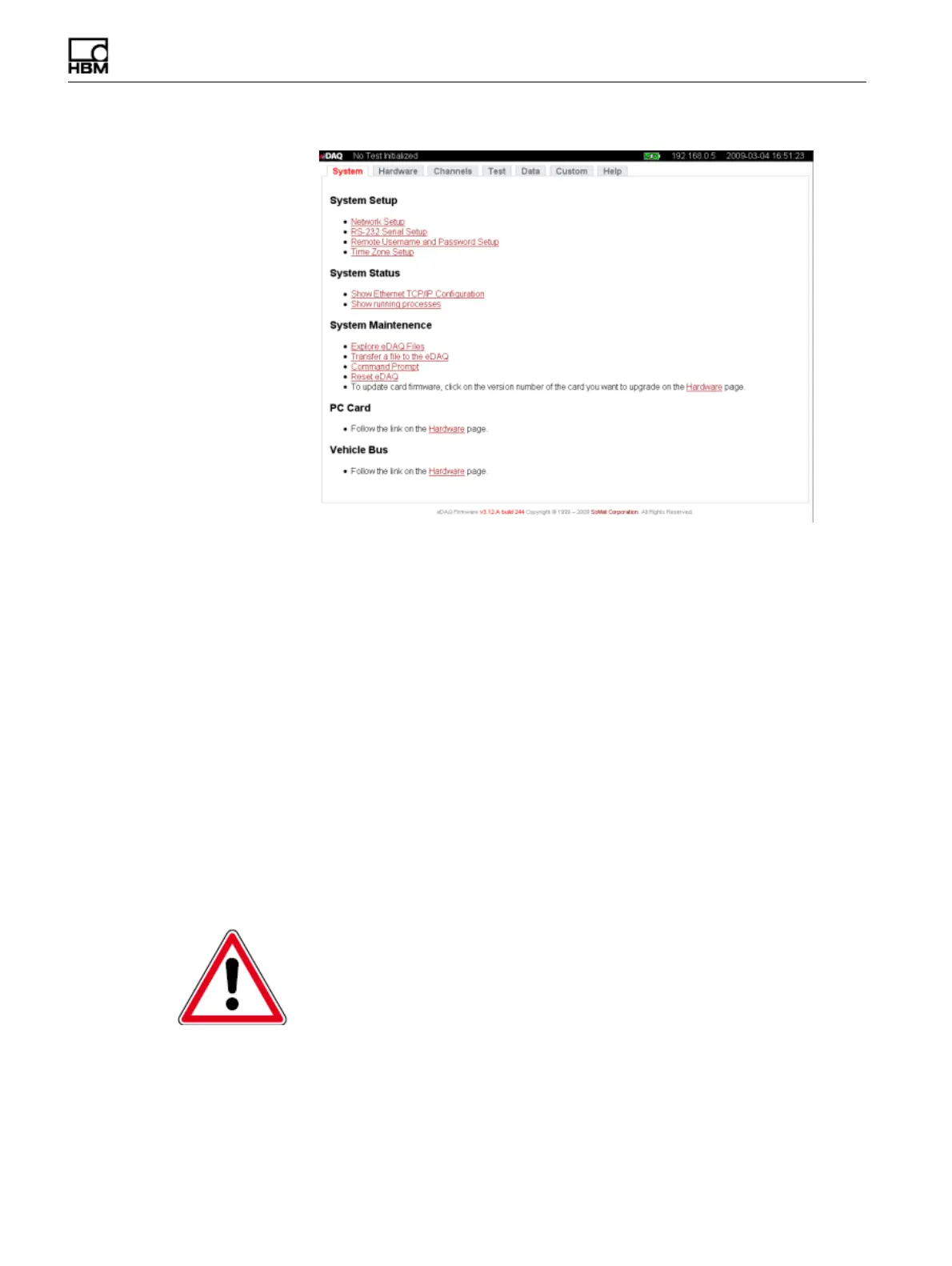
Figure 9-2:
System tab of the eDAQ
lite
web interface.
9.2.1 System Setup
The system setup group of pages provide methods to modify the network
configuration parameters, RS-232 communication parameters, remote user name and
password and the time zone in which the eDAQ
lite
resides.
Network Setup
Use network setup parameters to modify the host name, IP number, netmask and
gateway as required.
Ethernet Link Setup
Set the Ethernet link mode as Autonegotiate, 100/Full, 100/Half, 10/Full or 10/Half.
Note that in almost all cases, autonegotiate is the best and correct option. However, in
some rare cases, it may be helpful to force the Ethernet link mode.
RS-232 Setup
Set the serial communication parameters within the eDAQ
lite
by modifying file
pgetty.conf, the file containing all configuration information for serial communication.
CAUTION
Errors within pgetty.conf can cause all serial communication to cease to function. Use
extreme caution when modifying this file.
HBM: public



 To Next Page