Changing the menu settings
To make the menu display disappear
Press MENU.
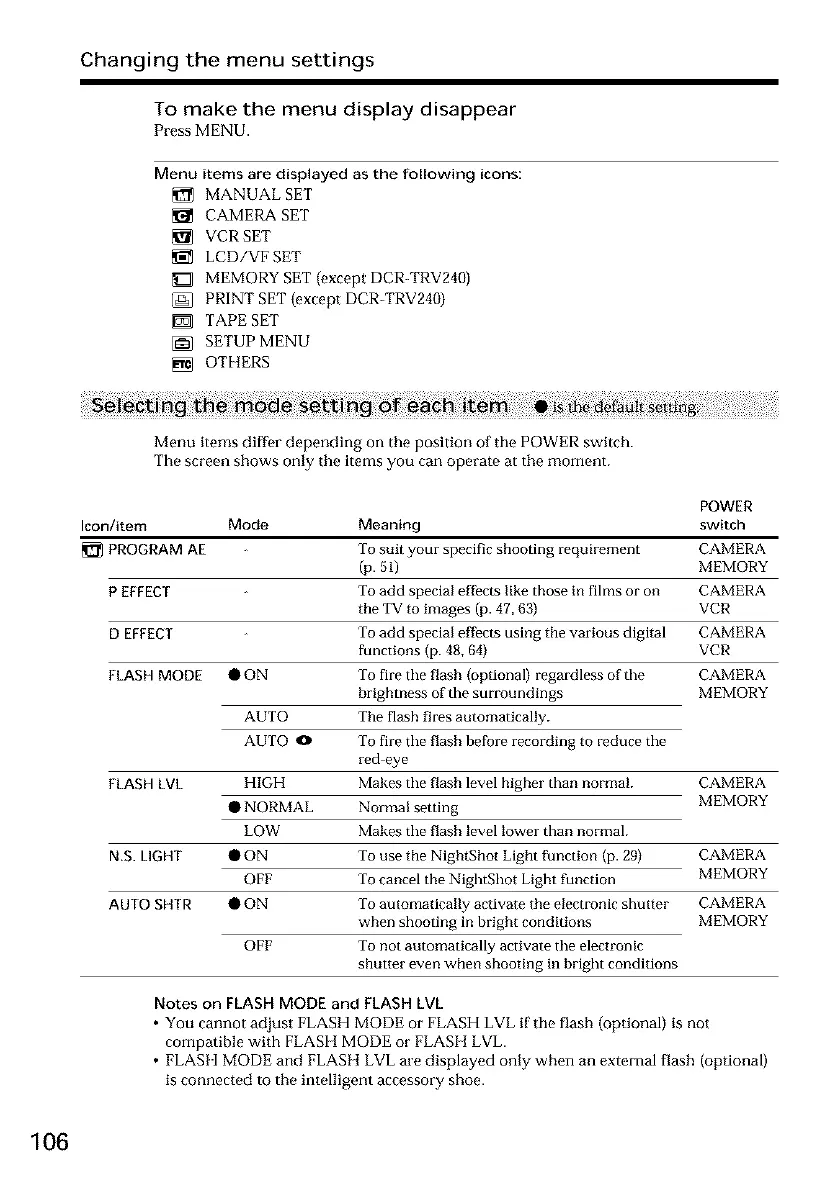
Menu items are displayed as the following icons:
MANUAL SET
CAMERA SET
VCR SET
LCD/VF SET
_Z] MEMORY SET (except DCR-TRV240)
[_ PRINT SET {except DCR-TRV240)
TAPE SET
[_ SETUP MENU
_m_ OTHERS
Menu items differ depending on the position of the POWER switch.
The screen shows only the items you can operat_ at the moment.
Icon/item Mode
PROGRAM AE
P EFFECT
D EFFECT
FLASH MODE • ON
AUTO
AUTO0
FLASH LVL HIGH
• NORMAL
LOW
N.S. LIGHT •ON
OFF
AUTO SHTR • ON
OFF
POWER
Meaning switch
To suit your specific shooting requirement CAMERA
(p. 51) MEMORY
To add special effects like those in films or on CAMERA
the TV to images (p. 47, 63) VCR
To add special effects using the various digital CAMERA
functions (p. 48, 64) VCR
To fire the flash (optional) regardless of the CAMERA
brightness of the surroundings MEMORY
The flash fires automatically.
To fire the flash before recto-cling to reduce the
red eye
Makes the flash level higher than normal CAMERA
Normal setting MEMORY
Makes the flash level lower than normal.
To use the NightShot Light function (p. 29) CAMERA
To cancel the NightShot Light function MEMORY
To automatically activate the electronic shutter CAMERA
when shooting in bright conditions MEMORY
To not automatically activate the electronic
shutter even when shooting in bright conditions
Notes on FLASH MODE and FLASH LVL
• You cannot adjust FLASH MODE or FLASH LVL if the flash (optional) is not
compatible with FLASH MODE or FLASH LVL.
• FLASH MODE and FLASH LVL are displayed only when an external flash (optional)
is connected to the intelligent accessory shoe.
106













 To Next Page