- Advanced Playback Operations-
Playing back tapes with picture effects
During playback, you can process a scene using the following picture effect functions:
NEG.ART, SEPIA, B&W and SOLARIZE.
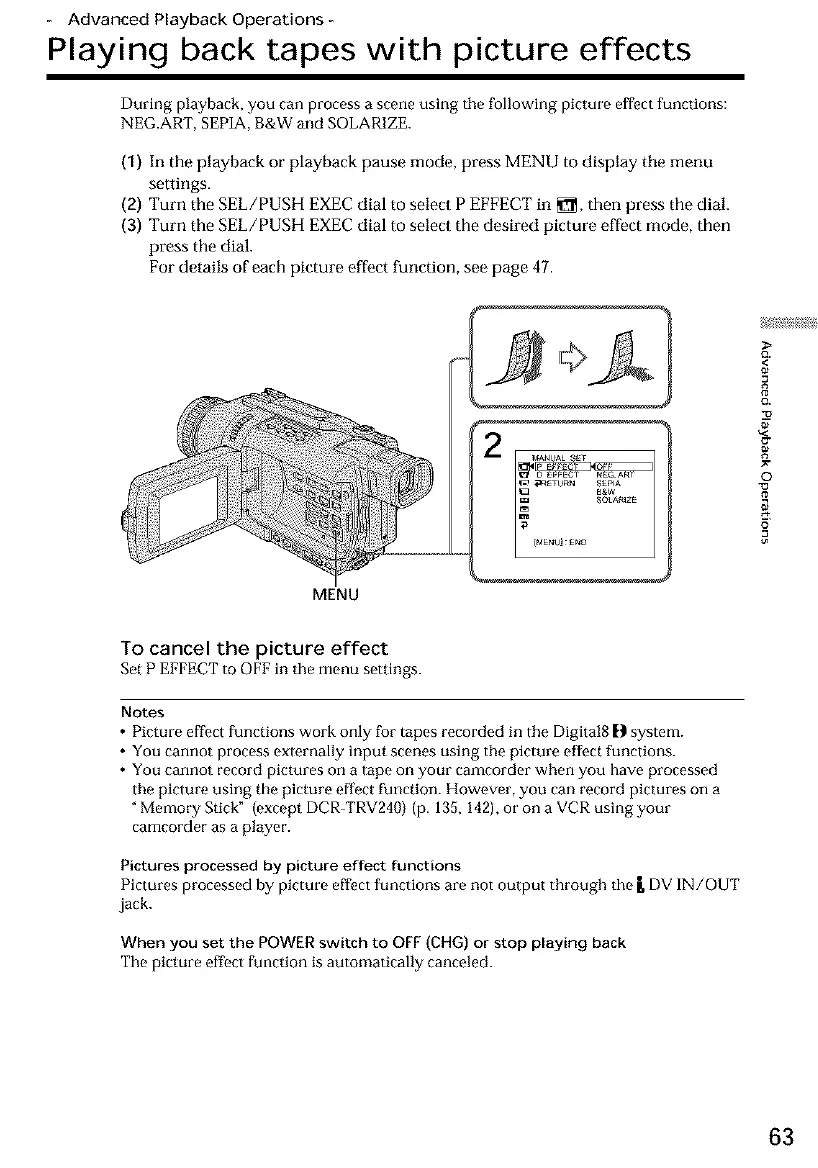
(1) In the playback or playback pause mode, press MENU to display tile menu
settings.
(2) Turn the SEL/PUSH EXEC dial to select P EFFECT in _, then press the dial.
(3) Turn the SEL/PUSH EXEC dial to select the desired picture effect mode, then
press the dial.
For details of each picture effect function, see page 47.
MENU
<
8
©
o
To cancel the picture effect
Set P EFFECT to OFF in the menu settings.
Notes
• Picture effect functions work only for tapes recorded in the Digital8 [1 system.
• You cannot process externally input scenes using the picture effect functions.
• You cannot record pictures on a tape on your camcorder when you have processed
the picture using the picture effect function. However, you can record pictures on a
"Memory Stick" (except DCR-TRV240) (p. 135, 142), or on a VCR using your
camcorder as a player.
Pictures processed by picture effect functions
Pmtures processed by pmture effect functmns are not output through the g DV IN/OUT
jack.
When you set the POWER switch to OFF (CHG) or stop playing back
The picture effect function is automatically canceled.
63













 To Next Page