Using the optional printer
- Except DCR-TRV240
You can use the printer (optional) on your cameorder to print images on print paper.
For details, refer to tile operating instructions of the printer.
There are various ways of printing still images. The fullowing, however, describes how
to print by selecting [_ in the menu settings on your cameorder. (p. 105)
Before operation
• Insert a recorded" Memory Stick" into your camcorder.
• Attach the optional printer to your camcorder.
[ Printer I
9PlC PRINT DATE/TIME
PRINT SET
DAT_TIME SAME
_RETURN MULT_
MARKED
IMENUIEND
MENU
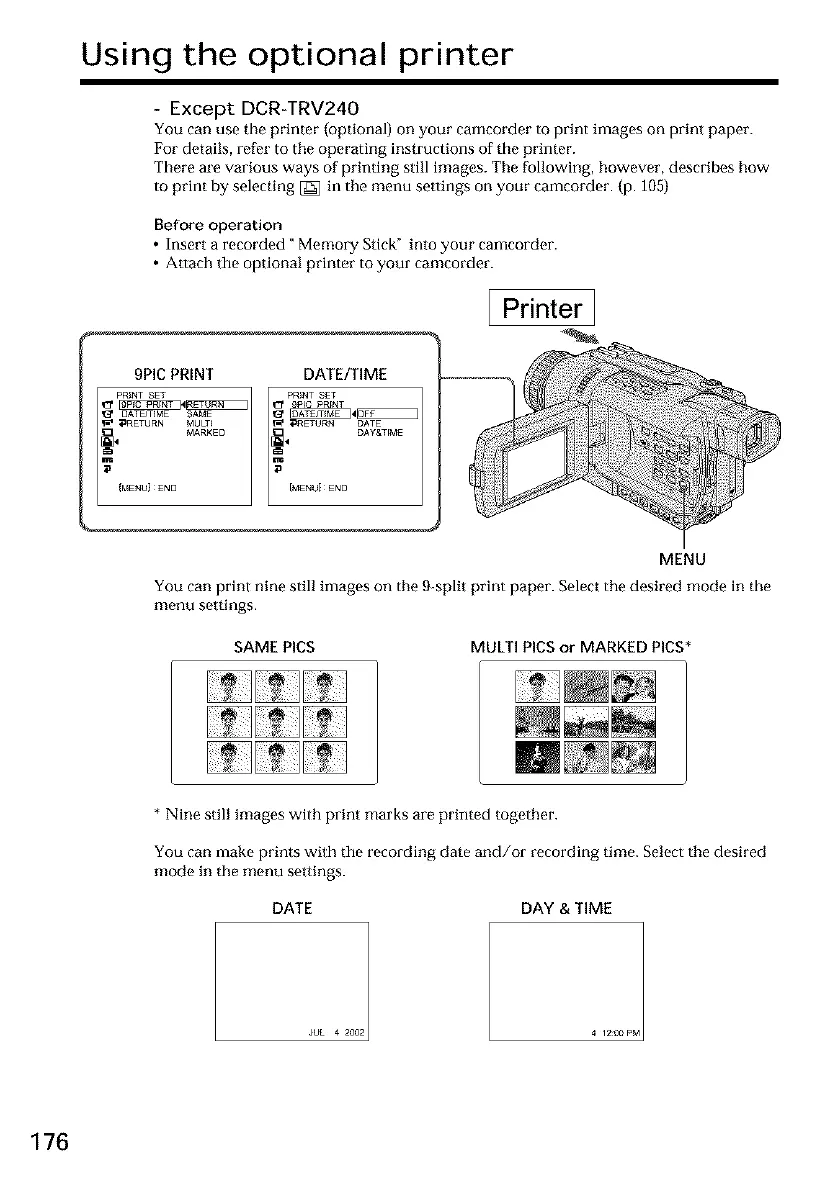
You can print nine still images on the 9 split print paper. Select the desired mode in the
menu settings.
SAME PICS MULTI PICS or MARKED PICS*
* Nine still images with print marks are printed together.
You can make prints with the recording date and/or recording time. Select the desired
mode in the menu settings.
DATE DAY & TIME
JUL 4 2002
176













 To Next Page