- Advanced Recording Operations-
Recording still images on a tape
- Tape Photo recording
You can record still images such as photographs.
You can record about 510 images in the SP mode and about 765 images in the LP mode
on a tape which can record for 60 minutes in the SP mode.
Besides the operation described here, your camcorder can record still images on
"Memol T Stick" s (except DCR-TRV240) (p. 124).
Before operation
Set PHOTO REC to TAPE in the menu settings. (The default setflng is MEMORY.)
(except DCR-TRV240) (p. 105)
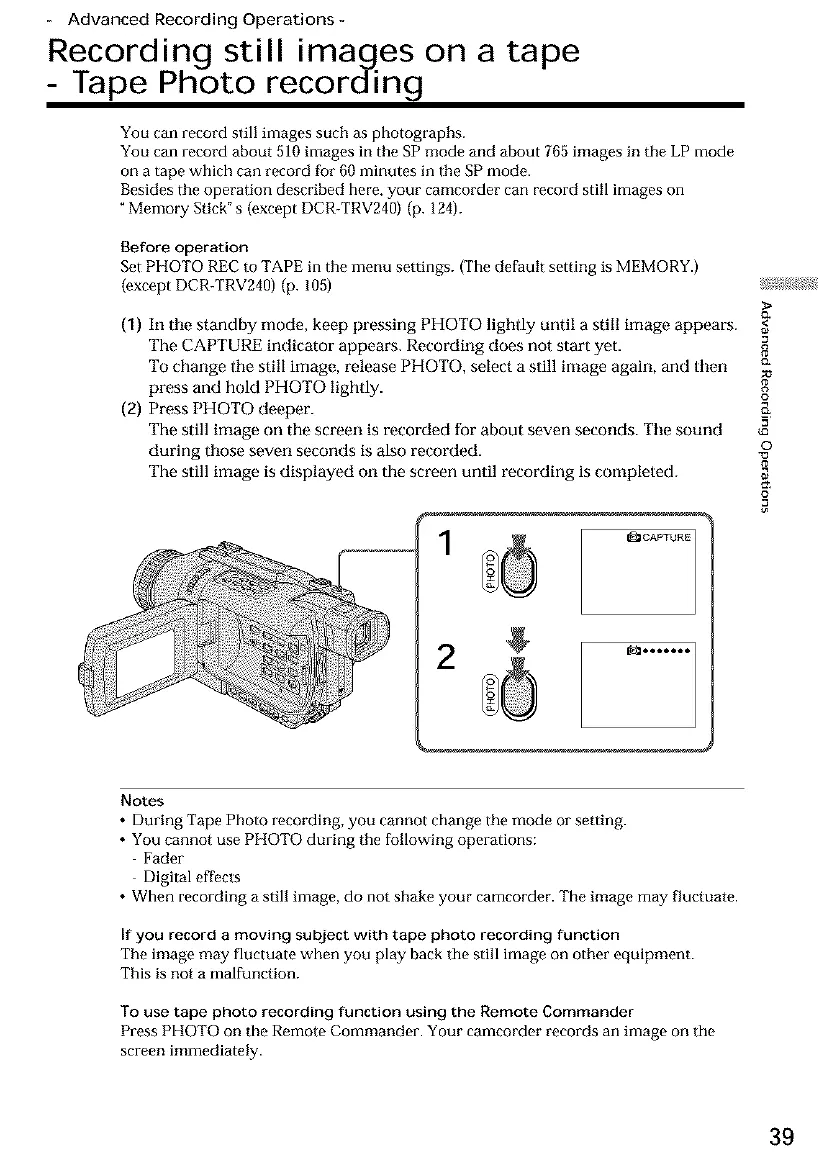
(1) In tile standby mode, keep pressing PHOTO lighdy until a still image appears.
The CAPTURE indicator appears. Recording does not start yet. 8
To change ihe still image, release PHOTO, select a still image again, and then c_
press and hold PHOTO lightly.
o
(2) Press PHOTO deeper. __
The still image on the screen is recarded for about seven seconds. The sound _=
during those seven seconds is also recorded, o
The still image is displayed on the screen until recording is completed.
1
2
Notes
• During Tape Photo recording, you cannot change the mode or setting.
• You cannot use PHOTO during the following operations:
Fader
Digital effects
• When recording a still image, do not shake your camcorder. The image may fluctuate.
If you record a moving subject with tape photo recording function
The image may fluctuate when you play back tile still image on other equipment.
This is not a malfunction.
To use tape photo recording function using the Remote Commander
Press PHOTO on the Remote Commander. Your camcorder records an image on the
screen immediately.
39













 To Next Page