Recording pictures from a tape as moving
pictures
- Except DCR-TRV240
Your camcorder can read moving picture data recorded on tapes and record it as a
moving picture on a" Memory Stick." Your camcorder can also capture moving picture
data through the input connector and record it as a moving picture on a" Memory
Stick."
Before operation
• Insert a recorded tape into your camcorder.
• Insert a" Memory Stick" into your camcorder.
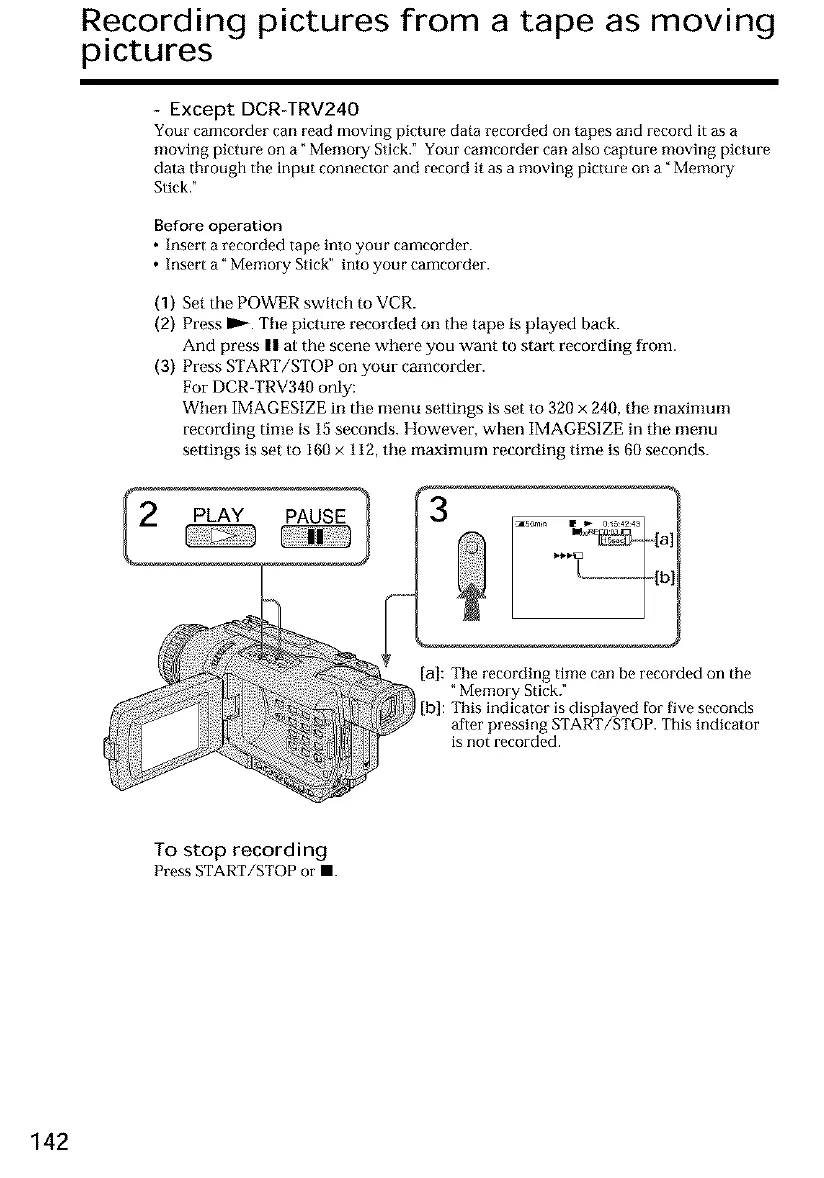
(1) Set the POWER switch to VCR.
(2) Press ID,_. Tile picture recorded on the tape is played back.
And press || at the scene where you want to start recording from.
(3) Press START/STOP on your camcorder.
For DCR-TRV340 only:
When IMAGESIZE in the menu settings is set to 320 x 240, tile maximum
recording time is 15 seconds. However, when IMAGES1ZE in the menu
settings is set to 160 x 112, tile maximum recording time is 60 seconds.
PLAY PAUSE
[a]: The recording time can be recorded on the
"Memory Stick."
[b]: This indicator is displayed for five seconds
after pressing START/STOP. This indicator
is not recorded.
To stop recording
Press START/STOP or II.
142













 To Next Page