Deleting images- DELETE
You can delete all unprotected images in the" Memory Stick."
Before operation
Insert a" Memory Stick" into your camcorder.
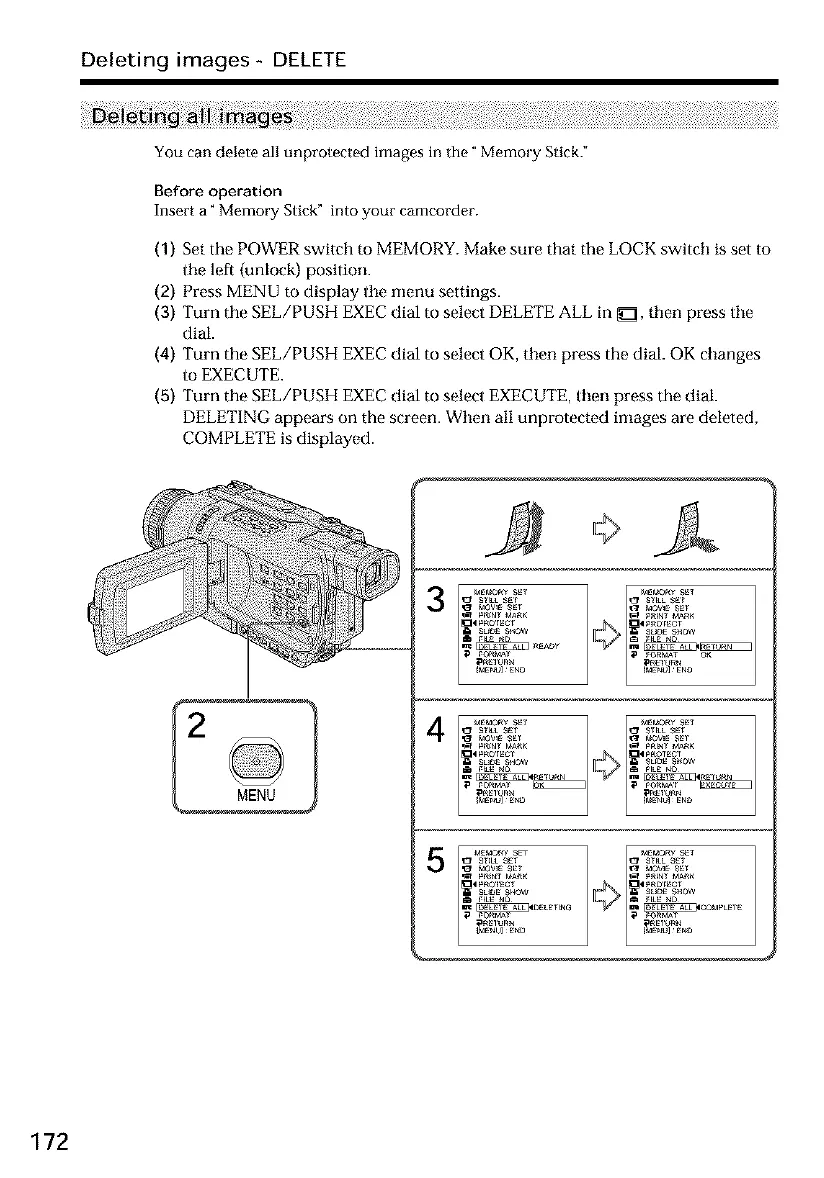
(1) Set the POWER switch to MEMORY. Make sure that the LOCK switch is set to
tile left (unlock) position.
(2) Press MENU to display tile menu settings.
(3) Turn the SEE/PUSH EXEC dial to select DELETE ALL in _, then press tile
dial.
(4) Turn the SEE/PUSH EXEC dial to select OK, then press the dial. OK changes
to EXECUTE.
(5) Turn the SEE/PUSH EXEC dial to select EXECUTE, then press the dial.
DELETING appears on the screen. When all unprotected images are deleted,
COMPLETE is displayed.
3
4
MEMORY SET _EMOR¥ _1 ¸
_1 _ M_ I-1 _fN_ M_
SL_E SHOW SL_ S_0W
pRE1 _ R_
172













 To Next Page