Deleting images- DELETE
- Except DCR-TRV240
You can delete images stored in a" Memory Stick." You can delete all images or only
selected images.
Before operation
Insert a" Memory Stick" into your camcorder.
(1) Set tile POWER switch to MEMORY or VCR. Make sure that the LOCK switch
is set to tile left (unlock) position.
(2) Play back tile image you want m delete.
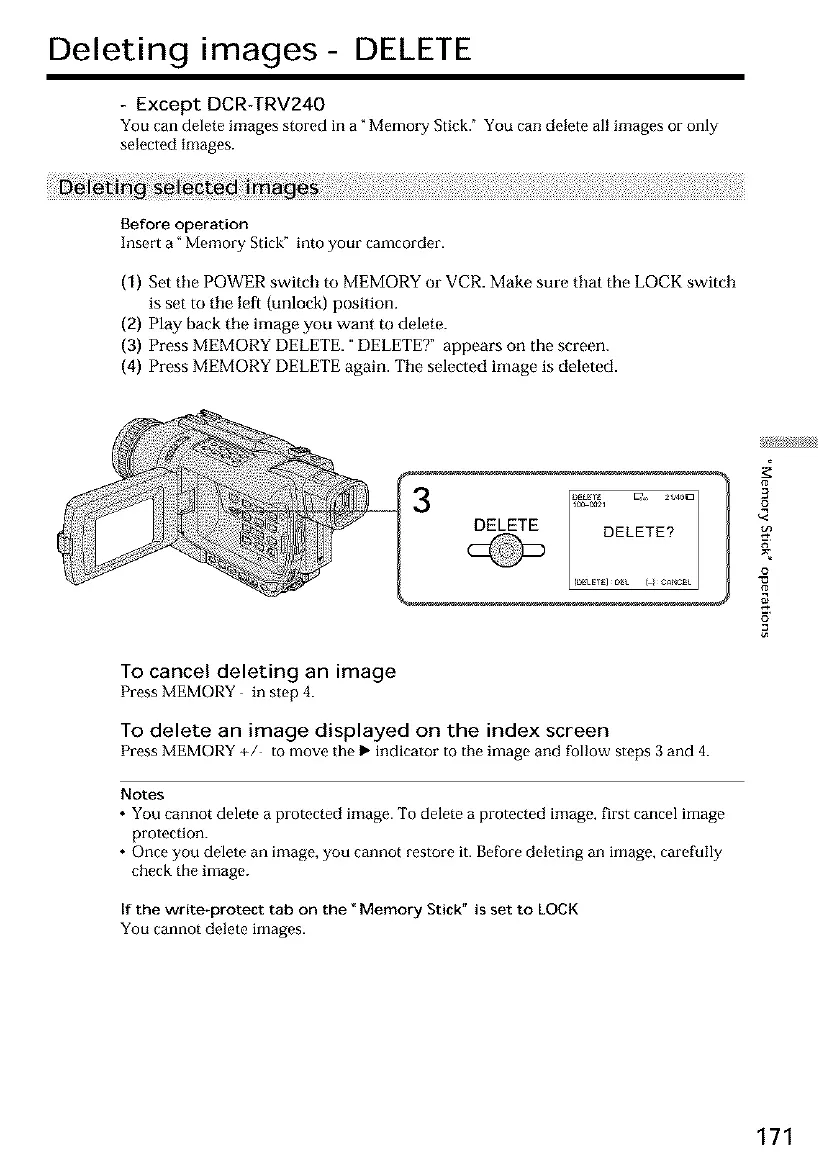
(3) Press MEMORY DELETE. "DELETET appears on the screen.
(4) Press MEMORY DELETE again. Tile selected image is deleted.
DELETE
To cancel deleting an image
Press MEMORY in step 4.
To delete an image displayed on the index screen
PressMEMORY +/ to move the I_ indicator to the image and follow steps3 and 4.
Notes
• You cannot delete a protected image. To delete a protected image, first cancel image
protection.
• Once you delete an image, you cannot restore it. Before deleting an image, carefully
check the image.
If the write-protect tab on the _Memory Stick" is set to LOCK
You cannot delete images.
3
£
o
171













 To Next Page