Interval recording
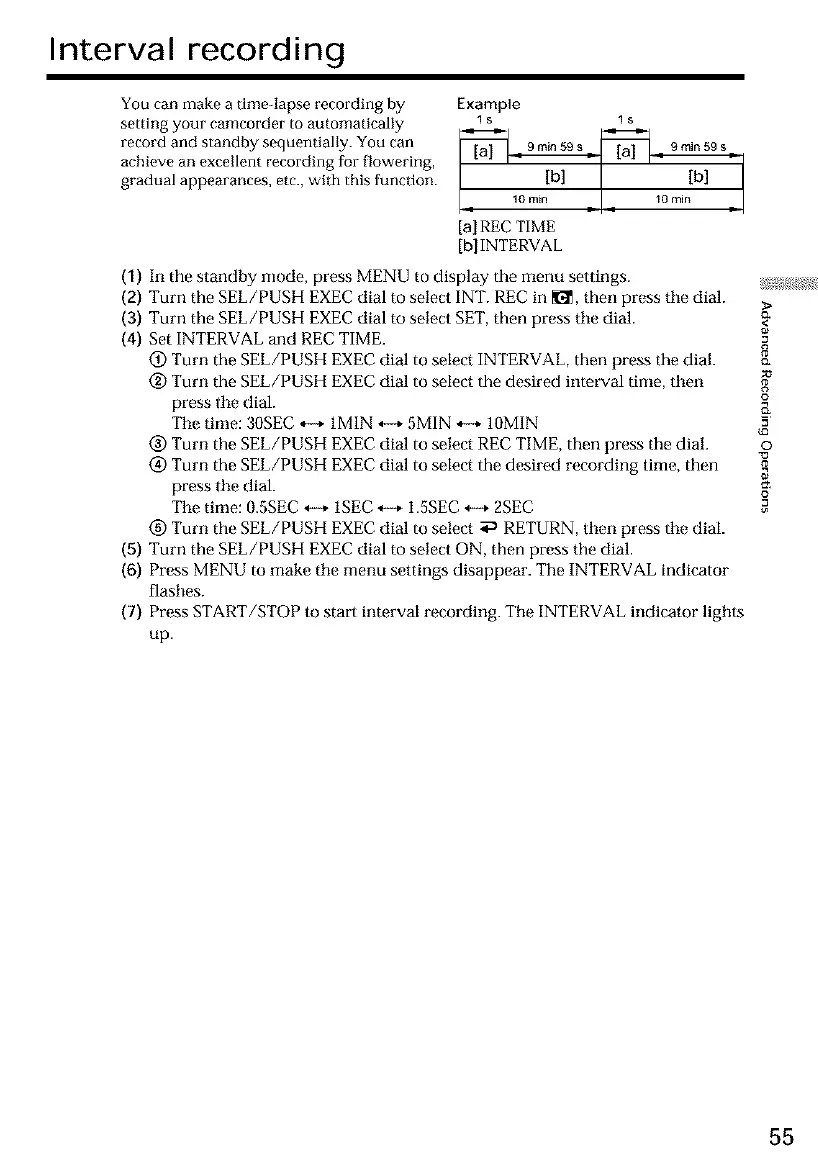
You can make a time-lapse recording by
setting your camcorder to automatically
record and standby sequentially. You can
achieve an excellent recording for flowering,
gradual appearances, etc., with this function.
Example
ls ls
[al REE TIME
[bl INTERVAL
(1) In the standby mode, press MENU to display the menu settings. _;,_>:_!;
(2) Turn the SEL/PUSH EXEC dial to select INT. REC in _1_,then press tile dial. >
(3) Turn the SEL/PUSH EXEC dial to select SET, then press tile dial. <_
(4) Set INTERVAL and REC TIME.
(_) Turn the SEL/PUSH EXEC dial to select INTERVAL, then press the dial. c_
(_) Turn the SEL/PUSH EXEC dial to select the desired interval time, then
press Ihe dial.
Tile time: 3OSEC ,,-+ 1M1N *-+ 5MIN *-+ 1OMIN =
@ Turn the SEL/PUSH EXEC dial to select REC TIME, then press the dial. o
(_) Turn the SEL/PUSH EXEC dial to select the desired recording time, then
press tile dial.
Tile time: 0.5SEC ,,-+ 1SEC *-+ 1.5SEC H 2SEC _=°
(_) Turn the SEL/PUSH EXEC dial m select _ RETURN, then press tile dial.
(5) Turn the SEL/PUSH EXEC dial to selecl ON, then press the dial.
(6) Press MENU to make tile menu settings disappear. The INTERVAL indicator
flasbes.
(7) Press START/STOP to start interval recording. Tile INTERVAL indicator ligbts
up.
55













 To Next Page