Dubbing only desired scenes
- Digital program editing (on tapes)
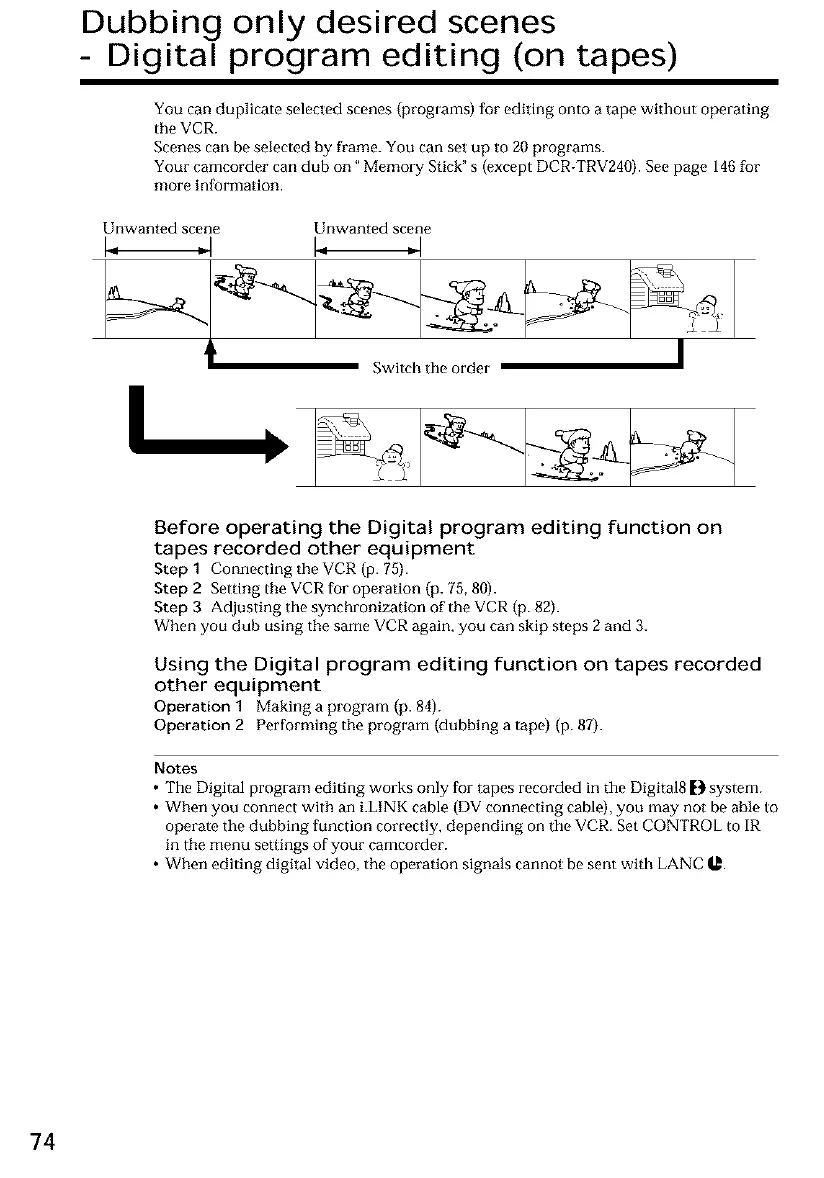
You can duplicate selected scenes (programs) for editing onto a tape without operating
the VCR.
Scenes can be selected by frame. You can set up to 20 programs.
Your camcorder can club on" Memory Stick" s (except DCR-TRV240). See page 146 for
more inIkarmation.
Unwanted scene Unwanted scene
I
I
Switch the order •
Y
Before operating the Digital program editing function on
tapes recorded other equipment
Step1 Connecting theVCR (p. 75).
Step 2 Setting the VCRfur operation (p. 78,80).
Step 3 Adjusting the synchronization of the VCR (p. 82).
When you dub using the sameVCR again,you can skip steps2 and 3.
Using the Digital program editing function on tapes recorded
other equipment
Operation 1 Making a program (p. 84).
Operation 2 Performing the program (dubbing a tape) (p. 87).
Notes
• The Digital program editing works only for tapes recorded in the Digital8 _} system.
• When you connect with an i.LINK cable (DV connecting cable), you may not be able to
operate the dubbing function correctly, depending on the VCR. Set CONTROL to IR
in the menu settings of your camcorder.
• When editing digital video, the operation signals cannot be sent with LANC _l_.
74













 To Next Page