Adjusting the exposure manually
You can manually adjust and set the exposure. Normally, exposure is automatically
adjusted.
Adjust the exposure manually in the following cases:
When the subject is backlit
When shooting bright subjects and dark backgrounds
When recording dark pictures (e.g. night scenes) faithfully
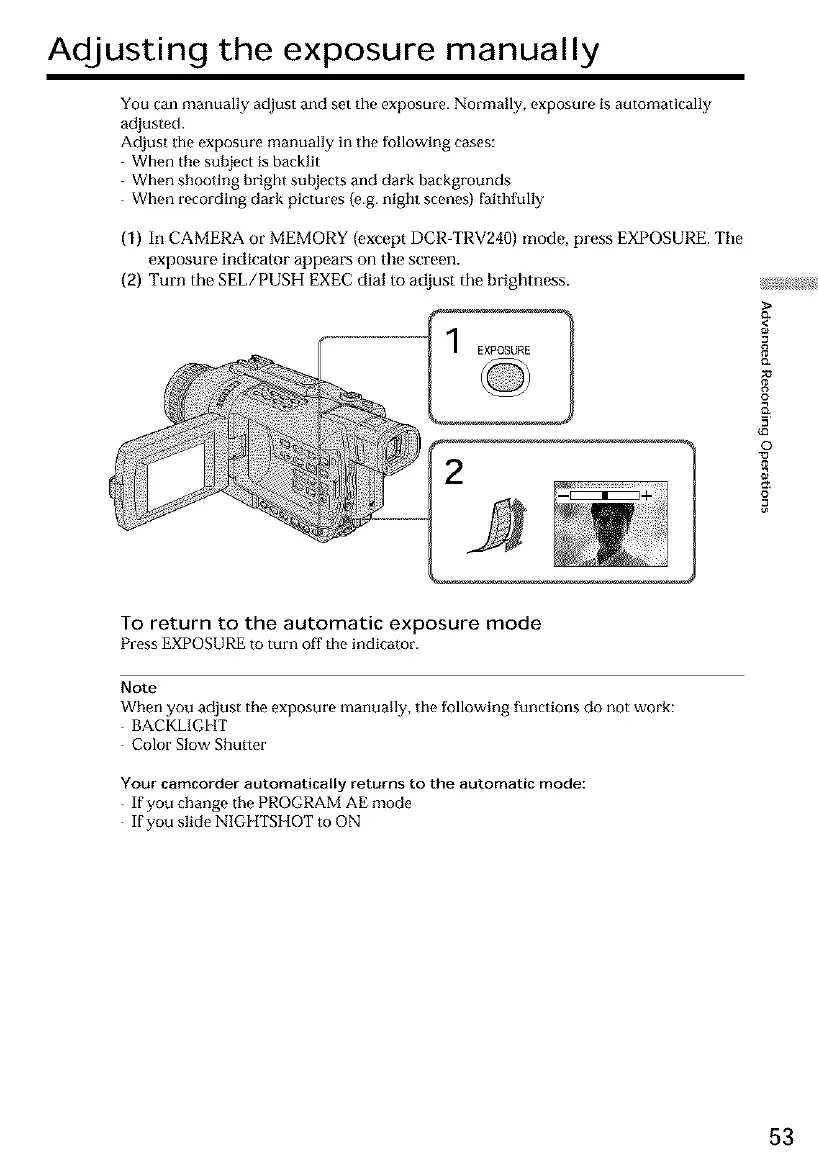
(1) In CAMERA or MEMORY (except DCR-TRV240) mode, press EXPOSURE. Tile
exposure indicalor appears on tile screen,
(2) Turn the SEL/PUSH EXEC dial to adjust the brightness.
<
8
o
_a
©
To return to the automatic exposure mode
Press EXPOSURE to turn off the indicator.
Note
When you adjust the exposure manually, tile following functions do not work:
BACKLIGHT
Color Slow Shutter
Your camcorder automatically returns to the automatic mode:
If you change the PROGRAM AE mode
If you slide NIGHTSHOT to ON
53













 To Next Page