Copying stillimages from a tape
- PHOTO SAVE
- Except DCR-TRV240
Using the search function, you can automatically capture only still images from tapes
recorded in the Digital8 D system and record them on a" Memory Stick" in sequence.
Before operation
• Insert a tape recorded in the Digital81]1 system and rewind the tape
• Insert a" Memory Stick" into your camcorder.
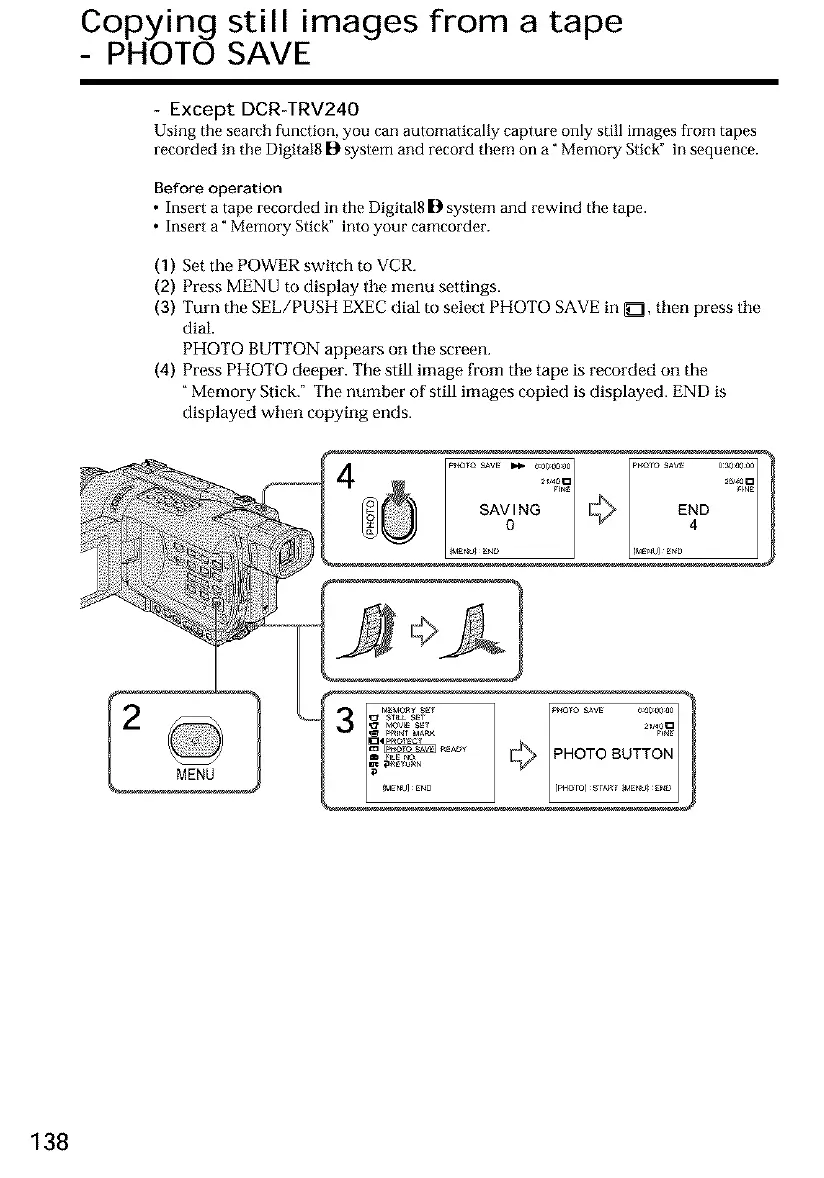
(1) Set the POWER switch to VCR.
(2) Press MENU m display tile menu settings.
(3) Turn the SEE/PUSH EXEC dial to select PHOTO SAVE in _E], then press tile
dial.
PHOTO BUTTON appears on the screen.
(4) Press PHOTO deeper. The still image from tile tape is recorded on tile
"Memory Stick." The number of still images copied is displayed. END is
displayed when copying ends.
138













 To Next Page