Changing the menu settings
POWER
Icon/item Mode Meaning switch
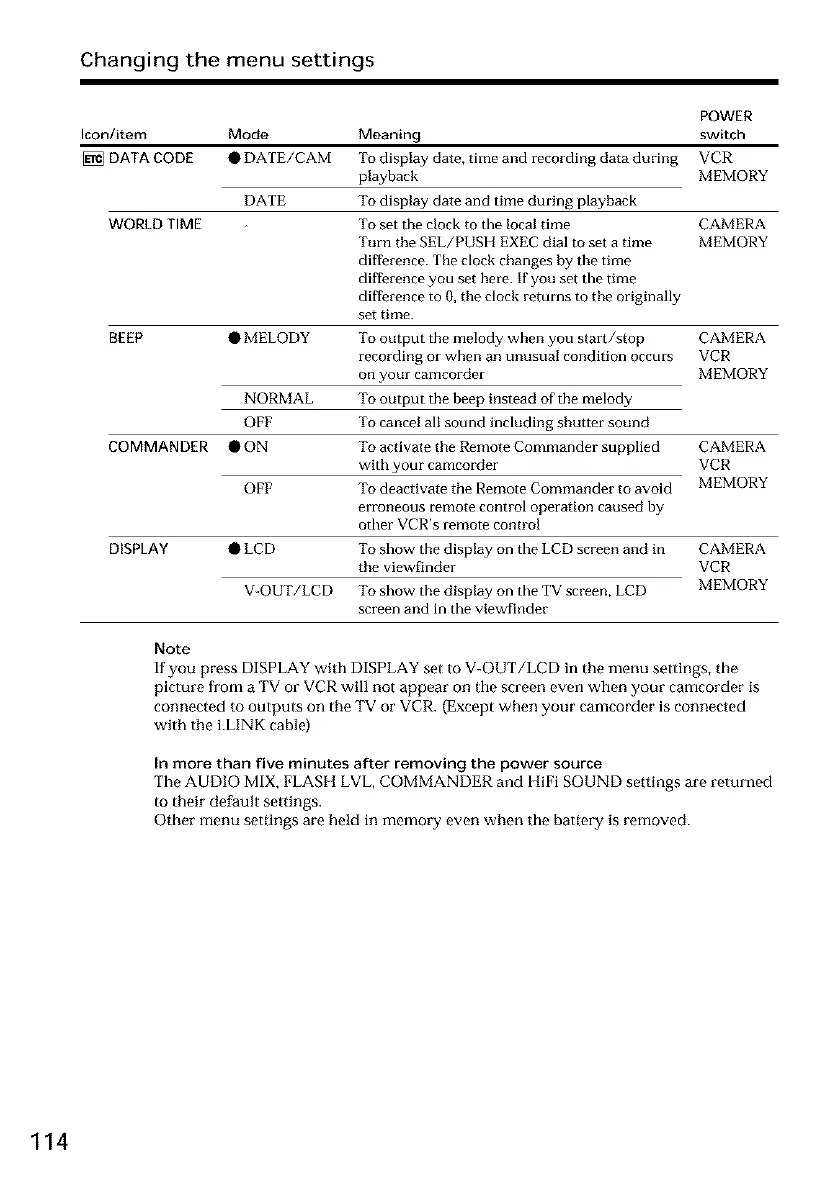
DATA CODE • DATE/CAM To display date, time and recording data during VCR
playback MEMORY
DATE To display date and time during playback
To set the clock to the local time CAMERA
Turn the SEL/PUSH EXEC dial to set a time MEMORY
difference. The clock changes by the time
difference you set here. If you set the time
difference to 0, the clock returns to the originally
set time.
BEEP • MELODY To output the melody when you start/stop CAMERA
recording or when an unusual condition occurs VCR
on your camcorder MEMORY
NORMAL To output the beep instead of the melody
OFF To cancel all sound including shutter sound
• ON To activate the Remote Commander supplied CAMERA
with your camcorder VCR
OFF To deactivate the Remote Commander to avoid MEMORY
erroneous remote control operation caused by
other VCR's remote control
DISPLAY • LCD To show the display on the LCD screen and in CAMERA
the viewfinder VCR
V-OUT/LCD To show the display on the TV screen, LCD MEMORY
screen and in the viewfinder
WORLD TIME
COMMANDER
Note
If you press DISPLAY with DISPLAY set to V-OUT/LCD in the merm settings, the
picture fi'om a TV or VCR will not appear on the screen even when your camcorder is
connected to outputs on the TV or VCR. (Except when your camcorder is connected
with the i.LINK cable)
In more than five minutes after removing the power source
The AUDIO MIX, FLASH LVL, COMMANDER and l-{iFi SOUND settings are returned
to their default settings.
Other menu settings are held in memory even when the battery is removed.
114













 To Next Page