Using " Memory Stick"- Introduction
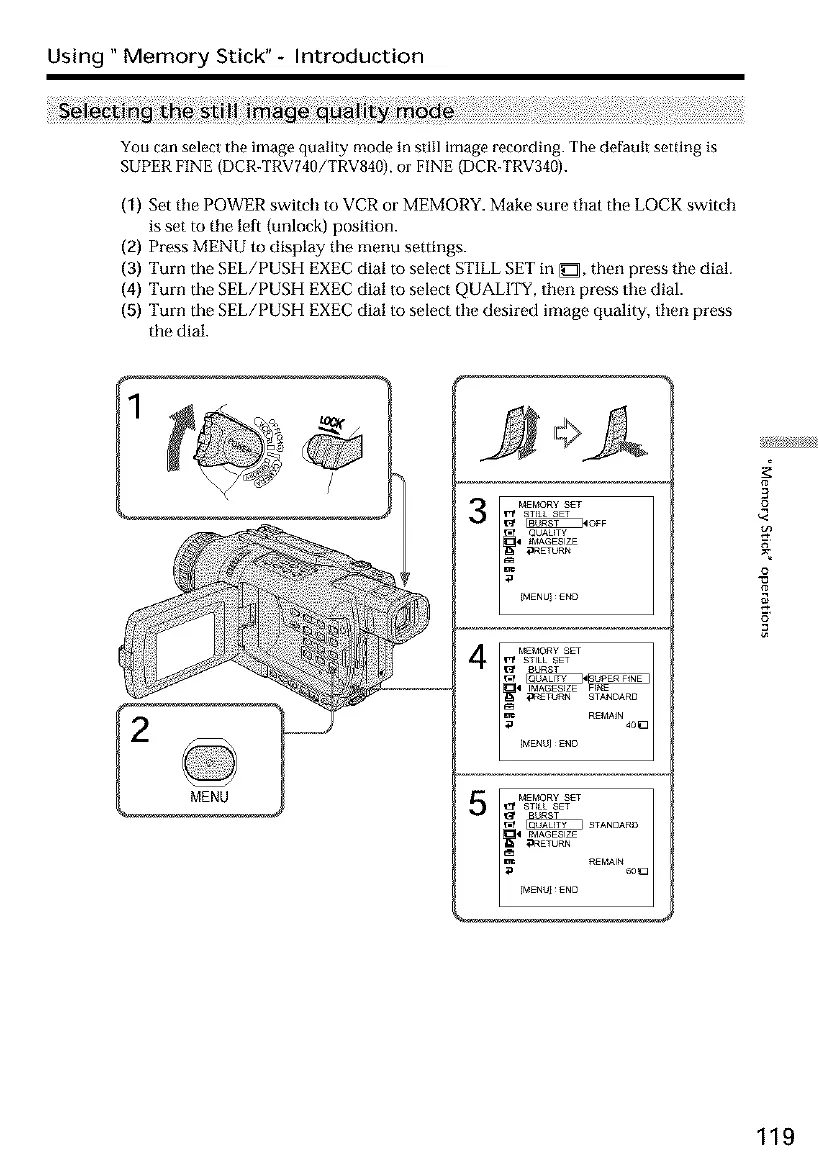
You can select the image quality mode in still image recording. The default setting is
SUPER FINE (DCR-TRV740/TRV840), or FINE (DCR-TRV340).
(1) Set tile POWER switch to VCR or MEMORY. Make sure that the LOCK switch
is set to tile left (unlock) position.
(2) Press MENU to display the menu settings.
(3) Turn the gEL/PUSH EXEC dial to select ST1LL SET in _::1, then press tile dial.
(4) Turn the SEL/PUSH EXEC dial to select QUALITY, then press tile dial.
(5) Turn the SEL/PUSH EXEC dial to select tile desired image quality, then press
the dial.
MEMORY SETT'_ ST_kL SET
_40FF
QUAUTY
t MAGESIZE
_RETORN
MENUEND
4
3
£
o
o
119













 To Next Page