Superimposing a still image in the" Memory Stick" on an image
- MEMORY MIX
Before operation
• Insert a tape for recording into your camcorder.
• Insert a" Memory Stick" is recorded still images into your eamcorder.
(1) Set the POWER switch to CAMERA.
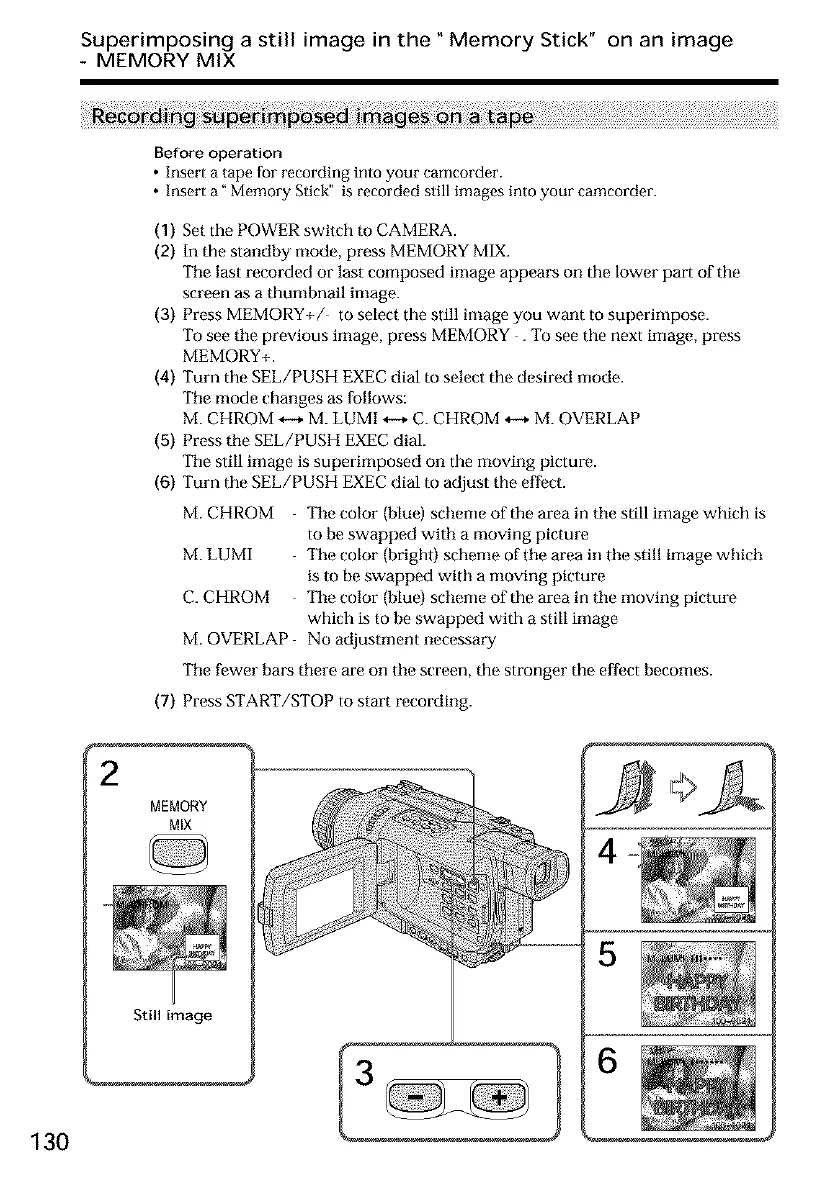
(2) In the standby mode, press MEMORY MIX.
Tile last recorded or last composed image appears on the lower part of the
screen as a thumbnail image.
(3) Press MEMORY+/ to select the still image you want to superimpose.
To see tile previous image, press MEMORY . To see the next image, press
MEMORY+.
(4) Turn the SEL/PUSH EXEC dial to select the desired mode.
Tile mode changes as follows:
M. CHROM *-+ M. LUMI *-+ C. CHROM *-+ M. OVERLAP
(5) Press tile SEL/PUSH EXEC dial.
Tile still image is superimposed on the moving picture.
(6) Turn the SEE/PUSH EXEC dial to adjust the effect.
M. CHROM Tile color (blue) scheme of tile area in tile still image which is
to be swapped with a moving picture
M. LUMI The color (brigh0 scheme of tile area in tile still image which
is to be swapped with a moving picture
C. CHROM The color (blue} scheme of the area in tile moving picture
which is to be swapped with a still image
M. OVERLAP No adjustment necessary
Tile fewer bars there are on tile screen, the stronger the effect becomes.
(7) Press START/STOP to start recording.
MEMORY
MIX
Still image
130













 To Next Page