Recording edited pictures as a moving picture
- Digital program editing (on" Memory Stick" s)
MENU
8
10
11 4,0 .........
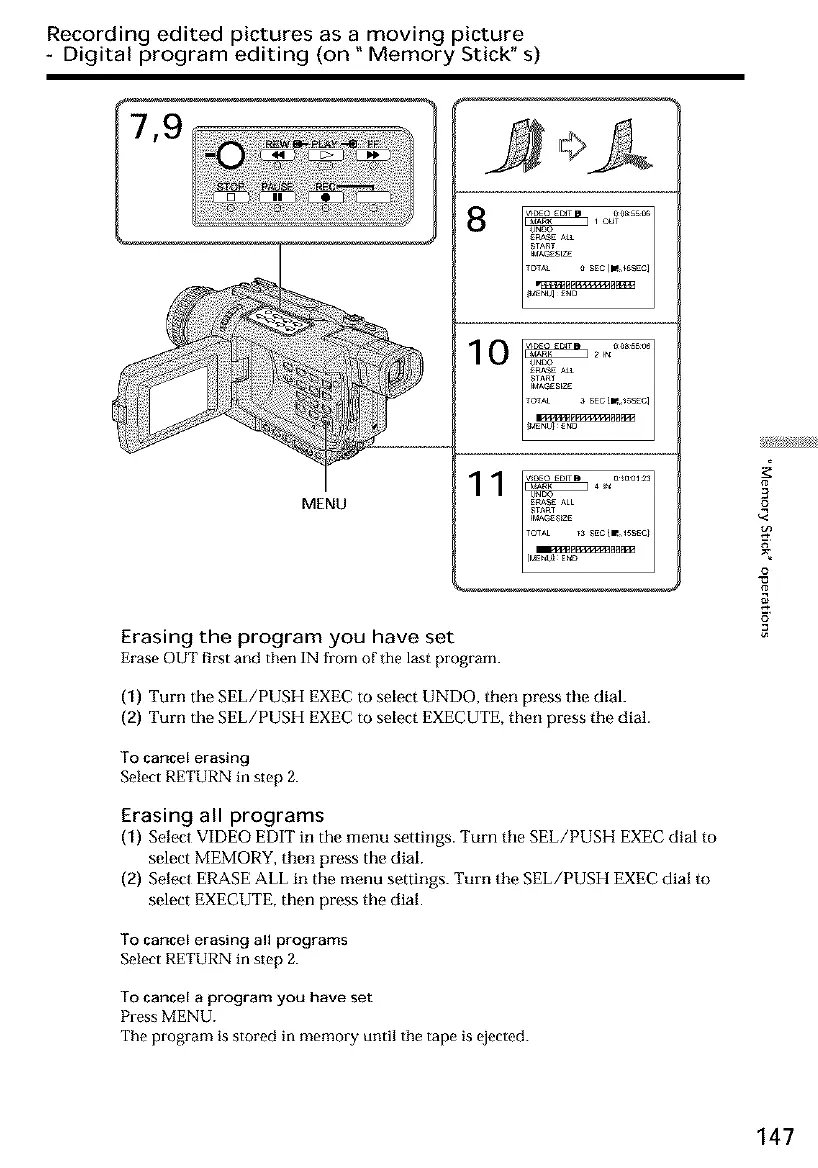
Erasing the program you have set
Erase OUT first and then IN from of tile last program.
(1) Turn the SEL/PUSH EXECto select UNDO, then press tile dial.
(2) Turn the SEL/PUSH EXECto select EXECUTE,then press tile dial.
To cancel erasing
Select RETURN in step 2.
Erasing all programs
(1) Select VIDEO EDIT in the menu settings. Turn tile SEL/PUSH EXEC dial to
select MEMORY, then press the dial.
(2) Select ERASE ALL in the menu settings. Turn the SEL/PUSH EXEC dial to
select EXECUTE, then press the dial.
To cancel erasing all programs
Select RETURN in step 2.
To cancel a program you have set
Press MENU.
The program is stored in memory until the tape is ejected.
3
£
o
147













 To Next Page