Playing back a tape
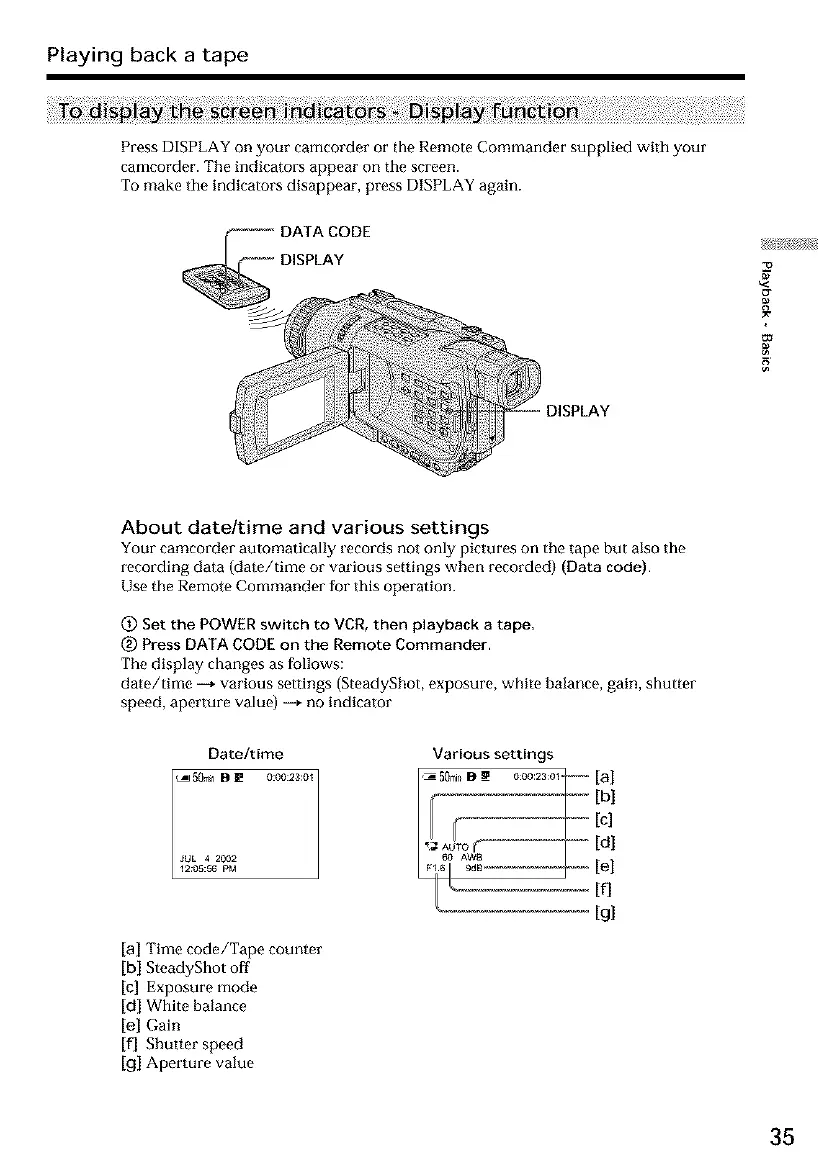
Press DISPLAY on your camcorder or the Remote Commander supplied with your
camcorder. The indicators appear on the screen.
To make the indicators disappear, press DISPLAY again.
DISPLAY
About date/time and various settings
Your camcorder automatically records not only pictures on the tape but also the
recording data (date/time or various settings when recorded) (Data code).
Use the Remote Commander for this operation.
_) Set the POWER switch to VCR, then playback a tape,
(_) Press DATA CODE on the Remote Commander.
The display changes as follows:
date/time -+ various settings (SteadyShot, exposure, white halance, gain, shutter
speed, aperture value) -+ no indicator
Date/time
_J50_n B _ 0:00:23:0_
JUL 4 2002
12:05:66 PM
Various settings
[a] Time code/Tape counter
[b} SteadyShot off
[cl Exposure mode
[dl White balance
[el Gain
[fl Shutter speed
[gl Aperture value
35













 To Next Page