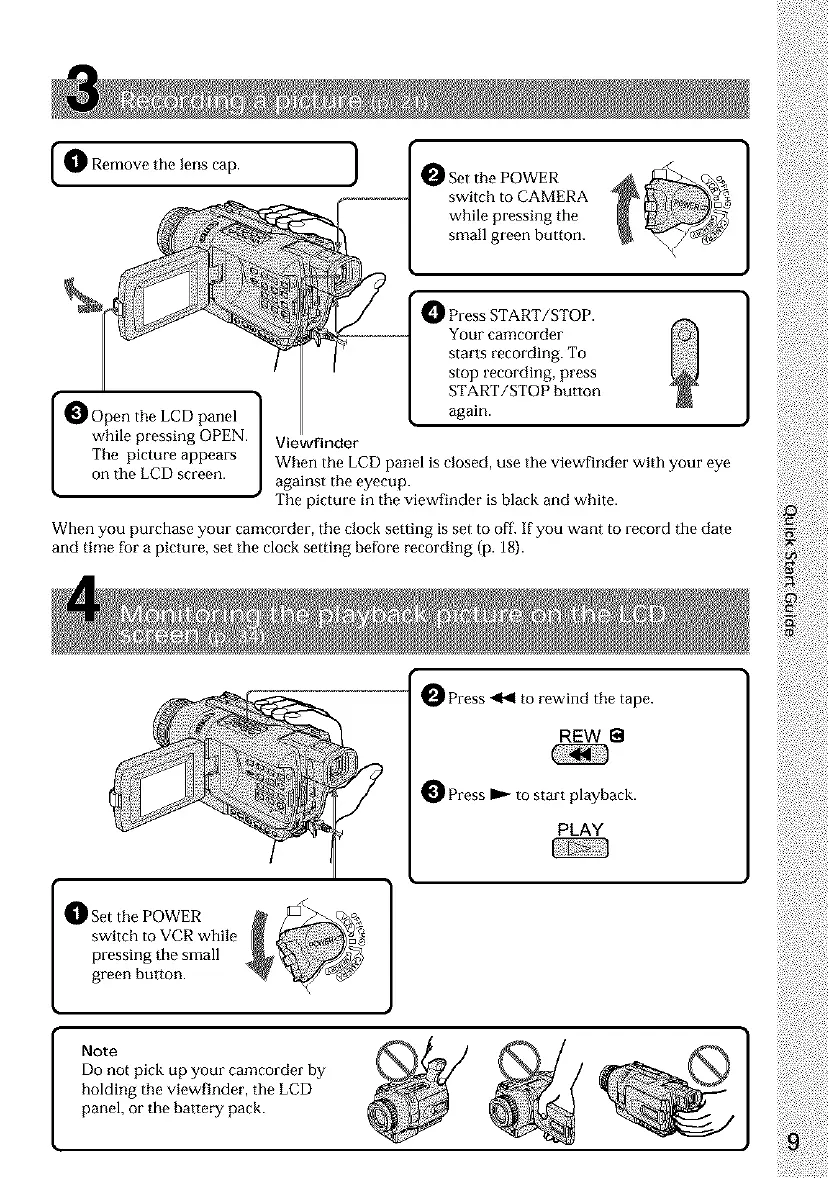
1_ Remove the lens cap. ]
ISet the POWER
switch to CAMERA
while pressing the
small green button.
IPress START/STOP.
Your camcorder
starts recording. To
stop recording, press
START/STOP button
again.
panel
while pressing OPEN.
The picture appears
on the LCD screen.
Viewfinder
When the LCD panel is closed, use the viewfinder with your eye
against the eyecup.
The picture in the viewfinder is black and white.
When you purchase your camcorder, the clock setting is set to off. If you want to record the date
and time for a picture, set the clock setting before recording (p. 18).
O Press _1 to rewind the tape.
REW
O Press _ to start playback.
PLAY
[ _]_Set the POWER
switch to VCR while
pressing the small
green button.
[
Note
Do not pick up your camcorder by
holding the viewfinder, the LCD
panel, or the battery pack.













 To Next Page