2-42
DSR-70/70P
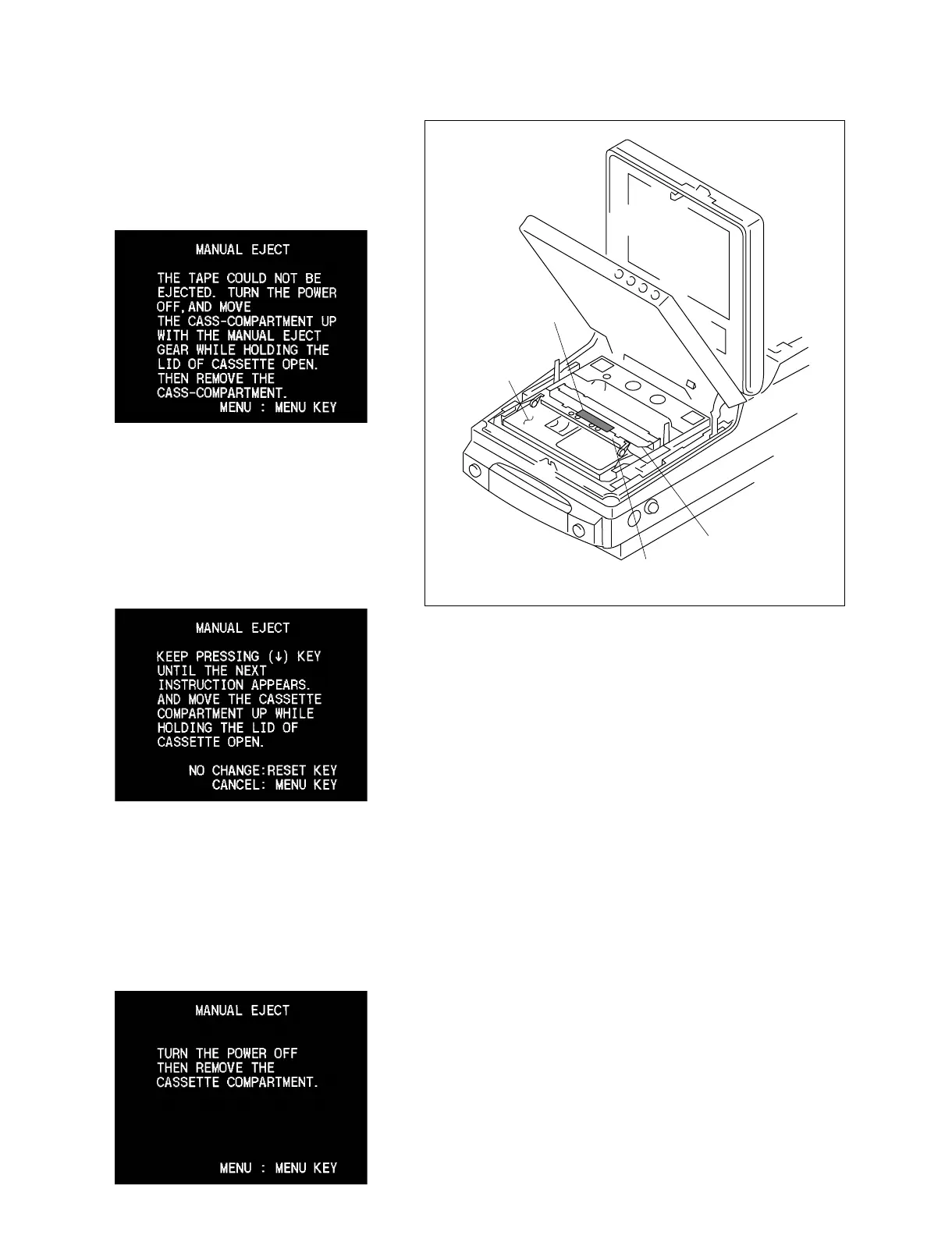
Adhesive tape
Cassette tape
Cassette tape lid
Metallic portion of the cassette compartment
(3) When the following message appears:
Remove a cassette tape referring to the
following “. How to remove a cassette
compartment and to remove a cassette tape
when the main power cannot be turned on”.
(4) When the following message appears:
Fix the cassette compartment lid with an
adhesive tape as shown so that the cassette
compartment lid should not be closed. Raise
the cassette compartment following the
instructions on display until the next message
appears.
(5) When the following message appears:
Follow the instructions on display and
remove a cassette tape referring to the
following steps (2) to (7) of “. How to
remove a cassette compartment and to
remove a cassette tape when the main power
cannot be turned on”.



 To Next Page