4-31
DSR-70/70P
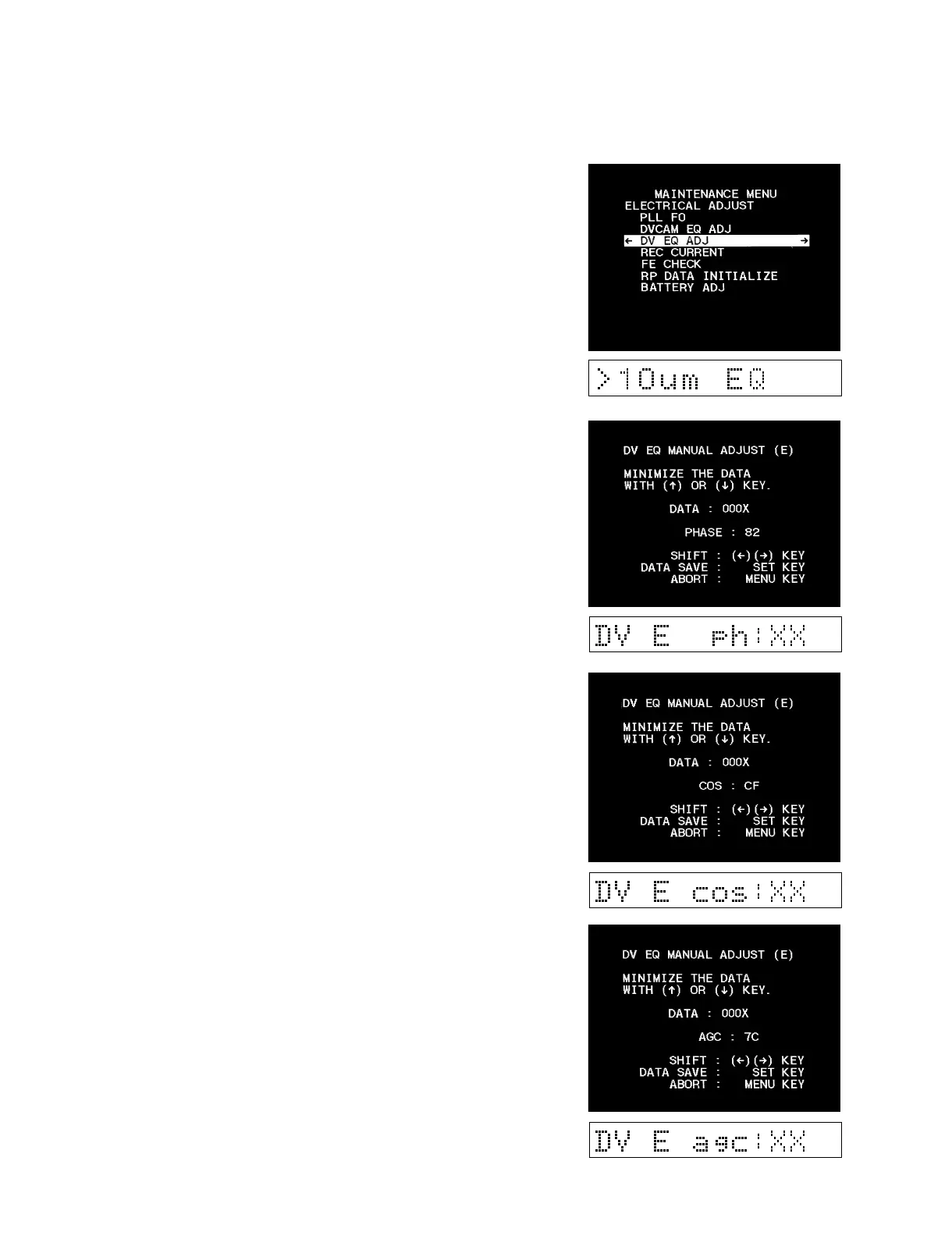
(3) DV EQ ADJ
Move the cursor to “DV EQ ADJ” which is displayed with a white
background using the [ENTRY] (↑), [AUTO|EDIT] (↓)
keys.
1. Press the [OUT] (→) key to enter the adjustment mode.
2. Playback the alignment tape XH4-1A/XH4-1AP. Select “E” in
the parentheses ( ) in the top right with the [OUT] (→) key and
select PHASE with the [OUT] (→) key at the same time.
Perform adjustment until the data becomes nearly the minimum
value (000X) using the [ENTRY] (↑), [AUTO|EDIT] (↓)
keys.
3. Playback the alignment tape XH4-1A/XH4-1AP. Select “E” in
the parentheses ( ) in the top right with the [OUT] (→) key and
select COS with the [OUT] (→) key at the same time.
Perform adjustment until the data becomes nearly the minimum
value (000X) using the [ENTRY] (↑), [AUTO|EDIT] (↓)
keys.
4. Playback the alignment tape XH4-1A/XH4-1AP. Select “E” in
the parentheses ( ) in the top right with the [OUT] (→) key and
select AGC with the [OUT] (→) key at the same time.
Perform adjustment until the data becomes nearly the minimum
value (000X) using the [ENTRY] (↑), [AUTO|EDIT] (↓)
keys.



 To Next Page