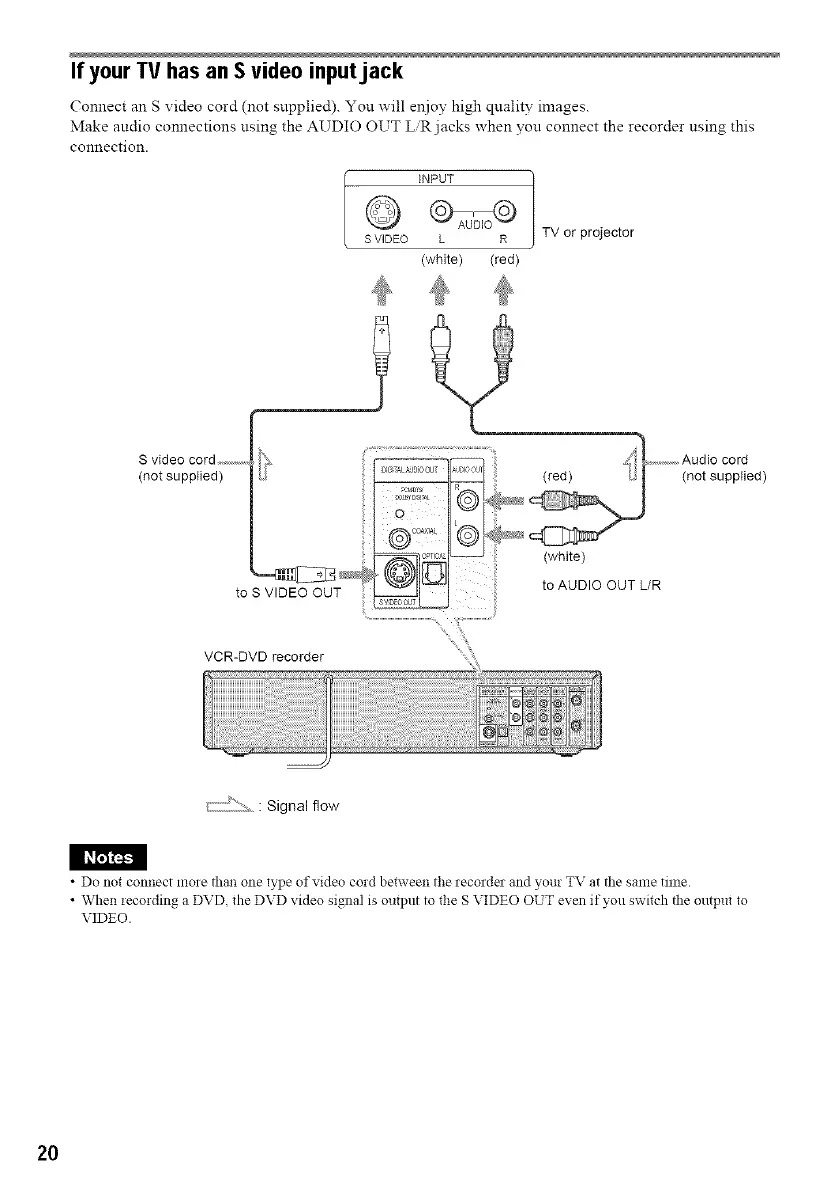
If yourTV has an S video inputjack
( onnect an S video cord (not snpplied). Yon will enjoy high qnality images.
Make audio connections nsing the AUDIO OUT L,R jacks when yon connect the recorder nsing this
connection.
INPUT
o,o®
SVIDEO L R
(white) (red)
TV or projector
VCR-DVD recorder
_]J2: _ : Signal flow
• Do not connect more than one type of video cord between the recorder and your TV at the same time.
• W hen iecording a DVD. the DVD video signal is output to the S VIDEO OUT even if you switch the output to
VIDEO.
20



 To Next Page