62
Network Streaming Settings
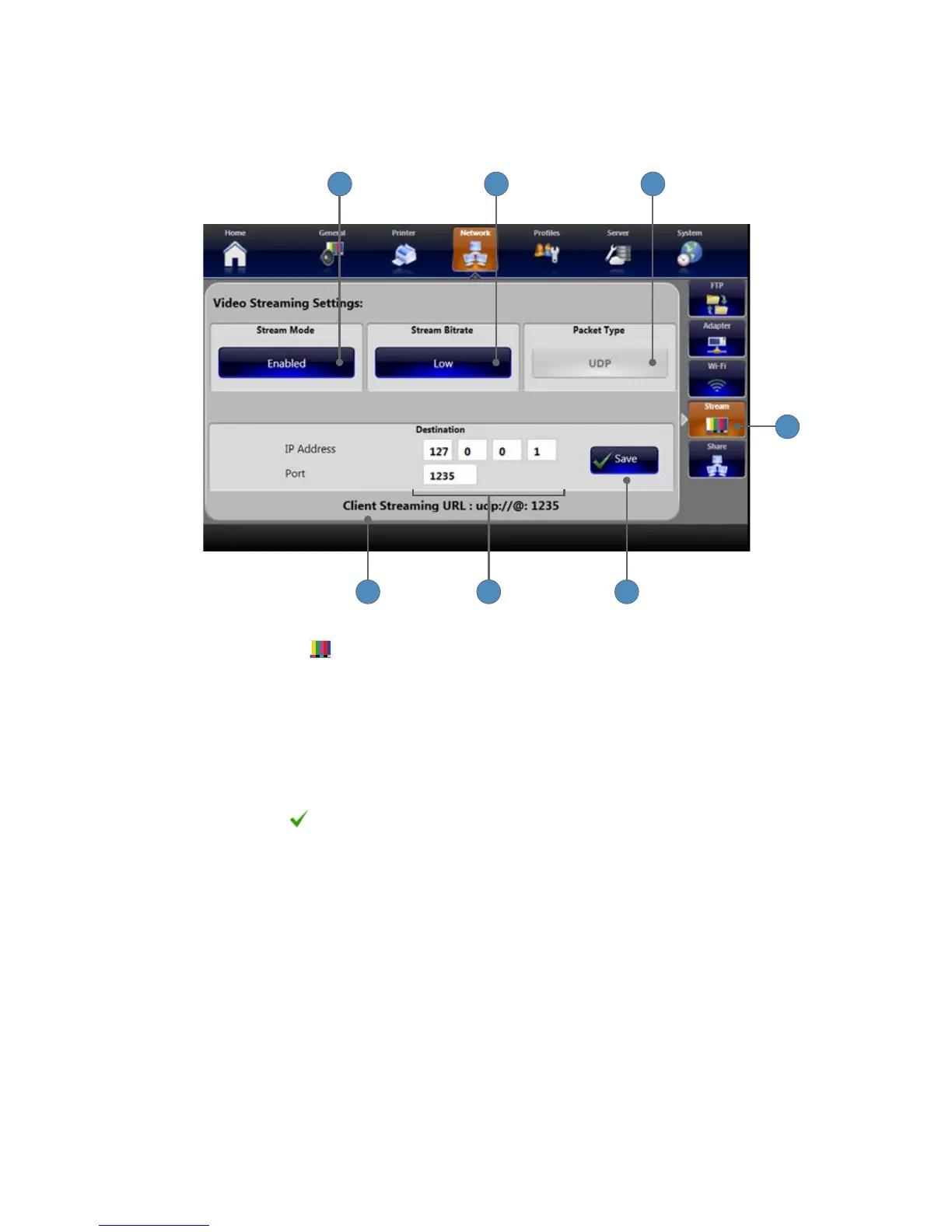
The Network Streaming Settings lets you set up a destination for streaming video from the SDC3�
Start and stop video streaming from the Capture screen�
1 2 3
1
4 5 6
1� Press the STREAM
tab to see the Video Streaming Settings screen�
Note: Streaming details cannot be modied while streaming is in progress�
2� Press the STREAM MODE button to enable or disable streaming�
3� Press the STREAM BITRATE button to choose between Low, Medium, and High�
4� The PACKET TYPE button shows UDP as the only available option, and is disabled�
5� The destination of the (Client) URL, where videos will stream�
6� The destination IP address and Port number can be entered in the Destination box�
7� Press the SAVE button to save video streaming settings�












 To Next Page