25
Applying Device Presets
After you have selected a Specialty or Procedure with saved Device Presets on the Edit Patient
screen, you can apply the Device Presets from the Capture screen�
1
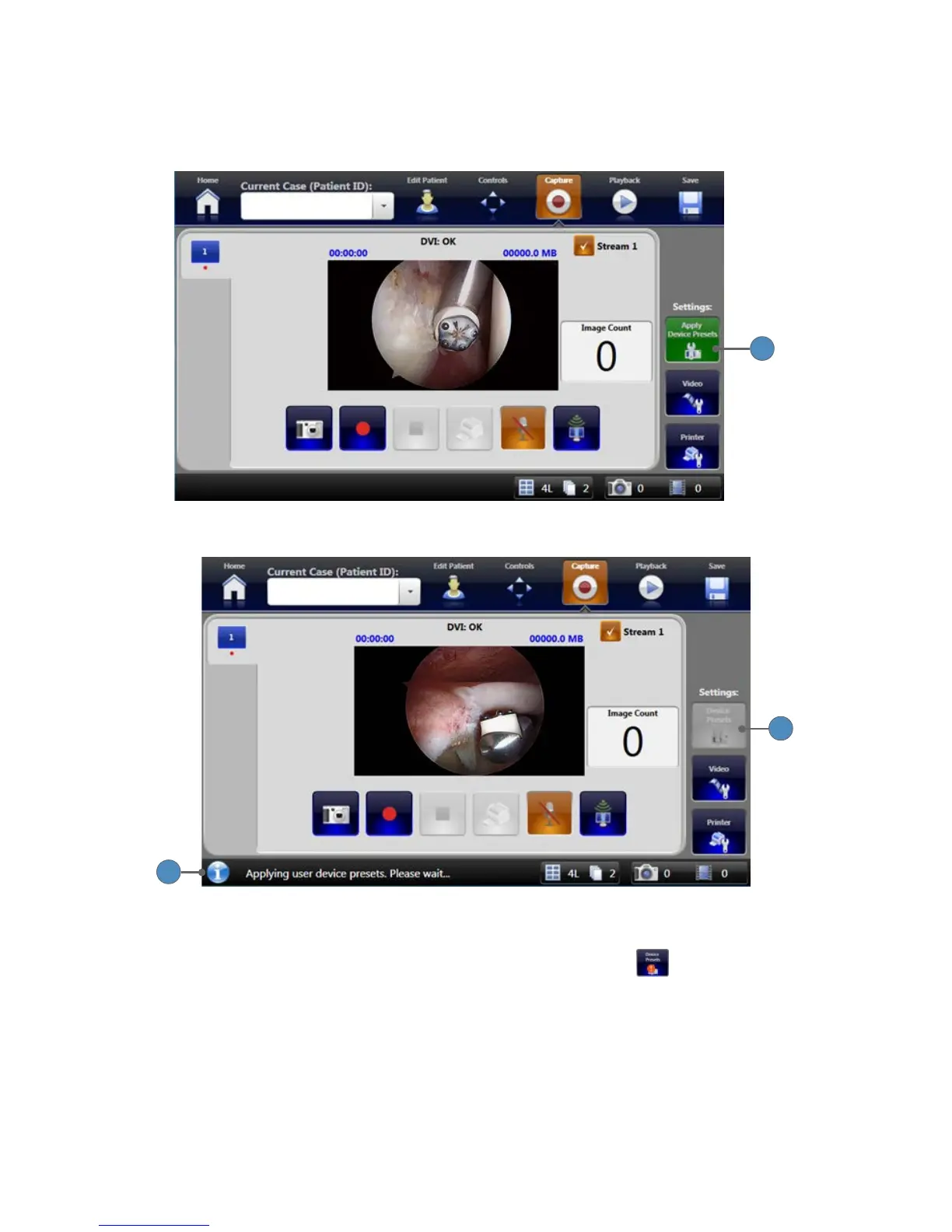
1� Press the green APPLY DEVICE PRESETS button to apply the presets�
2
3
2� The DEVICE PRESETS button is greyed out while the SDC3 applies the presets�
3� The SDC3 shows a status message: “Applying user device presets� Please wait���”
4� If there are any errors in applying the presets, the DEVICE PRESETS button will show
an alert icon�
5� Press the DEVICE PRESETS button�












 To Next Page