72
System Log Settings
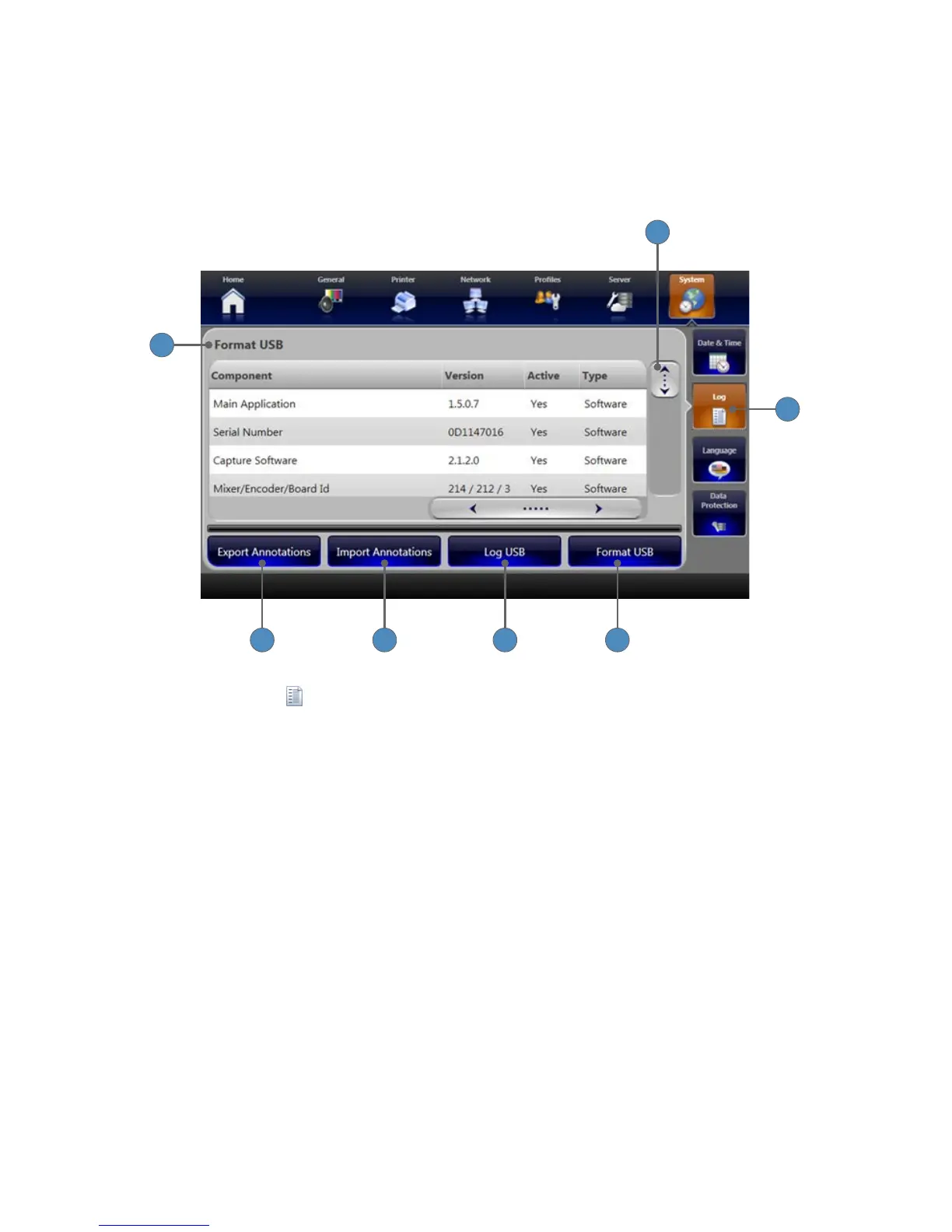
Settings for the System Log are adjusted in the “System Log Settings” screen� Here, information
about system drivers, connected devices, and system events are stored, as well as global
annotation entries� Information from this screen can be exported to a USB drive for o-site
diagnostics�
1
2
3
4 5 6 7
1� Select the LOG tab from the System screen to open the Log screen�
2� The Log screen lists each SDC3 component, along with its version, active status and type�
3� The scroll bar moves to show components not included in the initial view�
4� Press the FORMAT USB button to format a USB storage device with the NTFS format�
5� Press the LOG USB button to transfer the system log le to a USB storage device�
6� Press the IMPORT ANNOTATION button to import annotations from a USB storage device
to the system�
7� Press the EXPORT ANNOTATION button to export a master list of annotations from all
surgeon accounts on the system to a USB storage device�












 To Next Page