Chapter 6 First-Time Configuration 6-41
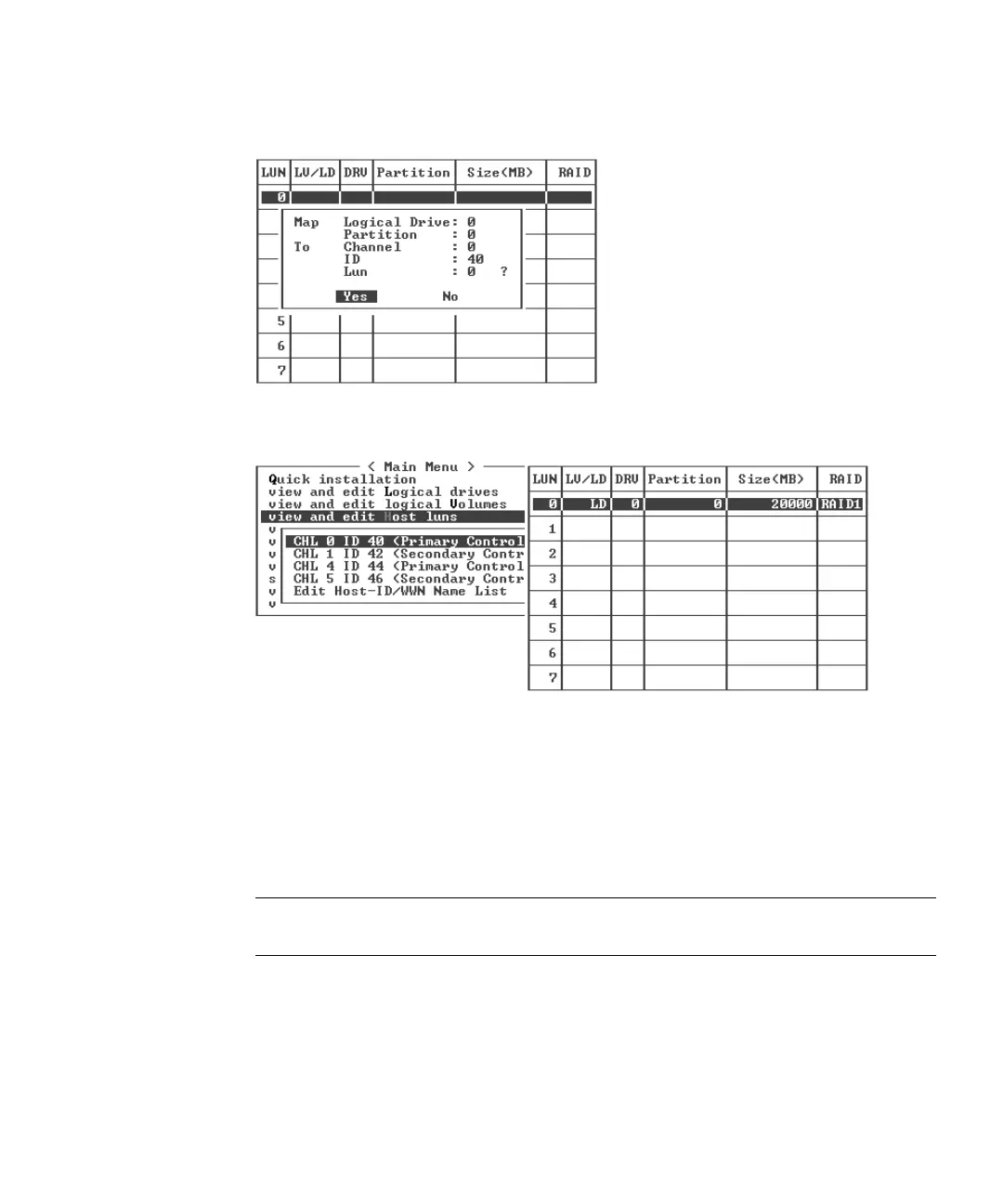
8. Choose Yes to confirm the host LUN mapping.
The partition is now mapped to a LUN.
9. Repeat Step 4 through Step 8 to map additional partitions to host LUNs on this
channel and logical drive.
10. Press Escape.
11. If you are LUN mapping a redundant configuration, repeat Step 2 through Step 8
to map partitions to host LUNs with other host ID on the logical drive assigned to
the primary controller.
Note – If you are using host-based multipathing software, map each partition to two
or more host IDs so multiple paths will be available from the partition to the host.
12. Repeat Step 2 through Step 11 if you want to map hosts to the
13. From the Main Menu, choose “system Functions → Reset controller,” and choose
Yes to confirm.
The controller is reset and the new configuration settings are implemented.



 To Next Page
 Loading...



