Chapter 5 Servicing Infrastructure Boards and Components 5-3
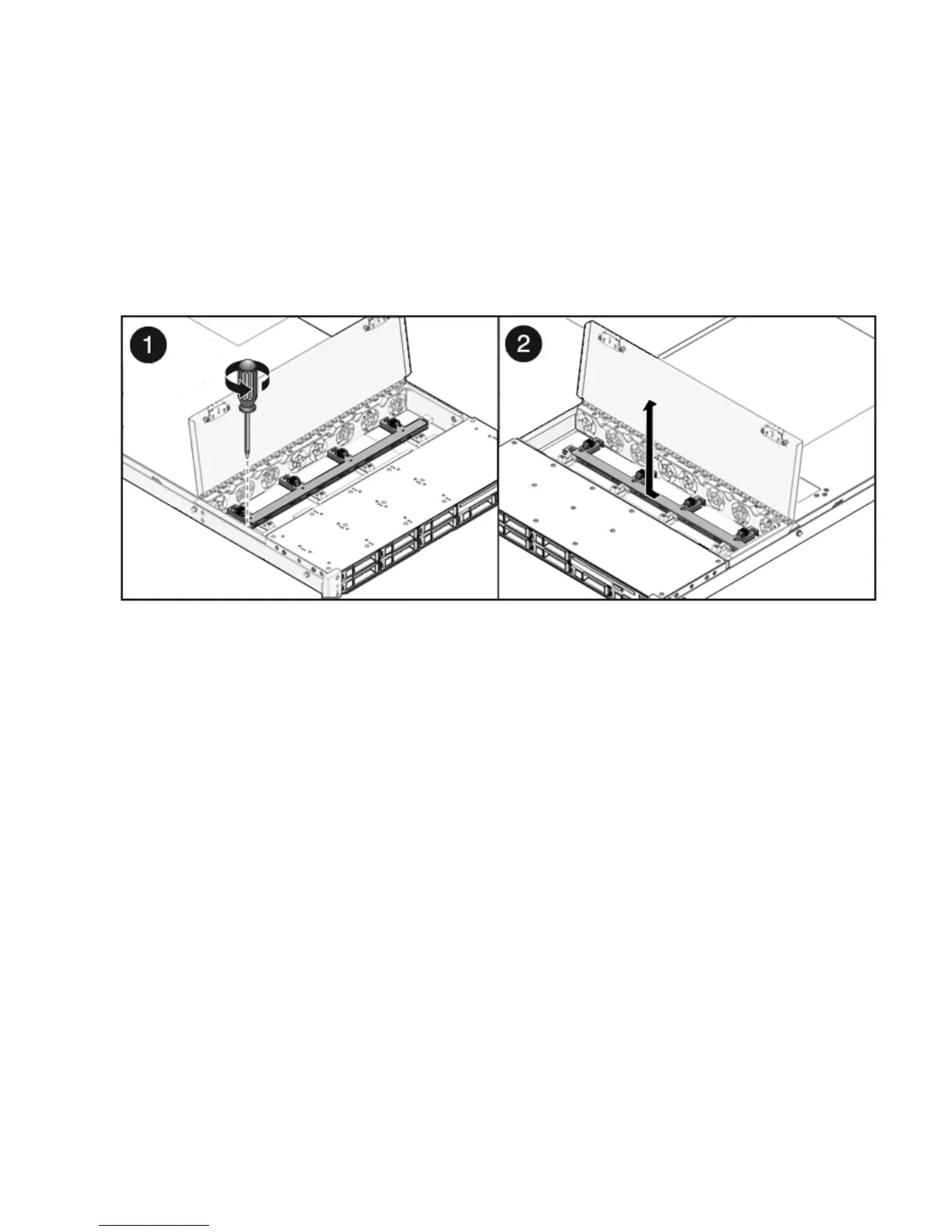
3. Remove the Phillips screw that secures the fan power board to the chassis
(
FIGURE 5-1).
4. Slide the fan power board to the left to disengage it from the paddle card.
5. Remove the fan power board from the system and place it on an antistatic mat.
FIGURE 5-1 Removing the Fan Power Board
5.1.2 Installing a Fan Power Board
1. Lower the board into its mushroom standoffs in the chassis floor and slide the
board to the right into the paddle card (
FIGURE 5-2).














 To Next Page