Chapter 3 Servicing Customer Replaceable Devices 3-3
3.2.1 Sun Fire X4150 Server Drive Guidelines
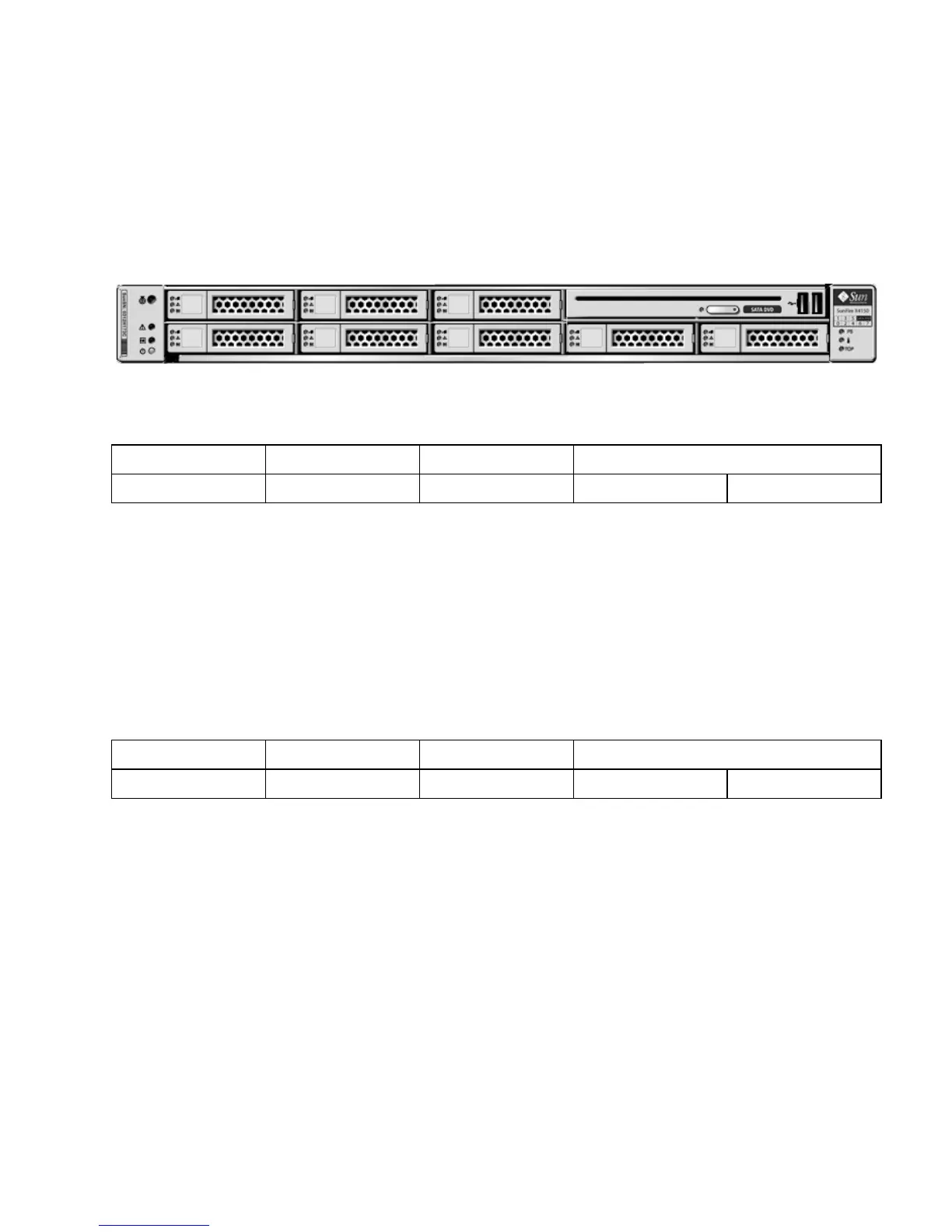
FIGURE 3-1 shows the front panel of a server with 8 hard drives.
FIGURE 3-1 Server Front
3.2.2 Sun Fire X4150 Server SSD Guidelines
The X4150 server supports installing SSDs in the drive bays. Each SSD provides at least
32Gb of SATA capacity.
TABLE 3-2 shows drive numbers for a server with 4 SSDs and 4 hard drives. FIGURE 3-1
shows the front panel of a server with 8 drives.
The Sun Fire X4x50 servers support solid-state drives (SSDs) under the following
conditions:
Sun Fire X4150 with on-board controller:
■ Up to 4 SSDs can be installed.
Sun Fire X4150 with both HBA and on-board controller:
■ 0 to 4 SSDs can be installed into the system for the X4150.
The remaining slots can be filled with up with hard drives that can equal up to 4.
■ SSDs can be installed in any drive slot to a maximum of 4 SSDs.
TABLE 3-1 Drive Physical Drive Locations
HD1 HD3 HD5 DVD drive
HD0 HD2 HD4 HD6 HD7
TABLE 3-2 Physical Drive Locations- SSD and Hard Drive Configuration
SSD1 SSD3 HD5 DVD drive
SSD0 SSD2 HD4 HD6 HD7














 To Next Page