4-30 Sun Fire X4150 Server Service Manual • November 2009
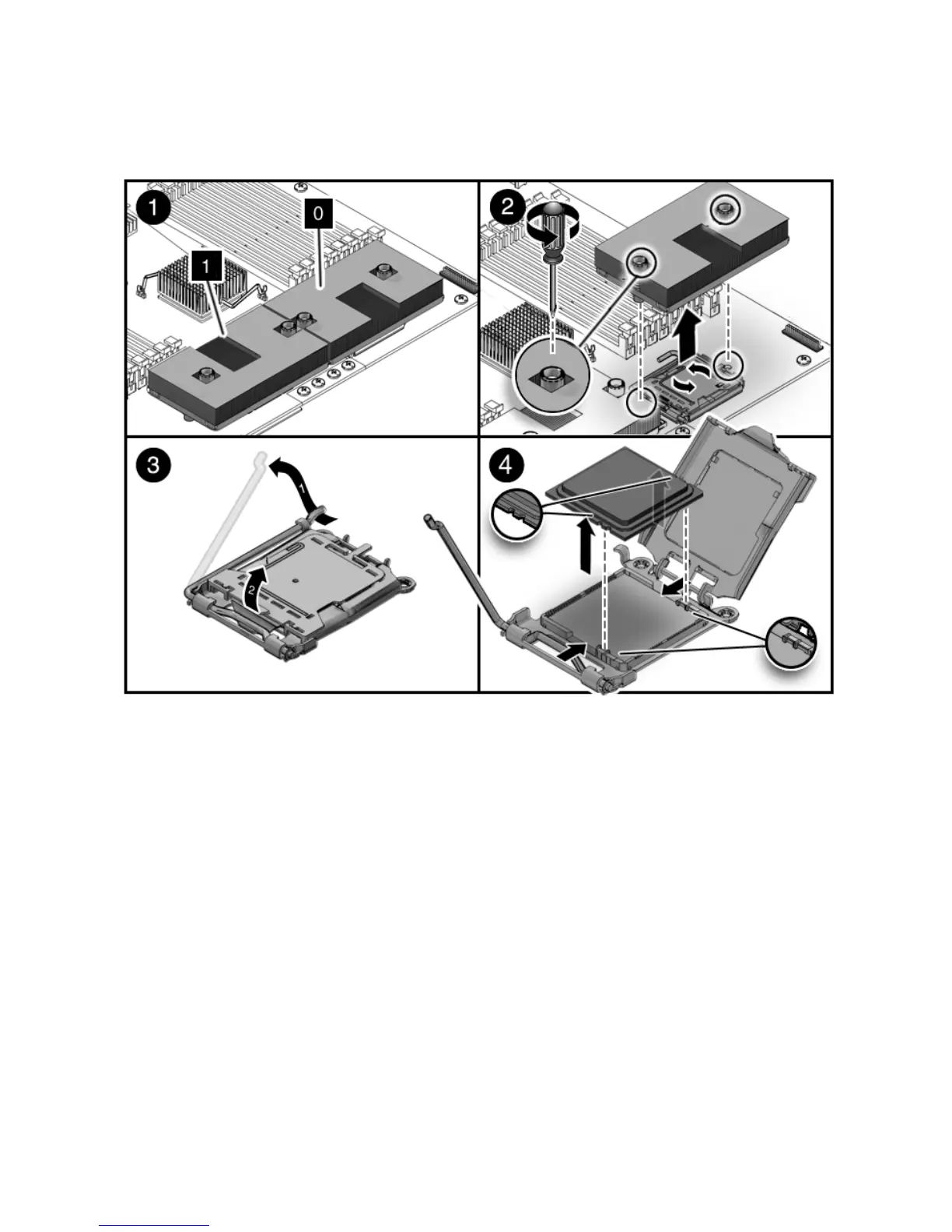
FIGURE 4-17 Removing a Processor
▼ To Install a Processor FRU
To install a processor FRU.
1. Prepare the server for service.
a. Power off the server.
See Section 2.4, “Powering Off the Server” on page 2-3.
b. Disconnect the power cord (or cords) from the power supply (or supplies).
See Section 2.4, “Powering Off the Server” on page 2-3.
c. Slide the server out of the rack.
See Section 2.5, “Extending the Server to the Maintenance Position” on
page 2-5.














 To Next Page