5-20 Sun Fire X4150 Server Service Manual • November 2009
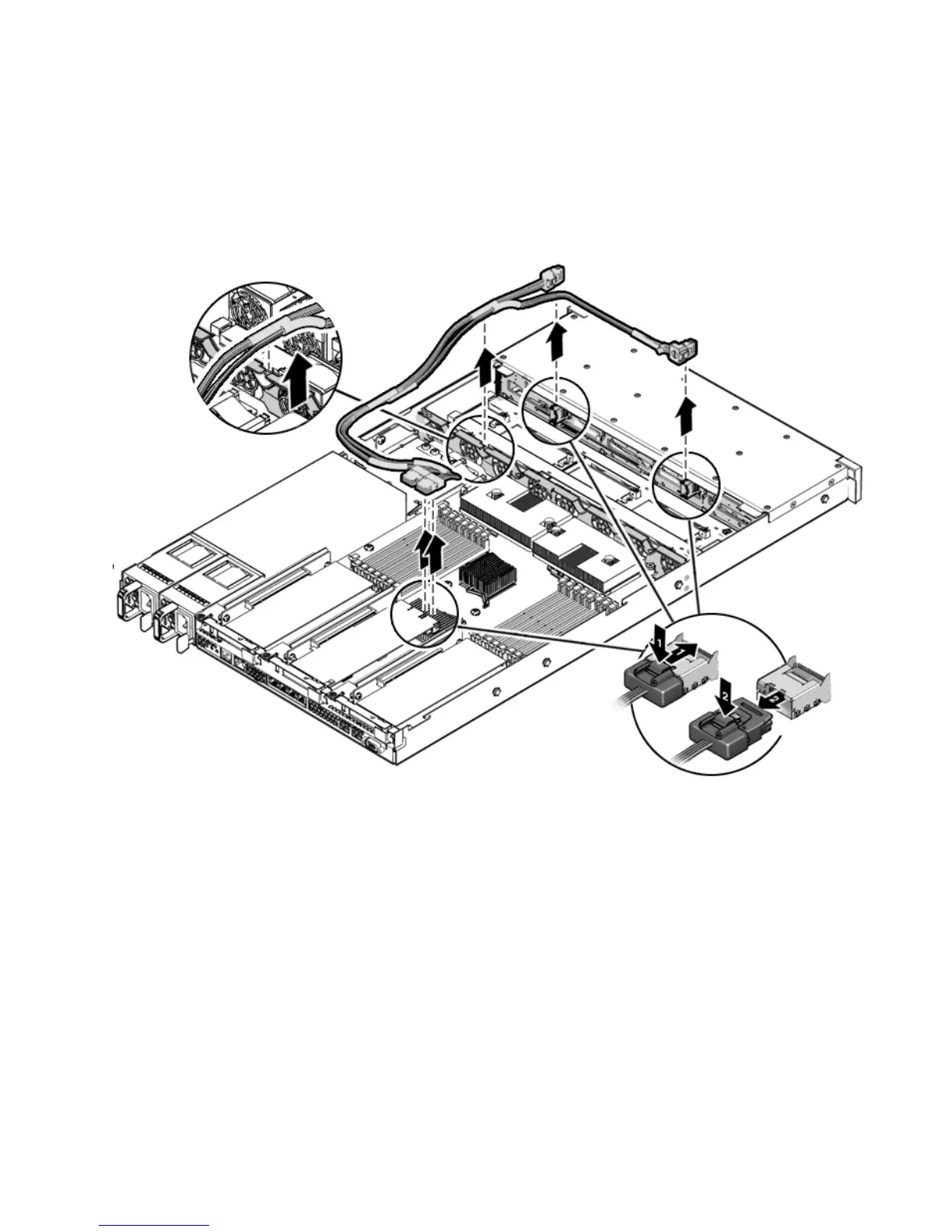
6. Remove the cables.
Do not snag the cables on the retainer above the mid-wall.
FIGURE 5-12 Removing Drives Cables in a SAS Configuration
5.7.2 Installing Drives Cables in a SAS Configuration
To install two drive cables; Disk 0-3 and Disk 4-7 in a SAS configuration, do the
following.
1. Install the disk 0-3 cable first (
FIGURE 5-13).
A right angle connector is on one end and a single connector is on the other end.
a. Install right angle connector in drives backplane.
The connector is on the left from the front of the unit.














 To Next Page