5-26 Sun Fire X4150 Server Service Manual • November 2009
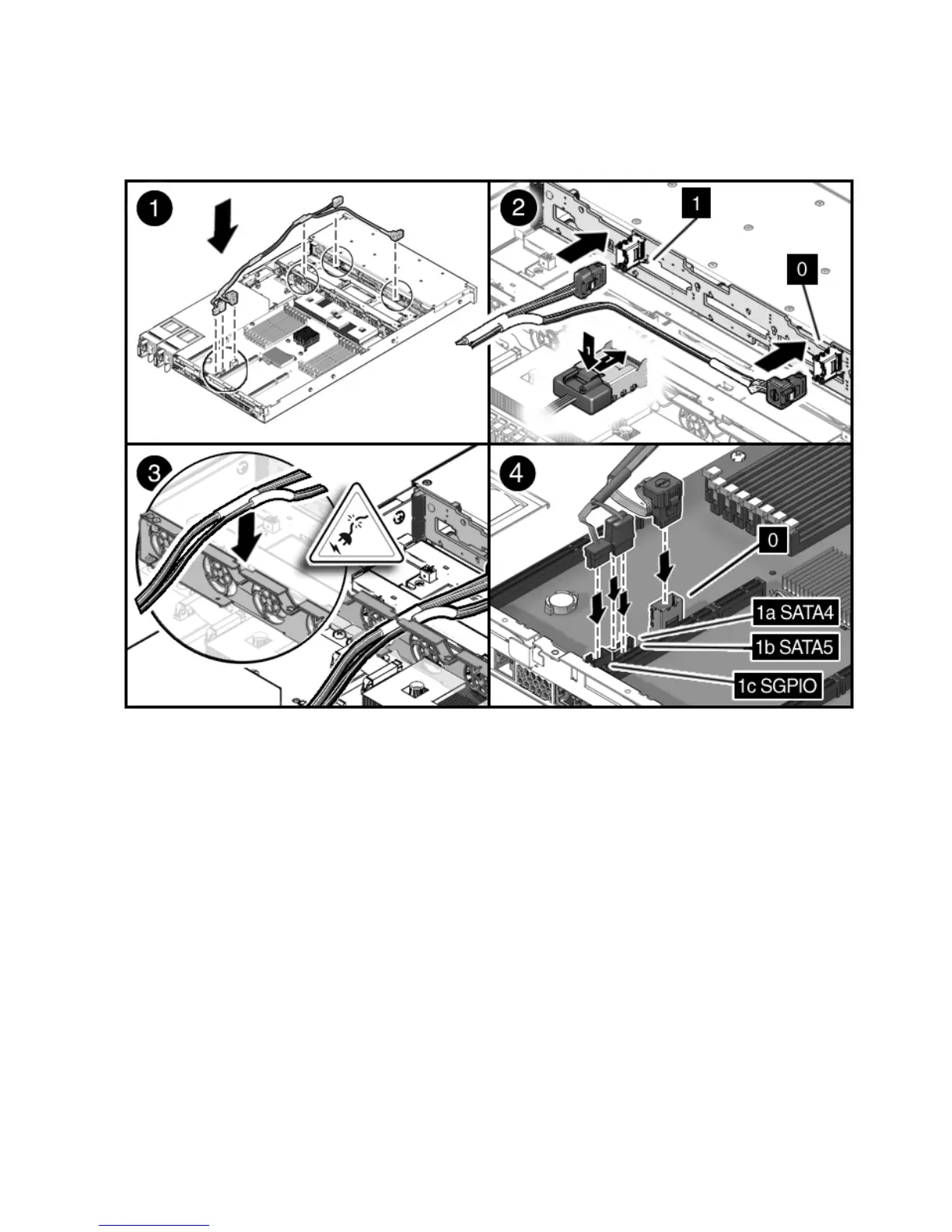
FIGURE 5-15 Installing Drive Cables in a SATA Configuration
5.7.5 Changing Drive Cables from SAS to SATA
To change drives cables from SAS to SATA.
1. Remove the cables from the SAS configuration.
See Section 5.7.1, “Removing Drive Cables in a SAS Configuration” on page 5-19.
2. Remove the SAS HBA card.
3. Install either a different HBA card or a PCIe filler in PCIe slot 1.
4. Install the new cables in the SATA configuration.
See Section 5.7.4, “Installing Drive Cables in a SATA Configuration” on page 5-24.














 To Next Page