Chapter 4 Servicing Motherboard Components 4-3
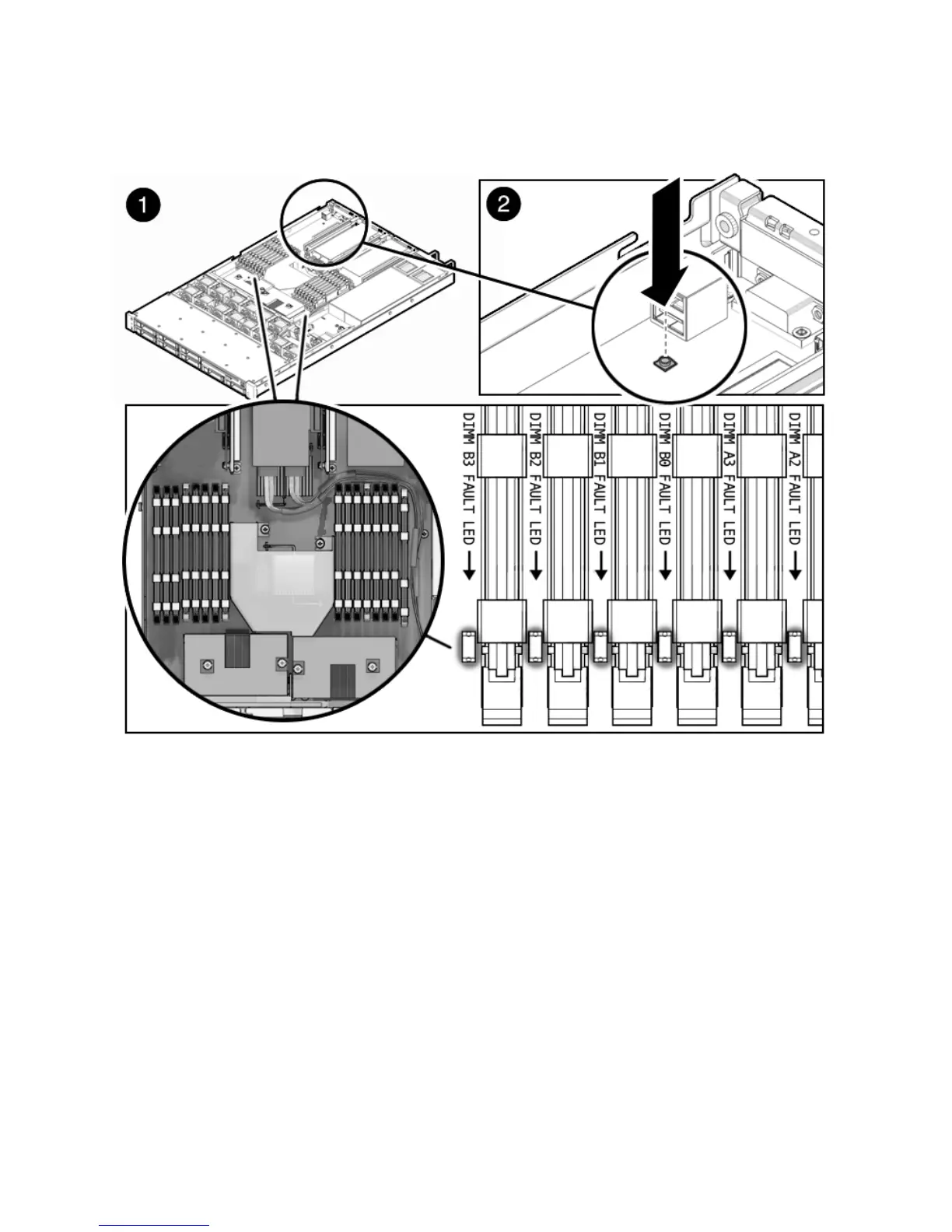
FIGURE 4-1 Remind Button
3. Note the location of faulty FB-DIMMs.
Faulty FB-DIMMs are identified with a corresponding amber LED on the
motherboard.
4. Ensure that all FB-DIMMs are seated correctly in their slots. If re-seating the
FB-DIMM does not fix the problem, remove and replace the faulty FB-DIMM.
4.1.1 FB-DIMM Guidelines
Use the FB-DIMM guidelines, FIGURE 4-2, FIGURE 4-3, and TABLE 4-1 to help you plan
the memory configuration of your server.
■ The server has 16 total slots on the motherboard, in two groups, that hold
industry-standard FB-DIMM memory modules. The slots are labeled A0-D3.














 To Next Page